Joybuy ultrawide options
These Joybuy options cover wider 49-inch layouts and 34-inch monitors for working in adjacent windows. Compare each model’s stated resolution and connections with your landing-page workflow; this selection does not represent the 40-inch 5K2K route discussed above.
 No image available
Acer Predator X49X 49-inch QD-OLED ultrawide
Consider this wide format if horizontal room or a two-source setup is the priority; check that its vertical workspace suits long landing-page previews.
The product name specifies a 49-inch 32:9 QD-OLED display, an 1800R curve, Double Quad HD and 240Hz.
View on Joybuy
 No image available
LG UltraGear 34GX900A-B 34-inch OLED WQHD
Consider a 34-inch ultrawide for a design window beside a browser when a 40-inch display would be difficult to accommodate.
The product name specifies OLED, WQHD and 240Hz. For sustained work with static interface elements, follow the listed OLED screen-protection advice and check the laptop’s display and charging requirements.
View on Joybuy
 No image available
Dahua 34-inch curved UWQHD 200Hz monitor
Its stated resolution is relevant to arranging two application windows on one computer, with less vertical room than a 5K2K display.
The product name specifies 3440×1440, a VA panel, 200Hz, two HDMI inputs and two DisplayPort 1.4 inputs. If colour coverage or laptop charging is decisive, check the exact model’s specifications before buying.
View on Joybuy
 No image available
Lenovo R34w-30 34-inch UWQHD monitor
This 34-inch ultrawide is a candidate for placing a design application beside a browser. Confirm its exact native resolution if your layout depends on a particular pixel height.
The product name identifies the R34w-30 variant as UWQHD; check its inputs and any laptop-charging requirement against your computer.
View on Joybuy
 No image available
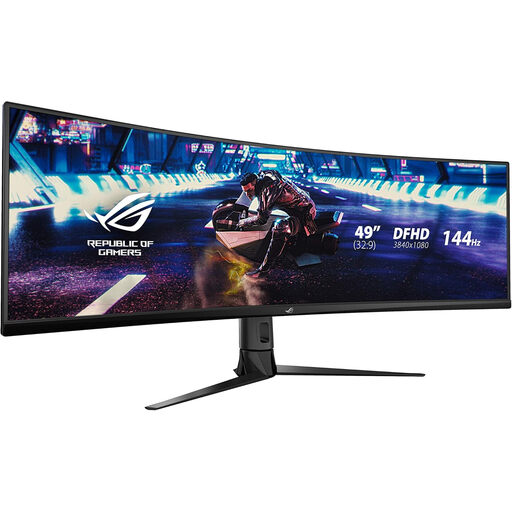
ASUS ROG Strix XG49VQ curved DFHD 144Hz
Consider its wide layout if arranging windows horizontally matters more than the height available for a long page preview.
The product name specifies DFHD and 144Hz. Check the native resolution, desk fit and any required two-device features against your intended setup.
View on Joybuy
Frequently asked questions
Is a 49-inch dual-QHD monitor better for a landing-page design and preview?
Not if preview height is your priority: a 5120×1440 dual-QHD panel has 720 fewer vertical pixels than a 5120×2160 5K2K panel. Samsung UK’s published specifications illustrate both resolutions; choose the wider physical format when horizontal layout or supported two-source use matters more to you.
Can one USB-C cable handle the display and laptop charging?
It can only do both when the exact monitor, computer and cable support the required video and power modes. Dell UK, Samsung UK, LG UK and BenQ UK list differing power-delivery limits for the models discussed here, so compare the monitor connection with your laptop’s output and charging requirements.
Do I need picture-by-picture to put my design tool beside a browser?
No; on one computer, you can arrange the application and browser as ordinary windows. Picture-by-picture becomes relevant when you need a supported split between video sources; check the exact layouts and input requirements, such as those BenQ UK describes for the PD3420Q.
What should I check before putting a large ultrawide on my work desk?
Measure the available width and depth, then check the stand footprint and adjustment range so you can position the screen appropriately. The Health and Safety Executive warns that poorly designed display-screen workstations can contribute to fatigue, eye strain and musculoskeletal pain.


