Spread-layout students
You want to view two album pages while keeping layout tools, photo selections or coursework nearby. A 34-inch 21:9 screen is a starting format, provided the exact model fits your desk.


For students who mainly need to inspect a two-page album spread beside editing tools or coursework, a 34-inch 21:9 ultrawide at 3440 × 1440 is a useful starting point. Check its colour specification, desk footprint and laptop connection before choosing a model; if dependable screen-to-print colour is the deciding need, a calibration-oriented photo monitor may make more sense than extra width.
You want to view two album pages while keeping layout tools, photo selections or coursework nearby. A 34-inch 21:9 screen is a starting format, provided the exact model fits your desk.
You need to distinguish screen-oriented editing from work intended for print. Gamut coverage and calibration serve different purposes: as BenQ explains, software calibration cannot make an sRGB-limited display accurately show Adobe RGB.
You want one screen for study and image review without crowding the desk. Check both the monitor’s footprint and whether your laptop can provide the required video connection and charging arrangement.
Start with the space your spread and tools need, then decide how important colour-managed output is. Measure the desk and check the laptop connection before weighing up secondary features.
| Concern | What to check | Who this matters to |
|---|---|---|
| Space for a spread | Check native resolution and aspect ratio, then compare the screen’s full width and stand depth with your desk. | If I need both album pages visible beside editing tools, I want room to arrange windows without adding another screen. Around 25% of consumers put that workspace need first. |
| Photo colour | Match the stated gamut and colour mode to your intended output; check calibration support if print matching matters. | When my album is destined for print, I need a colour workflow I can assess rather than relying on a wide-gamut label. That is the primary concern for around 31% of consumers. |
| Laptop and desk fit | Confirm laptop video output, the monitor’s USB-C functions if needed, and its footprint with the stand. | On a small desk, I need the display to fit and connect to my laptop as intended. Roughly 25% of consumers prioritise that workable setup. |
| Study and leisure use | Settle resolution, colour needs and connections before choosing extras such as a higher refresh rate. | If the screen will also serve coursework and gaming, I want those uses covered without letting extras drive the photo-work decision. Around 19% of consumers make that balance their main priority. |
Gamut coverage does not establish calibration accuracy or screen-to-print matching. BenQ also explains that software calibration cannot extend an sRGB-limited display to accurately portray Adobe RGB.
Decide whether your work is chiefly for screens or for print, then check the exact monitor’s gamut, calibration support and compatibility with your colour-managed workflow.
Print matching may also require a compatible calibrator and time to maintain that workflow.
A wide screen needs room for its stand as well as its panel. LG UK lists the 34WP85CN-B at 814.0 mm wide and 260 mm deep with its stand; Dell UK lists the larger U3824DW at approximately 13.27 kg.
Measure the available width, depth and clearance. If you plan to use an arm, check the exact monitor’s mounting pattern and the arm and desk load ratings.
An arm or a different desk arrangement may be needed if the supplied stand takes up too much space.
LG UK documents DisplayPort Alternate Mode and 96 W USB-C Power Delivery for the 34WP85CN-B, but lists 65 W Power Delivery for the 34U640B-B. A USB-C socket alone does not settle what your laptop can display or how it charges.
Check the monitor manual and your laptop’s video-output and charging specifications before planning a one-cable setup.
LG UK lists a 144 Hz refresh rate for the 34U640B-B, but that figure does not establish its calibration behaviour, panel uniformity or print matching.
Check resolution, colour documentation, connections and desk fit first; give refresh rate more weight if gaming is an important secondary use.
LG UK documents 34-inch ultrawide models with different colour-coverage and USB-C specifications, making the exact model important.
Dell’s U3824DW illustrates the larger ultrawide workstation route rather than the footprint of a typical 34-inch screen.
BenQ’s SW272U is a 27-inch 4K photo monitor to consider when colour-managed work matters more than an ultrawide layout.
These ultrawides offer different screen sizes and documented features for arranging album spreads and study windows. Check each model against your desk, laptop and colour-workflow requirements; a wide display alone is not a print-proofing setup.
 No image available
Consider this 34-inch ultrawide if a broad canvas and gaming are both priorities. Its title specifies a VA panel and 240 Hz refresh rate; check the exact colour workflow, desk fit and laptop connection separately.
 No image available
This 34-inch ultrawide is worth checking if you want to arrange a spread beside other windows. Confirm its dimensions with the stand, your laptop’s display connection and the colour requirements of your finished work.
 No image available
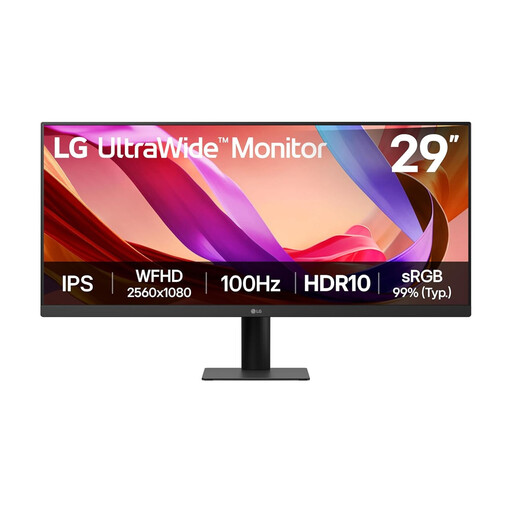
Consider the smaller screen if fitting an ultrawide onto your desk matters more than matching a 34-inch canvas. Its title specifies 1080p, 100 Hz, DisplayPort and HDMI; check whether its workspace accommodates your spread and tools.
 No image available
Its stated 3440 × 1440 resolution gives you a format to assess for a spread with adjacent windows. The title lists two HDMI inputs, DisplayPort, and height, swivel and tilt adjustment; confirm desk fit and colour suitability for your work.
 No image available
The stated 3440 × 1440 format is relevant if you need space for a spread alongside other windows. Its title lists 200 Hz and two HDMI and two DisplayPort 1.4 inputs. Confirm the full footprint with its base, and resolve the differing DCI-P3 and NTSC colour-coverage descriptions before relying on either for photo work.
Yes, if your main task is viewing a spread beside editing tools or coursework: LG UK documents this 21:9 format on its 34WP85CN-B and 34U640B-B models. Check the exact monitor’s colour specification and desk footprint, because resolution alone does not establish print-proofing accuracy.
No. BenQ explains that software calibration cannot make an sRGB-limited display accurately portray Adobe RGB; calibration cannot add colours the panel cannot reproduce.
Not necessarily: the monitor and laptop must support the functions you need. LG UK specifies DisplayPort Alternate Mode and 96 W Power Delivery for the 34WP85CN-B, while its 34U640B-B specification lists 65 W Power Delivery. Check your laptop’s video output and charging requirements against the exact monitor.
Measure against the exact model’s dimensions with its stand, not just its diagonal size. LG UK lists the 34WP85CN-B at 814.0 mm wide and 260 mm deep with the stand; for an arm-mounted setup, also check mounting compatibility and the arm and desk load ratings.