Brochure-layout reviewers
If you inspect spreads, copy flow and reference material together, compare the screen's vertical resolution as well as its width. Dell UK and LG UK list 5120 × 2160 options; BenQ UK lists a 3440 × 1440 option.


Choose a 40-inch-class 5120 × 2160 ultrawide when seeing brochure pages alongside tools and reference files matters more than keeping the monitor compact. A 34-inch 3440 × 1440 display offers a smaller single-screen workspace, while a 49-inch 5120 × 1440 display favours side-by-side windows over page height. For colour-sensitive approval, check the display's colour-management workflow and the intended print proof rather than relying on a gamut specification alone.
If you inspect spreads, copy flow and reference material together, compare the screen's vertical resolution as well as its width. Dell UK and LG UK list 5120 × 2160 options; BenQ UK lists a 3440 × 1440 option.
If artwork goes to a client or printer for approval, documented colour modes are a starting point. Check how your design application, display profile and print proofing process work together before judging colour on screen.
If the monitor will also serve as a docking point, check whether its video connection, charging output and ports meet your laptop and peripheral needs. A large panel alone does not settle those connection choices.
Choose when: You regularly inspect a brochure page or spread with tools and references alongside it; Dell UK, LG UK and Philips UK list 5120 × 2160 models in this size class.
Allow for: More desk space, and a computer and connection capable of driving the intended display mode.
Choose when: A smaller ultrawide fits your desk and you do not need the 2160-pixel page height of 5K2K.
Allow for: Less vertical room for a full page and adjacent panels.
Choose when: Keeping several applications side by side is more important than maximising page height; Dell UK lists the U4924DW at 5120 × 1440.
Allow for: A particularly wide footprint and 1440 vertical pixels rather than 2160.
| Concern | What to check | Who this matters to |
|---|---|---|
| Page workspace | Compare native resolution and the space available for the monitor; confirm your computer can drive the intended display mode. | If I review a page while keeping copy and reference files visible, I need enough vertical room without constantly rearranging windows. Around 34% of consumers put layout canvas first. |
| Artwork colour | Check the exact model's stated colour modes and calibration options, then the application and print-proofing workflow. | Before approving artwork for print, I need a consistent way to assess its colour, not just a wide-gamut label. Colour confidence comes first for around 33% of consumers. |
| Laptop docking | Match the laptop's video output and charging requirement to the monitor's port and cable specifications. | When my laptop is the main work computer, I want the display and essential peripherals to connect without rebuilding my desk setup. Around 20% of consumers primarily value docking. |
| Desk fit | Measure desk width, depth and stand footprint; check height adjustment and room for documents and input devices. | With a constrained home-office desk, I need to position the screen comfortably and still leave space to work. Desk fit is the first concern for around 13% of consumers. |
A 49-inch screen is not necessarily taller in pixels: Dell UK lists its U4924DW at 5120 × 1440, while its U4025QW is 5120 × 2160.
Compare native pixel dimensions and desk fit before deciding whether page height or space for side-by-side windows matters more.
A colour-space specification does not establish how the design application, display profile and intended print process work together.
For colour-critical approval, confirm the exact monitor's calibration options and use the proofing process agreed with the printer or client.
LG UK states that the hardware calibrator for the 40WP95CP-W is sold separately.
A wide display can leave too little room for documents and input devices or be difficult to position comfortably.
Measure the desk and stand footprint, consider glare and screen position, and follow a display screen equipment assessment where Health and Safety Executive guidance applies.
Monitor charging outputs and connections differ, so a USB-C socket alone does not establish that a laptop will receive its required video and power connection.
Check the laptop's display output and charging requirements against the exact monitor port and cable before relying on one-cable docking.
Dell's U4025QW and U4924DW illustrate the choice between page height and a wider, lower desktop.
The LG 40WP95CP-W is a 39.7-inch 5K2K option with Thunderbolt 4 for a compatible workstation.
The PA34VCNV is a 34.1-inch option for a desk where a 3440 × 1440 workspace is sufficient.
The 40B1U6903CH combines a 39.7-inch 5K2K panel with a connection-focused home-office setup.
The PD3420Q offers a 34-inch designer-focused workspace without moving to a 40-inch panel.
These ultrawides offer 34-inch and 49-inch screen formats for checking layouts alongside other windows. Compare their page height, desk fit and colour-workflow requirements against your own brochure-review tasks.
 No image available
Consider this wide format if keeping layout tools and companion windows side by side is your priority; check whether its page height suits your review scale.
The product title specifies a 32:9 QD-OLED panel, 1800R curve, 240Hz refresh rate and USB-C connection. Confirm computer and cable compatibility, desk fit and the colour-management workflow needed for artwork approval.
 No image available
Its wide desktop suits a workflow centred on several windows, provided 1440 vertical pixels give you enough room to inspect brochure pages.
The product title specifies a 32:9 VA panel, 165Hz refresh rate, HDMI 2.1 and DisplayPort 1.4 inputs, and height adjustment. Check desk fit and the colour-management requirements of any approval work.
 No image available
Consider the 34-inch format when a smaller ultrawide workspace fits your desk better than a 49-inch screen; allow for less page height than 5K2K.
The product title specifies a VA panel, 200Hz refresh rate, 85% DCI-P3 coverage, HDMI and DisplayPort inputs. Gamut coverage alone does not establish colour accuracy or print matching.
 No image available
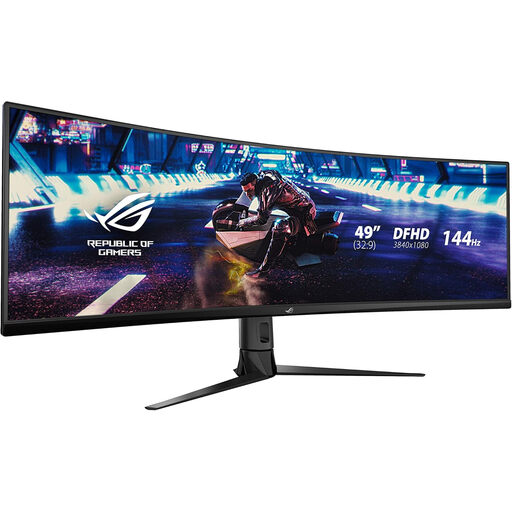
Assess this wide format for keeping applications side by side, but check its vertical pixel count against the scale at which you need to inspect brochure pages.
The product title specifies the XG49VQ model, DFHD format and 144Hz refresh rate. Measure available desk space and check stand adjustment and colour-workflow fit before choosing it for a home office.
 No image available
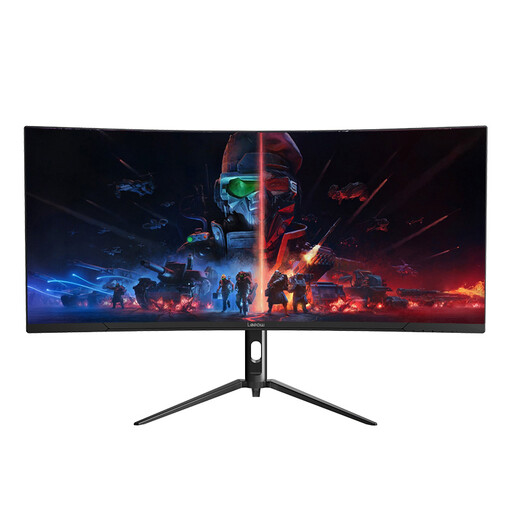
Its 34-inch workspace is worth considering when you want an ultrawide for multiple windows without moving to a 49-inch format; check whether its page height meets your layout-review needs.
The product title specifies 3440 × 1440 resolution and a 165Hz refresh rate. Check desk fit, your computer's display output and the colour-management workflow if you will approve artwork.
Choose by the space your work needs: Dell UK lists the 49-inch U4924DW at 5120 × 1440 for a wide arrangement of windows, while its 40-inch-class U4025QW is 5120 × 2160 and provides more vertical pixels for a page and tool panels. Check that either screen fits your desk.
No: a gamut specification does not guarantee a print match. For colour-critical work, check the application's colour management, use an appropriate display profile and compare against the intended print proofing process.
A compatible calibrator may be needed if your approval workflow requires display calibration or profiling. Confirm support for the exact monitor and measurement device; LG UK states that the hardware calibrator for the 40WP95CP-W is sold separately.
Measure the desk and stand footprint, leave room for documents and input devices, and position the screen to avoid glare. The Health and Safety Executive says display screen equipment rules can apply to permanent or long-term home workers, so check whether a workstation assessment applies to your working arrangement.