
24/7 Customer Support

Free returns

Same-day & Next-day Delivery

Quality Guaranteed

Unlock Your Welcome Offers: FREE Delivery | Up to 80% OFF | Free 30-day JoyPlus trial
Download the APP
Juggling multiple windows on a small screen can feel like a digital balancing act. Whether you are trying to manage complex spreadsheets, edit a video timeline or simply want a more immersive gaming experience, a standard monitor can often feel restrictive. An ultrawide monitor offers a solution, expanding your digital workspace and pulling you deeper into your content.
However, the market is filled with a wide array of options, each with its own set of specifications and features. This guide is designed to help you understand the key considerations when choosing an ultrawide monitor and to highlight a few standout models that cater to different needs, from productivity to high-performance gaming.
Before diving into specific products, let's cover a few key factors to help you narrow down your search.
The most noticeable feature of an ultrawide is its size. The two most common sizes offer distinctly different experiences:
For a streamlined workspace, connectivity is key. A modern productivity monitor should offer more than just a video input. Look for:
For gamers, fluidity and responsiveness are paramount.
Here are a few models that we believe offer a compelling combination of features, performance and value for different types of users in the UK.
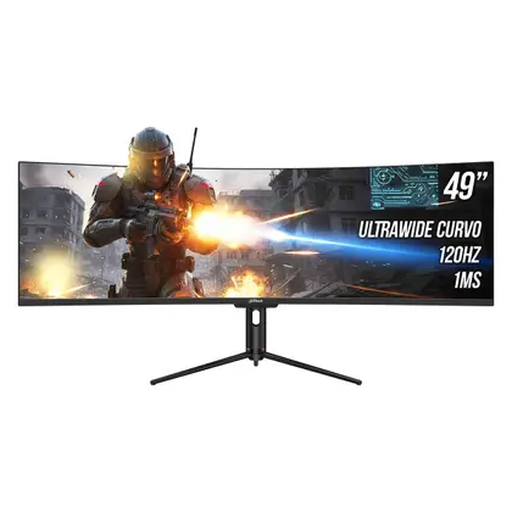
Why It Stands Out: This monitor is all about maximum screen real estate. Its 49-inch panel and 32:9 aspect ratio provide a vast, uninterrupted canvas equivalent to two 27-inch QHD displays. With a 120Hz refresh rate and 1ms MPRT, it is also surprisingly capable for gaming, offering a smooth and immersive experience. The inclusion of USB-C with 65W Power Delivery and a built-in USB hub makes it a powerful centrepiece for a clean and efficient workstation.
Pros:
Who is it for? Professionals in finance, software development and content creation who need to manage vast amounts of information. It is also an excellent choice for simulation gamers who crave an all-encompassing field of view.
Learn More about the Dahua 49" Super Ultrawide Monitor
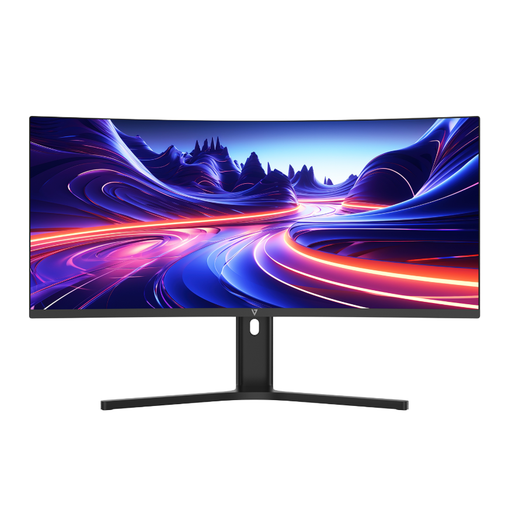
Why It Stands Out: The V7 L340WQ-HAS is a well-balanced 34 inch ultrawide designed for the modern workplace. It combines a crisp 3440×1440 resolution with essential productivity features. The fully adjustable stand ensures ergonomic comfort, while the USB-C 65W Power Delivery enables a single-cable connection to a laptop. Its Picture-by-Picture (PBP) mode is a practical tool for users who need to display content from two different computers simultaneously.
Pros:
Who is it for? Home and office professionals, content creators and anyone looking to upgrade their workstation for enhanced multitasking and a tidier desk.
Learn More about the V7 34" Ultrawide Monitor
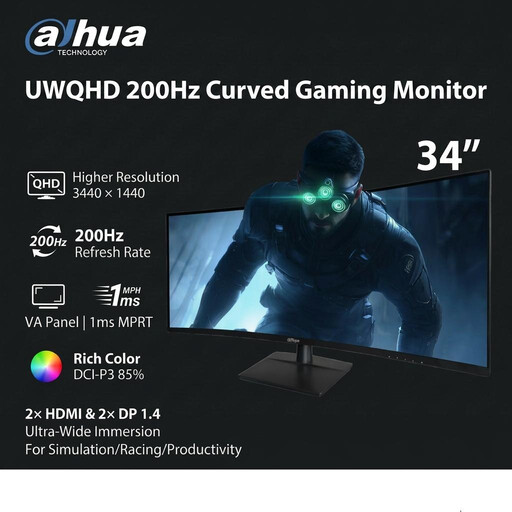
Why It Stands Out: This monitor is built for speed. With a 200Hz high refresh rate, it delivers exceptionally fluid motion that gives gamers a competitive edge. Paired with a 1ms MPRT response time and an immersive 1500R curve, it creates a high-performance gaming experience. The 3440×1440 resolution ensures that the visuals are not just fast, but also sharp and detailed, making it a formidable curved gaming monitor.
Pros:
Who is it for? Serious gamers who play fast-paced titles like first-person shooters, racing simulators and action games, and who prioritise refresh rate and responsiveness above all else.
Learn More about the Dahua 34" 200Hz Gaming Monitor
The models featured here represent just a fraction of the available choices. If you are looking for different sizes, resolutions or feature sets, you can explore our full collection of high resolution computer monitors to find the perfect fit for your setup.
1. Is an ultrawide monitor worth it for work? For many professions, yes. An ultrawide monitor can replace a dual-monitor setup, which eliminates the bezel in the centre of your view and creates a seamless, expansive workspace. This is particularly useful for viewing large spreadsheets, long video timelines or having multiple documents open side-by-side without compromise.
2. Can you game on a 49-inch super ultrawide monitor? Absolutely. A growing number of modern games support the 32:9 aspect ratio, offering an incredibly immersive field of view that is especially effective in racing, flight and strategy games. However, be aware that driving the high resolution (e.g., 5120x1440) requires a powerful graphics card to maintain smooth frame rates.
3. What is the benefit of a curved ultrawide monitor? On a large ultrawide screen, a curve helps keep the edges of the display within your peripheral vision. This can reduce eye and neck strain, as you do not need to turn your head as much to see content at the far sides. It also enhances the sense of immersion, making it a popular feature for both productivity and entertainment.