For two checkout views from one computer, a 34-inch ultrawide with 3440 × 1440 resolution offers room for side-by-side windows, provided each view fits the viewport width you need to test. If the views come from separate computers, look for confirmed Picture-by-Picture support and consider a KVM switch to share a keyboard and mouse. A responsive view on the monitor is useful for comparison, but critical mobile checkout behaviour still needs testing on a real device.
Who needs this setup?
Single-computer checkout testers
If you keep a desktop checkout, a responsive browser view and developer tools open on one computer, an ultrawide can give those windows room to sit together. Set each browser viewport deliberately: Chrome for Developers notes that its Device Mode approximates, rather than runs on, a mobile device.
Testers using two computers
If each checkout view comes from a separate computer, screen width alone is not enough. Check the exact monitor for Picture-by-Picture (PBP), which displays two sources, and for a KVM switch if you want one keyboard and mouse to control both.
Laptop-based web testers
If you want a USB-C connection to handle display and charging, and possibly wired networking, compare the monitor’s stated functions with your laptop’s video output and charging requirements. A USB-C socket by itself does not establish that the intended setup will work.
What matters when choosing?
Start by deciding whether your two views come from one computer or two; then check viewport space and connections against the way you actually test.
| Concern |
What to check |
Who this matters to |
| Space for two views |
Check the native resolution against your intended checkout and responsive viewport widths. Set browser viewport dimensions explicitly. |
If I compare two windows on one computer, I need both views to remain usable without mistaking a narrow window for a phone. Around 33% of consumers put workspace and viewport comparison first. |
| Two independent sources |
Confirm PBP, the required video inputs and their supported modes; check for KVM if you want shared controls. |
When my test environments run on separate computers, I need to see both feeds and switch control without rearranging the desk. For around 42% of consumers, two-source operation is the primary concern. |
| Laptop desk connection |
Match USB-C video support and stated power delivery to your laptop; check Ethernet capability if your setup needs it. |
If I work from a laptop, I want the monitor connection to fit my charging and network setup as well as carry the picture. Around 25% of consumers chiefly prioritise that connection. |
Mistakes to avoid
-
Expecting two full-width desktop displays
Split evenly, a 3440-pixel-wide panel gives each side roughly 1720 pixels. That does not create two native 1920-pixel-wide workspaces.
Work out the viewport widths and tool panels you need at the same time. If both checkout views require wider desktop space, consider a different display arrangement.
-
Treating browser emulation as a complete mobile test
Chrome for Developers describes Device Mode as an approximation; it does not run the checkout on a mobile device.
Use the ultrawide to compare responsive layouts, then check critical mobile checkout steps on representative real devices and browsers.
-
Assuming any USB-C connection will suit your laptop
Video output and charging depend on the laptop as well as the monitor. A stated monitor power-delivery rating does not establish that it meets your laptop’s requirement.
Check the laptop’s port and charging documentation alongside the exact monitor specification and supplied cable.
-
Assuming every ultrawide accepts two computers at once
Arranging two windows from one computer differs from displaying two independent video sources. PBP and KVM are model-specific functions.
Before ordering for a two-computer setup, confirm the exact model’s PBP modes, KVM operation and input combinations.
Relevant brands to consider
Dell
Dell’s Pro 34 Plus USB-C Hub Monitor P3425WE is a reference point for a laptop-centred desk setup.
- Dell UK specifies a 34.1-inch 3440 × 1440 IPS display, USB-C power delivery up to 90 W, RJ45 Ethernet and height adjustment for this model.
- If your checkout views come from two separate computers, confirm PBP operation for the P3425WE before choosing it.
LG
LG’s 34BA75QE-B is relevant when the same panel needs to display two connected computers.
- LG UK specifies PBP and a built-in KVM for the 34BA75QE-B, alongside a 3440 × 1440 IPS display, RJ45 and USB-C power delivery up to 90 W.
- Those capabilities belong to the cited model; check them separately on any other LG UltraWide you are considering.
Samsung
Samsung’s ViewFinity S6 S65VC offers another model-specific route for viewing two sources on one panel.
- Samsung Business UK describes PBP, picture-in-picture and a built-in KVM for the S65VC.
- Check the S65VC’s input arrangement and screen shape against your desk and the way you compare checkout layouts.
Joybuy monitors for side-by-side work
These ultrawide monitors are relevant to arranging checkout views on one computer. For a setup involving two independent computers, confirm PBP, KVM and input behaviour on the exact model before choosing.
 Image unavailable
Dahua 34-inch UWQHD curved gaming monitor
Consider this for two checkout windows on one computer if a curved display fits your desk and viewing preference.
The listed variant has a 3440 × 1440 VA panel and a 200 Hz refresh rate. Check its PBP and KVM capabilities if you need separate computer inputs.
View on Joybuy
 Image unavailable
LG UltraGear 34G630A-B 34-inch VA WQHD monitor
This ultrawide is a choice to assess for side-by-side checkout windows from one computer.
Its listed refresh rate is 240 Hz. If you intend to connect a laptop by USB-C, check video compatibility and whether the stated 15 W power delivery meets its charging needs; confirm PBP and KVM separately for two-computer use.
View on Joybuy
 Image unavailable
LG UltraGear 34GX900A-B 34-inch OLED WQHD monitor
For side-by-side work on one computer, weigh the OLED panel against how long fixed checkout interfaces will remain on screen.
The listed refresh rate is 240 Hz. The product information warns that static images can cause OLED burn-in; follow its screen-protection guidance. USB-C power delivery is stated as up to 65 W, subject to laptop compatibility, and PBP and KVM should be confirmed if you need two sources.
View on Joybuy
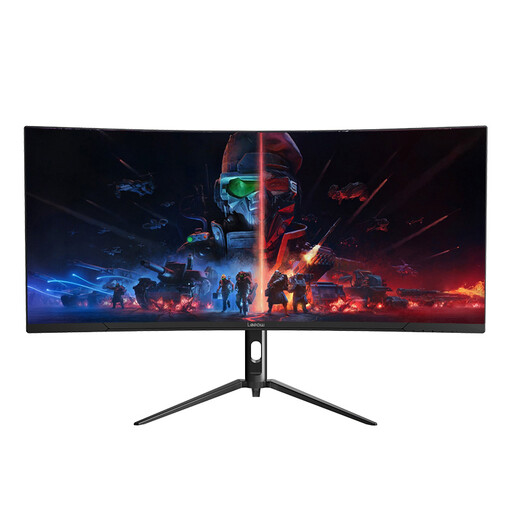 Image unavailable
Lepow HC-SJ34MZ5 34-inch curved ultrawide monitor
Assess this model for keeping two checkout windows visible on one computer, particularly if a curved screen suits your workspace.
The title specifies 3440 × 1440 resolution and a 165 Hz refresh rate. Check the stand’s adjustment options if viewing position matters, and confirm PBP and KVM before planning a two-computer setup.
View on Joybuy
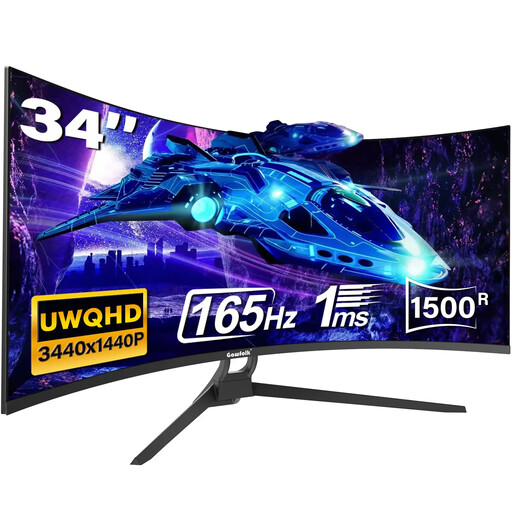 Image unavailable
Gawfolk 34-inch UWQHD 1500R curved gaming monitor
This 21:9 model is relevant to comparing checkout windows from one computer if its curved screen fits your viewing preference.
The title lists 165 Hz, HDMI 2.1, DP 1.4 and Type-C. Confirm what the Type-C port does before relying on it for display or laptop power, and check PBP and KVM if the views must come from separate computers.
View on Joybuy
Common questions
Can an ultrawide replace testing a checkout on a real phone?
No. An ultrawide helps you compare desktop and responsive views, but Chrome for Developers says Device Mode approximates a mobile device rather than running the page on one. Validate critical mobile checkout steps on a real device.
When do I need PBP and a KVM switch?
Use ordinary side-by-side windows when both checkout views come from one computer. If they come from separate computers, choose an exact model with confirmed PBP to display both sources; add KVM capability if you want one keyboard and mouse to control them. LG UK and Samsung Business UK describe these functions for the 34BA75QE-B and ViewFinity S6 S65VC respectively.
What should I check before connecting a USB-C laptop?
Check that the laptop’s port supports the video connection you intend to use and compare its charging requirement with the monitor’s stated power delivery. Confirm wired networking on the exact setup if your tests require it. Dell UK and LG UK specify USB-C power delivery up to 90 W and RJ45 for the P3425WE and 34BA75QE-B, but the laptop must also support the intended functions.


