Club website multitaskers
You move between page editing, a browser preview, club information and messages. Space to arrange those windows is more relevant to this work than gaming-focused specifications.


For building and managing a club website, start by considering a 34-inch, 21:9 monitor with 3440 × 1440 resolution and an adjustable stand: it gives you room to arrange an editor, browser preview and other work windows side by side. Prioritise USB-C charging and Ethernet only if they suit your laptop; KVM or picture-by-picture matters mainly when you use two computers. Check desk fit and, if you prepare web graphics, the monitor’s stated colour gamut before choosing a model.
You move between page editing, a browser preview, club information and messages. Space to arrange those windows is more relevant to this work than gaming-focused specifications.
You regularly connect a laptop at your desk and want to simplify its display, charging, data and possibly wired-network connections. The laptop and monitor must support the functions you intend to use.
You switch between two connected computers for club tasks. A KVM switch can let them share a keyboard and mouse, while picture-by-picture can show both sources on the screen.
Decide how much screen space and desk space you need first. Then check connections for the computers you actually use, followed by any colour requirements for club graphics.
| Concern | What to check | Who this matters to |
|---|---|---|
| Side-by-side workspace | Check the screen’s 21:9 format and 3440 × 1440 resolution, then measure desk space and stand adjustment. | If I edit pages while watching a browser preview and club messages, I want those windows visible together. Around 33% of consumers put this workspace need first. |
| Laptop connections | Check USB-C video support, the monitor’s charging wattage and whether you need Ethernet. | When I bring my laptop to the desk, I want fewer cables to reconnect without losing the display or charging function I need. For around 27% of consumers, that single-laptop setup is the primary concern. |
| Two-device control | Check for KVM and picture-by-picture, plus suitable inputs for both computers and their peripherals. | If club administration takes place on two computers, I want to switch control or view both sources without rearranging my desk. Around 20% of consumers prioritise that two-device need. |
| Graphics and screen setup | Check stated sRGB coverage for web graphics, and assess screen position, lighting and glare at your desk. | When I prepare club banners or photos during longer desk sessions, I care about documented colour capability and a screen I can position comfortably. This is the leading need for around 20% of consumers. |
A monitor’s USB-C charging specification does not establish that your laptop can send video through its port or operate within the monitor’s power-delivery limit. LG also specifies use of the supplied USB-C cable for the 34WR55QK-B.
Check your laptop’s video-output and charging requirements against the monitor’s specifications, supported resolution and cable requirements before ordering.
If the one-cable connection does not meet those requirements, you may still need a separate charger, dock or compatible cable.
KVM and picture-by-picture address switching or viewing two connected sources; neither changes a single computer’s website-building workflow by itself.
List the devices that will stay connected. If there is only one, focus on the screen, stand and connection it needs.
The Health and Safety Executive identifies screen and lighting adjustment, glare control, breaks and changes of activity as parts of display-screen work. An adjustable stand alone does not arrange the rest of the desk.
Measure the available space, consider reflections, and adjust the chair and screen together. For employment-related screen work at home, follow your employer’s workstation-assessment process.
An old monitor needs an appropriate electrical-waste route. GOV.UK says applicable retailer in-store take-back must be free, while home collection can carry a transport charge.
Check the seller’s take-back arrangements and your local authority’s electrical-waste options before replacing the screen.
Dell’s P3425WE is a 34.1-inch USB-C hub option for a laptop-centred desk; its UltraSharp U3425WE is a separate Thunderbolt hub model.
LG’s 34-inch UltraWide models include options for web graphics and laptop connectivity, with features varying by model.
Samsung’s ViewFinity S6 models are worth considering when two connected computers or Thunderbolt connectivity are part of the desk setup.
These monitors offer different approaches to arranging website work across a wide screen, from 34-inch formats to larger 49-inch displays. Check desk fit and the connections you need; a wide panel alone does not establish laptop docking or colour accuracy.
 No image available
Consider its 49-inch, 32:9 format if a large multi-window workspace fits your desk.
The product name specifies a QD-OLED panel, 1800R curve, 240Hz refresh rate and USB-C connection. Check your laptop’s video and charging requirements against the monitor’s detailed USB-C specifications before relying on one cable.
 No image available
Its 34-inch, 3440 × 1440 ultrawide format is a candidate for arranging website-editing windows side by side.
The product name specifies a VA panel, 200Hz refresh rate, two HDMI inputs and two DisplayPort 1.4 inputs. Confirm the stand’s adjustment range and any laptop-docking requirements before choosing it.
 No image available
Consider this 32:9 screen if you want a particularly broad layout for club-site windows and have room for a 49-inch monitor.
The product name specifies 5120 × 1440 resolution, a 165Hz VA panel, height adjustment and HDMI 2.1 and DisplayPort 1.4 inputs. Its stated 120% sRGB coverage does not, by itself, establish colour accuracy.
 No image available
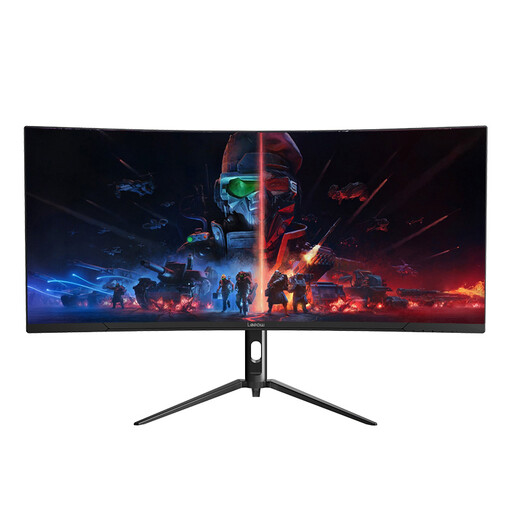
Its 34-inch, 3440 × 1440 format is relevant if you want to keep an editor and browser preview open together.
The product name specifies a 165Hz refresh rate. Check the stand’s adjustment range, connections and stated colour gamut if those affect your desk or graphics work.
 No image available
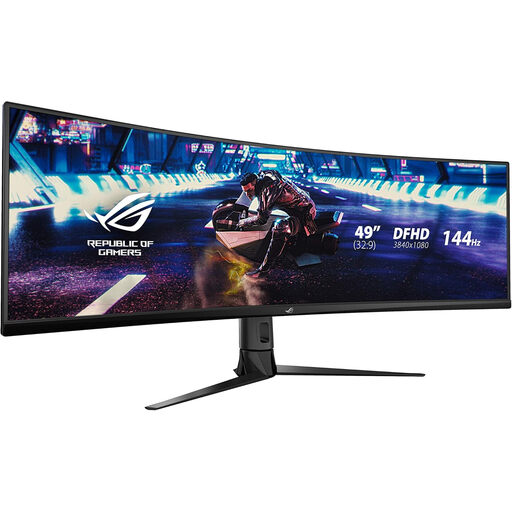
Consider this model only after checking that its large-screen layout and DFHD resolution suit the amount of website content you want visible.
The product name specifies a curved panel and 144Hz refresh rate. Measure desk space and check vertical workspace, stand adjustment and laptop connections against your requirements.
It is a sensible starting point if you mainly need room for an editor, browser preview and other windows side by side. Dell UK and LG UK list 34-inch-class WQHD options; if your graphics or text-heavy workflow needs more detail, compare resolution as well as screen width before deciding.
Only when the laptop supports video through the relevant USB-C or Thunderbolt port and its charging requirement fits the monitor’s power-delivery specification. LG UK lists up to 65W for the 34WR55QK-B, while Dell UK lists up to 90W for the P3425WE; also check the required cable and supported display mode.
They are useful when two computers are part of your regular club-administration setup. KVM lets connected sources share a keyboard and mouse, while picture-by-picture displays two sources; check the exact monitor’s inputs and functions if you need either feature.
For employment-related display-screen work at home, follow your employer’s workstation-assessment arrangements. The Health and Safety Executive says employers must assess display-screen workstations and reduce risks, including through breaks or changes of activity; screen position and lighting deserve attention alongside the monitor itself.
Check an electrical-waste collection or take-back route rather than putting it in ordinary household waste. GOV.UK says applicable retailer in-store take-back must be free, though home collection can involve a transport charge; your local authority can also advise on its arrangements.