Single-laptop form designers
If you build a form on a laptop, you may want the editor, browser preview and copy visible together. A monitor with suitable laptop connections can also simplify what you plug in at your desk.


For contact-form layout on one computer, a 34-inch 21:9 monitor at 3440 × 1440 is a sensible starting point: it gives an editor, browser preview and reference material room to sit alongside one another, while window-management tools help you arrange them. Prioritise laptop charging and Ethernet only if your computer can use those connections; KVM and two-source display modes matter chiefly when you work from two devices. Check your laptop’s video output, charging needs and available desk space before choosing an exact model.
If you build a form on a laptop, you may want the editor, browser preview and copy visible together. A monitor with suitable laptop connections can also simplify what you plug in at your desk.
If you check a form using two computers or video sources, a KVM switch can let one keyboard and mouse control both. Picture-by-Picture or Picture-in-Picture may help when both sources need to be visible.
If form layout is only part of your work and you also review page assets or brand colours, the exact model’s stated colour coverage, panel technology and stand adjustment may affect your choice.
Start with enough usable space for your editor and preview, then choose connections for the computer you actually use. Treat two-device controls as a separate requirement, not a default feature for form work.
| Concern | What to check | Who this matters to |
|---|---|---|
| Visible workspace | Consider a 21:9, 3440 × 1440 display and whether your editor and preview remain readable at your preferred scaling. | I need to compare the form I am editing with its browser preview without continually hiding my reference material. Around 46% of consumers put visible workspace first. |
| Laptop connections | Check USB-C video support, the monitor’s stated charging output, your laptop’s power needs and whether you need RJ45 Ethernet. | With one laptop at the desk, I want fewer separate connections but still need it to display the work and receive enough power. Roughly 36% of consumers prioritise a simpler laptop connection. |
| Two-source work | Check the exact model’s KVM and Picture-by-Picture or Picture-in-Picture modes, including which inputs each mode accepts. | When I compare a form across two devices, switching controls or showing both sources becomes more important than a one-cable setup. About 18% of consumers make two-source work their primary concern. |
Video, charging, data and Ethernet depend on the particular monitor, laptop and cable. LG specifies an included USB-C cable for the stated connection arrangement on its 34WQ75C-B; that arrangement should not be assumed for another model.
Compare your laptop’s video-output and charging specifications with the exact monitor’s connections before ordering. If USB-C video is unsuitable, check which HDMI or DisplayPort connection your computer can use.
A KVM switch and two-source display modes address switching or viewing separate devices. They do not organise an editor and browser running on the same computer.
If you use only one computer, focus on readable window widths, desk fit and the connections you will use. Consider KVM or two-source modes if a second device is part of your normal workflow.
Horizontal space helps only if the editor and preview are arranged at useful widths. Microsoft Support describes Windows Snap as a way to position and resize windows side by side or in a grid.
Set up an editor-and-preview arrangement you can repeat, then check the browser width needed to assess the contact form at the breakpoint you are working on.
The Dell Pro 34 Plus P3425WE and UltraSharp U3425WE are relevant to 34.1-inch ultrawide desk setups, but their additional features serve different needs.
The LG 34WQ75C-B is a 21:9, 3440 × 1440 option for keeping several programmes visible in a laptop-led workspace.
The Samsung S65TC is relevant when form checks involve two source devices rather than one laptop alone.
These ultrawide monitors offer different screen sizes and video-connection choices for a home-office form-layout desk. The 49-inch option needs a particularly careful desk-fit check; confirm any laptop-dock or two-device functions you require on the exact model.
 No image available
Consider this 34-inch ultrawide if you want room to arrange a form editor beside its preview; check the curved screen’s fit on your desk.
 No image available
Its 49-inch screen is worth considering if you want an especially wide arrangement for work windows and have room for it on your desk.
 No image available
Consider this 34-inch display for arranging a form editor and browser preview using a computer with a suitable HDMI or DisplayPort output.
 No image available
This 34-inch ultrawide suits a form-layout desk where your computer can use its stated HDMI or DisplayPort inputs.
 No image available
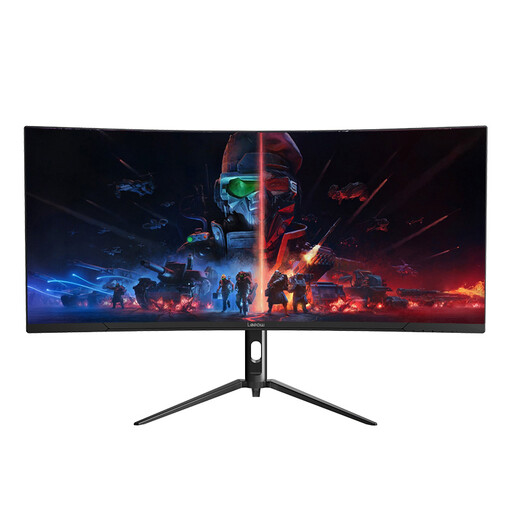
Consider this model if your main aim is to place a form editor and preview across a 34-inch screen using a suitable video connection.
On Windows 10 or Windows 11, use Snap to position the editor and browser side by side, then resize their shared boundary to suit the form you are checking. Microsoft Support also describes grid arrangements if you need reference material visible alongside them.
It can with a compatible monitor, laptop and cable, but a USB-C socket alone does not establish all three functions. Dell UK and LG UK specify up to 90W power delivery and RJ45 Ethernet on the P3425WE and 34WQ75C-B respectively; compare your laptop’s video-output and charging requirements with the exact model you intend to buy.
A KVM switch is useful when two connected computers need to share one keyboard and mouse. Samsung UK specifies a built-in KVM on the S65TC; if your editor and preview run on one computer, arrange those windows first rather than treating KVM as essential.