Bright-window recipe organisers
If daylight reflects off your recipe sources, desk layout matters as much as monitor features. The Health and Safety Executive advises arranging the desk and screen to avoid glare and bright reflections.


For recipe pages, notes and an index sheet side by side, start by considering a 34-inch ultrawide with 3440 × 1440 resolution rather than choosing by screen size alone. At a bright-window desk, position the screen to avoid reflections before weighing features such as an anti-glare finish or automatic brightness; if you work from a laptop, check USB-C video support and charging requirements separately.
If daylight reflects off your recipe sources, desk layout matters as much as monitor features. The Health and Safety Executive advises arranging the desk and screen to avoid glare and bright reflections.
If you compare webpages, PDFs, photos, notes and index fields, a wide workspace may be more useful to you than gaming-focused refresh-rate features. Dell and LG list 3440 × 1440 ultrawide models as examples of the format to assess.
If your laptop moves on and off the desk, a monitor hub and charging connection may reduce cable changes. Check that your laptop can send video over USB-C and that the monitor supplies enough power; the connector alone does not establish either function.
Settle the screen position first, then check the workspace resolution and any laptop connections you need. A monitor feature cannot remove a reflection caused by where the screen faces.
| Concern | What to check | Who this matters to |
|---|---|---|
| Reflections and placement | Check the screen finish and whether the stand or a suitable mount lets you change its position. Plan how to control intrusive window light. | If daylight reflects across my recipe pages, I need a screen position that keeps the text readable. Around 42% of consumers put reflection control first. |
| Side-by-side workspace | For a 34-inch ultrawide, confirm the native resolution is 3440 × 1440 and that your computer can output it through the intended connection. | I want a source page, notes and index fields visible together without relying on screen size alone. Workspace is the primary concern for roughly 33% of consumers. |
| Laptop docking | Match the monitor’s USB-C video input and stated power delivery to your laptop’s video-output and charging requirements. | If I reconnect a laptop regularly, I want to know whether one cable can handle display and charging. For about 25% of consumers, docking is the main priority. |
A bright reflection remains a desk-layout problem. The Health and Safety Executive advises positioning the desk and screen to avoid glare and using curtains or blinds where intrusive light remains.
Check the proposed screen position with your current display when the window is brightest, then consider how you could adjust the monitor’s position.
Changing the desk layout or adding window coverings may also take time and space.
Diagonal size does not tell you the native resolution available for recipe pages and index columns. Dell, LG and ASUS cite 3440 × 1440 for the relevant 34-inch models.
Check the exact model’s native resolution before comparing panel type or refresh rate.
One-cable use depends on both devices. ASUS specifies USB-C video connectivity and up to 65W charging for the VA34VCPSN, but that does not establish compatibility with every laptop.
Compare the laptop’s USB-C video-output and charging specifications with the exact monitor model.
If the connections do not meet your needs, you may still need a separate charger or dock.
These models illustrate different features to check for a window-side workstation; the details do not apply to every monitor from the same brand.
Dell’s P3424WE is a 34.14-inch, 3440 × 1440 IPS hub-monitor example with USB-C power delivery, Ethernet and stand adjustment.
LG’s 34U650A-B is a 34-inch, 3440 × 1440 IPS ultrawide with USB-C and factory calibration.
ASUS’s VA34VCPSN combines a 34-inch, 3440 × 1440 curved screen with USB-C, an RJ45 connection, a USB hub and stand adjustment.
Samsung’s ViewFinity S50GC is a 34-inch, 3440 × 1440 VA-panel example with Picture-by-Picture and Picture-in-Picture functions.
These ultrawides include 34-inch workspace options and a wider 49-inch alternative. Compare each monitor’s resolution, desk fit and connections against the window-side setup you plan to use.
 No image available
Consider this only if you have room for a substantially wider screen than the 34-inch reference. Its stated 49-inch, 32:9 format and USB-C connection warrant checks of desk fit and your laptop’s video and charging requirements.
 No image available
Its stated 3440 × 1440 resolution suits the proposed side-by-side recipe workspace. The title specifies height, swivel and tilt adjustment; check the screen finish for your window position and the connections you need for a laptop.
 No image available
This 3440 × 1440 model is a 34-inch option for keeping recipe material and index fields on one screen. Its title specifies a VA panel and HDMI and DisplayPort inputs; check the finish and positioning options for your desk rather than treating a surface-treatment figure as proof of glare control.
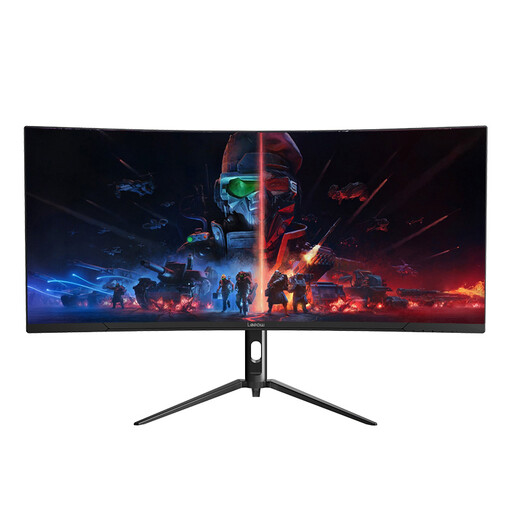 No image available
Its stated 3440 × 1440 resolution fits the side-by-side indexing task. Before choosing it for a bright-window desk, check the screen finish and whether the supplied stand permits the position you need.
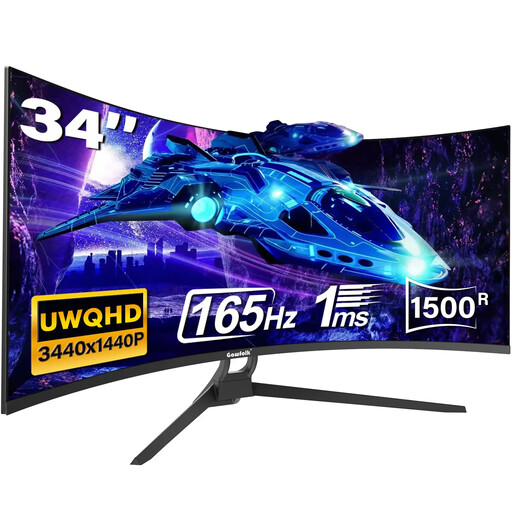 No image available
The stated 34-inch, 21:9 format is relevant to a recipe-index workspace. Check the exact resolution, screen finish and stand adjustment before buying; if laptop docking matters, confirm the port functions rather than relying on the Type-C wording in the title.
Not reliably. The Health and Safety Executive advises arranging the desk and screen to avoid glare or bright reflections; consider curtains or blinds if intrusive light remains after repositioning.
No, but it is a useful format to consider if you want recipe sources, notes and index fields visible side by side. Check the exact monitor’s native resolution and your computer’s output capability rather than assuming every 34-inch ultrawide has the same workspace.
Only if the monitor supports USB-C video input and sufficient power delivery, and the laptop supports video output through its USB-C port. ASUS specifies USB-C video connectivity and up to 65W charging for the VA34VCPSN, but you still need to check your laptop’s requirements.