What to check before buying
Start with the windows you need open together, then check your laptop connection and the space available for a comfortable screen position.
| Concern |
What to check |
Who this matters to |
| Side-by-side workspace |
Check for 3440 × 1440 resolution on a 34-inch model, and confirm your computer can output it at a scaling setting that works for your applications. |
I want to read a recipe while entering its details without constantly switching windows. Around 40% of consumers would put that workspace need first. |
| Laptop connection and cables |
Check whether your laptop’s USB-C port carries video and whether the monitor’s stated power delivery meets its charging needs; confirm the required cable. |
With one laptop on a compact desk, I would rather avoid separate display and charging leads if the connection works for my machine. Roughly 30% of consumers would prioritise that simpler connection. |
| Desk fit and screen position |
Measure the space for the monitor and stand. Plan a centred position with the screen top around eye level and a viewing distance of about an arm’s length, as the Health and Safety Executive advises. |
My desk still needs room for a keyboard and notes, so a screen that fits comfortably matters more than added features. About 30% of consumers would make desk fit their primary concern. |
Joybuy monitors for this setup
These 34-inch ultrawides are choices for keeping recipe material beside an index or spreadsheet. Check each model’s connections and complete desk footprint against your own setup before ordering.
 No image available
Modern MD342CQPW 34-inch curved monitor, white
Consider this model if your recipe source and index need space in separate windows. Its title specifies 3440 × 1440 UWQHD resolution, 120 Hz and a 1500R curve. Check the complete monitor-and-stand footprint and your laptop’s intended connection before buying.
Joybuy
 No image available
Philips Evnia 6000 34M2C6500, 34-inch monitor
This is a 3440 × 1440 option for arranging recipe references beside index-entry tools. Its title lists two HDMI inputs, DisplayPort, and height, swivel and tilt adjustment; it specifies 175 Hz over DisplayPort and 100 Hz over HDMI. If a single-cable laptop setup matters, confirm the listing’s connection options.
Joybuy
 No image available
Dahua 34-inch curved UWQHD monitor, 200 Hz
Its stated 3440 × 1440 resolution is relevant to viewing a recipe beside a spreadsheet or database. The title also lists a VA panel, two HDMI inputs and two DisplayPort 1.4 inputs. Check that your computer supports the resolution at your intended settings, and allow for the base when measuring desk space.
Joybuy
 No image available
Lenovo R34w-30 34-inch UWQHD monitor
Consider its wide-format display for recipe-reference and index windows. If your layout depends on exactly 3440 × 1440 resolution and a 21:9 aspect ratio, confirm both on the specific listing; also measure the monitor-and-stand space available on your desk.
Joybuy
 No image available
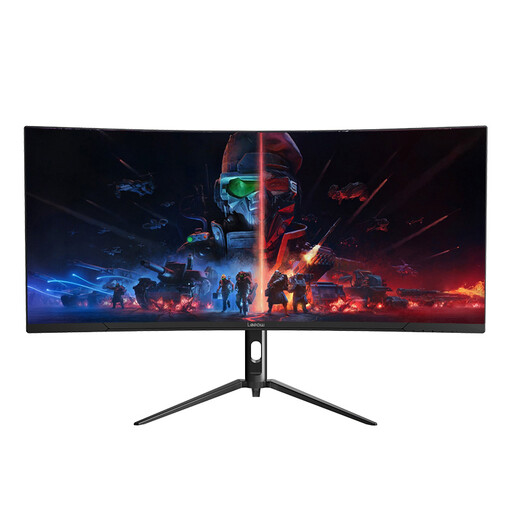
Lepow HC-SJ34MZ5 34-inch curved ultrawide
Its stated 3440 × 1440 resolution makes it relevant to placing recipe material beside other work windows. The title also specifies a 165 Hz refresh rate. Check the included stand’s adjustment options and the complete footprint if comfortable positioning is a deciding factor.
Joybuy
Frequently asked questions
Is a 34-inch ultrawide useful for building a recipe index?
Yes, if you regularly need a recipe source and an index, spreadsheet or notes visible together. LG UK and Samsung UK describe their 34-inch, 21:9 WQHD models as supporting multi-window work; check that your computer can output the intended resolution and that your applications remain usable at your chosen scaling.
Will one USB-C cable carry video and charge my laptop?
It can, but only when the laptop supports the required USB-C video connection and the monitor’s power output meets its charging needs. LG UK lists display, data and charging up to 65 W for the 34WR55QK-B; Dell UK lists USB-C video support and power delivery up to 65 W for the S3425DW. Check your particular laptop and the cable required for the monitor you choose.
How should I position an ultrawide on a student-room desk?
Place it directly in front of you, with enough space to sit about an arm’s length away and set the screen top around eye level, following Health and Safety Executive guidance. Measure for the stand as well as the screen, leaving usable space for your keyboard and notes.
What should I check on the product listing before ordering?
Confirm the monitor’s connections, supplied cables, stand dimensions and adjustments against your laptop and desk. Check the seller’s current return process, warranty terms and arrangements for handling a large monitor on the specific listing.


