Colour-critical landing-page designer
If you create or approve visual assets, look beyond screen width to the exact model’s colour modes, stated gamut and calibration information. A gamut percentage alone does not describe calibrated accuracy.


For landing-page design at a shared office desk, choose an ultrawide by the colour decisions you need to make, then check laptop connections and the space available for the whole workstation. Prioritise documented calibration when you approve final colours; prioritise docking features when different laptops use the desk, provided their display and charging requirements match the monitor.
If you create or approve visual assets, look beyond screen width to the exact model’s colour modes, stated gamut and calibration information. A gamut percentage alone does not describe calibrated accuracy.
If people or laptops change at the desk, check whether the monitor’s USB-C connection, hub or two-computer features suit the equipment you actually use. Confirm video output and charging compatibility for each laptop.
If you spend extended periods on landing-page work, consider the monitor together with the desk, chair and input devices. The Health and Safety Executive’s display screen equipment guidance treats the workstation as a whole, including when desks are shared.
Decide what colour documentation your work requires, then check the shared laptops’ connections and the room available for the complete workstation.
| Concern | What to check | Who this matters to |
|---|---|---|
| Colour confidence | Check the exact model’s sRGB mode and whether it has a factory calibration report or a stated Delta E measure. | When I approve button and image colours for a landing page, I need more than a broad gamut figure; around 42% of consumers put documented colour confidence first. |
| Shared-desk connectivity | Confirm compatible laptop video output and charging needs; check for the hub, Ethernet or switching features you will use. | If my laptop moves between desks, I want display and peripheral connections that suit my setup; around 33% of consumers prioritise shared-desk connectivity. |
| Workstation fit | Compare the assembled monitor and stand with the desk’s width and depth, and check the available positioning adjustments. | Working on a landing page throughout the day means I need space for the screen, laptop and keyboard; roughly 25% of consumers put workstation fit first. |
An sRGB coverage claim and a colour-accuracy measure describe different things. LG states 99% typical sRGB coverage for the 34WR55QK-B, while BenQ separately lists an average Delta E measure and a factory calibration report for the PD3420Q.
If you approve final colours, compare the exact models’ colour modes, calibration documentation and the conditions attached to any accuracy figure.
A monitor’s power-delivery rating does not establish that every laptop can send video through its USB-C port or charge at the required rate. Manufacturer specifications for the LG 34WR55QK-B, Dell U3425WE and HP 534pm list different power-delivery levels.
Check each laptop’s display-output support and charging requirements, then decide whether the desk also needs a hub, Ethernet or two-computer switching.
A 34-inch screen still needs space for its stand, the laptop and input devices. Height adjustment cannot resolve every placement issue at a shared workstation.
Compare the monitor’s assembled dimensions with the usable desk space. Where display screen equipment duties apply, follow the Health and Safety Executive’s guidance on assessing the whole workstation, including hot-desking arrangements.
The PD3420Q is a reference point for buyers who need documented colour specifications for creative work.
The UltraSharp U3425WE offers a documented docking-focused route for a shared laptop desk.
The 34WR55QK-B is a reference point for a 34-inch workspace with stated sRGB coverage and USB-C charging.
The Series 5 Pro 534pm is a conferencing and docking option to consider when the shared desk serves more than one computer.
The ThinkVision P34w-20 provides another model-specific reference for colour specifications and docking features.
These 34-inch ultrawides offer room to consider a design workspace alongside a browser. For a shared desk, compare each model’s colour documentation, laptop connections and assembled footprint against your own requirements.
 No image available
Consider this 34-inch WQHD screen if a wide workspace is your starting requirement for landing-page layout.
The product is identified as a VA monitor with a 240Hz refresh rate. For shared-laptop use, check its exact USB-C video and charging capability against each laptop before relying on one cable.
Check the colour mode and calibration documentation needed for final approvals, as well as the assembled stand dimensions.
 No image available
Consider this 34-inch WQHD model if you can accommodate its OLED screen in your landing-page workflow.
The product is identified as an OLED monitor with a 240Hz refresh rate. Its listing warns about burn-in from static images over extended periods, which matters if toolbars or interface panels remain in place.
Check the colour documentation for approval work, USB-C compatibility for the laptops and the space needed for the assembled stand.
 No image available
Consider this 3440 × 1440 ultrawide if you plan to connect computers through conventional video inputs at the shared desk.
Its title specifies a VA panel, two HDMI inputs and two DP 1.4 inputs. Check the colour information required for approvals and the complete footprint with its base before buying.
If a laptop needs charging through the monitor, confirm that requirement separately rather than assuming the video inputs provide it.
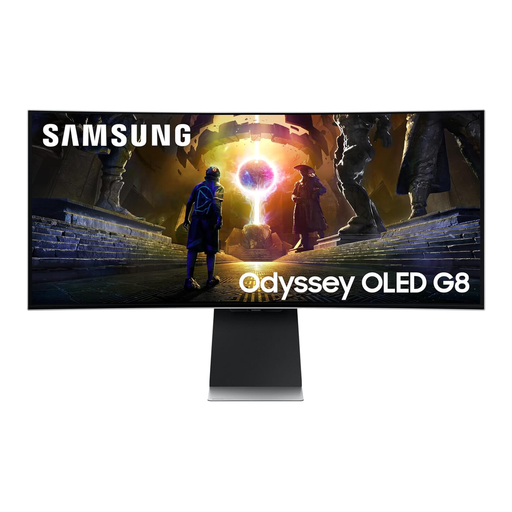 No image available
Consider this 34-inch WQHD screen if its curved OLED format suits your desk and working arrangement.
The product title specifies a 175Hz refresh rate. Before using it for final landing-page colours, check the exact colour mode and calibration information.
Confirm how each shared laptop will connect and whether the assembled monitor fits the desk.
 No image available
Consider this 34-inch UWQHD model if a wide landing-page workspace is the main requirement.
If colour approval is part of your work, check the exact model’s colour modes and calibration information rather than relying on screen format alone.
Check the connections needed by shared laptops and measure the monitor with its stand against the desk.
No. The Health and Safety Executive says employers must assess display screen equipment workstations and reduce risks; its guidance also addresses people who change desks regularly. Consider the monitor’s placement as part of the whole workstation, not as a substitute for that assessment.
It depends on the particular laptop’s charging requirement and connection. LG UK lists power delivery up to 65W for the 34WR55QK-B, while HP UK lists 100W for the 534pm; compare the relevant monitor figure with each laptop’s requirements and confirm that its port supports compatible display output.
Not when you need documented calibration for final colour approvals. An sRGB percentage describes stated gamut coverage; BenQ separately lists a factory calibration report and average Delta E ≤3 for the PD3420Q. Check the exact monitor’s colour mode and the conditions attached to its accuracy claim.
Measure the usable desk width and depth, then compare them with the exact model’s assembled dimensions, including its stand. Leave room for the laptop, keyboard and other equipment, and consider the resulting arrangement in the workplace workstation assessment where applicable.