Who is this setup for?
The useful features depend on whether your recipe index is mainly a multi-window database task, part of a daily laptop setup, or also an image-editing project.
Recipe database multitaskers
If you compare recipe sources while entering ingredients, tags and notes, space for applications side by side is the main reason to consider an ultrawide. Samsung UK discusses 32–34-inch screens for multi-application work, while LG UK describes its 3440 × 1440 ultrawide as a way to show several programmes at once. You still need to check that the screen and stand fit your desk.
One-cable laptop users
If you connect and disconnect a laptop at the same desk each day, a monitor with suitable USB-C charging, peripheral ports and Ethernet may simplify the connection. Check the laptop’s video and power requirements against the exact monitor: the presence of a USB-C socket alone does not establish a one-cable setup.
Recipe-image editors and publishers
If indexing also involves editing food photographs or preparing publishing assets, documented colour coverage and calibration features become more relevant. BenQ lists these features for the PD3420Q; they are less central to a workflow focused on text, tags and source records.
What should you check?
Start with the windows you need open and the space available on your desk. Then decide whether laptop connections, screen positioning or image work will determine your choice of model.
| Concern |
What to check |
Who this matters to |
| Room for several panes |
Compare 34-inch, 21:9 models with 3440 × 1440 resolution, then check the screen’s physical width and stand depth against your desk. |
If I need recipe sources, index fields and notes in view together, I want enough horizontal room without losing usable desk space. Roughly 37% of consumers put that workspace need first. |
| One-cable laptop setup |
Confirm USB-C video compatibility and adequate power delivery; check for Ethernet and the peripheral ports you will use. |
Connecting my laptop each morning is simpler if the display can also handle its charging and desk peripherals. For roughly 27% of consumers, that connection is the primary concern. |
| Screen positioning |
Check height and tilt adjustment, or VESA compatibility if you plan to use a monitor arm. Consider the whole workstation, not the screen alone. |
For extended indexing sessions, I need to position the display comfortably at my desk. Around 18% of consumers prioritise that setup flexibility. |
| Recipe imagery |
For recurring image work, compare documented colour-space coverage and calibration features with the needs of your editing workflow. |
If I also prepare food photographs for publication, I care about the colour features I can use in that workflow. That is the leading need for around 18% of consumers. |
A monitor can support more than one of these needs. Decide which one would change your purchase: a hub is of limited use if you do not connect a compatible laptop, while creative-display features are less consequential if the index consists chiefly of text and records.
Relevant brands to consider
These product lines illustrate different feature sets for the recipe-index task; the specifications below are manufacturers’ descriptions of particular models, not whole-brand performance comparisons.
Dell
Dell UK lists 34-inch ultrawides including the UltraSharp U3425WE Thunderbolt hub model and the business-oriented P3424WE USB-C hub model.
- Dell specifies 3440 × 1440 resolution, an IPS Black panel, height adjustment and 90 W power delivery for the U3425WE. Its P3424WE listing specifies 90 W USB-C power delivery, Ethernet and four downstream USB-A ports.
- Hub features matter most when the laptop and peripherals can use them; a desktop setup needing only a display may not benefit from those connections.
LG
LG UK’s UltraWide range includes the curved 34WQ75C-B, which LG presents for multi-application work and USB-C hub connectivity.
- LG specifies a 34-inch 3440 × 1440 IPS panel, RJ45 Ethernet, downstream USB ports, a height-adjustable stand and up to 90 W USB-C charging for the 34WQ75C-B.
- Check your laptop’s video and charging compatibility and the required cable before treating the monitor as a one-cable dock.
BenQ
BenQ’s PD3420Q is a creative-work option to examine if the recipe index also involves regular image editing or publishing.
- BenQ specifies a 34-inch 3440 × 1440 IPS panel, 100% sRGB, 100% Rec.709 and 98% P3 coverage, a factory calibration report, KVM, picture-in-picture and picture-by-picture modes, and 65 W USB-C power delivery.
- Those colour features do not by themselves establish how an unmanaged application will display an image, and they may have little bearing on text-first indexing.
Joybuy ultrawide monitors
These 34-inch ultrawides are options to compare for keeping recipe sources and index work on one screen. Their gaming and display specifications vary; check each model’s desk fit and connections rather than assuming that an ultrawide also works as a laptop dock or a colour-managed editing display.
 No image available
LG UltraGear 34G630A-B 34-inch VA WQHD monitor
Consider its ultrawide format if your main task is viewing recipe sources alongside index entries.
The product name specifies a VA panel and 240 Hz refresh rate. Check the screen and stand dimensions before ordering, and confirm whether its connections meet your laptop-charging needs.
View on Joybuy
 No image available
Dahua 34-inch 3440 × 1440 curved VA monitor
Its stated ultrawide resolution is relevant if you want recipe sources and entry fields visible together.
The product name specifies 200 Hz, a VA panel, 85% DCI-P3 coverage, two HDMI inputs and two DisplayPort 1.4 inputs. Check its physical dimensions and stand footprint, and confirm any laptop-docking connections you require.
View on Joybuy
 No image available
LG UltraGear 34GX900A-B 34-inch OLED WQHD monitor
Consider this OLED model only after weighing your image-work needs against the risk from persistent recipe-index windows. RTINGS identifies prolonged static content as a burn-in concern for OLED office use.
The product name specifies a 240 Hz refresh rate. Check the model’s screen-protection guidance, desk dimensions and laptop connection requirements before choosing it for long indexing sessions.
View on Joybuy
 No image available
Philips Evnia 6000 34M2C6500 34-inch WQHD monitor
The 3440 × 1440 resolution makes this a model to compare for side-by-side recipe research and index work.
The product name specifies height, swivel and tilt adjustment, two HDMI inputs and DisplayPort; it states 175 Hz over DisplayPort and 100 Hz over HDMI. Check desk fit and the connections needed for your laptop or image workflow.
View on Joybuy
 No image available
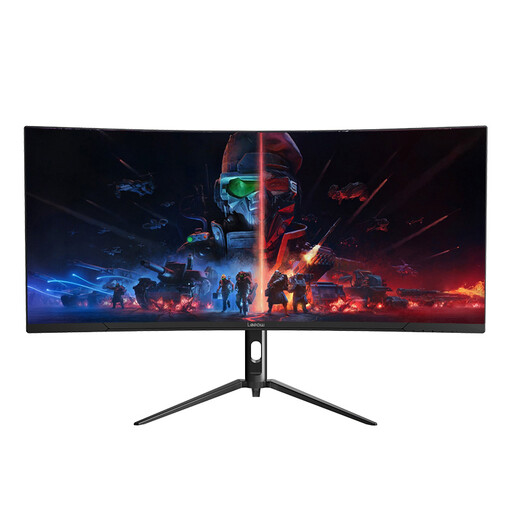
Lepow HC-SJ34MZ5 34-inch curved ultrawide monitor
Its stated resolution suits a comparison focused on keeping source material beside your recipe-index records.
The product name specifies 3440 × 1440 and 165 Hz. Before choosing it, check the stand’s adjustment range, the dimensions needed for your desk and any USB-C or colour specifications important to your work.
View on Joybuy
Common questions
Is a 34-inch ultrawide sensible for a home recipe index?
Yes, if your desk accommodates it and you often need recipe sources, entry fields and notes open together. Samsung UK discusses 32–34-inch screens for side-by-side applications, and LG UK describes multi-programme use for its 3440 × 1440 ultrawide; check the dimensions of the particular screen and stand before buying.
Do I need USB-C on the monitor?
You need a suitable USB-C monitor connection only if you want to use it with a compatible laptop for functions such as video, charging and peripheral data. Confirm what the laptop’s port supports and compare its power requirement with the monitor’s stated delivery; Dell and LG list up to 90 W for the hub models discussed here, while BenQ lists 65 W for the PD3420Q.
Should I choose OLED for windows that stay open all day?
Consider the static-content risk before choosing OLED for long recipe-index sessions. RTINGS identifies burn-in from constant exposure to static elements as an office-use concern, so an LCD model is worth considering if database and browser panes will stay in similar positions for extended periods.
What should an employee check about a home-office workstation?
Ask your employer about its display-screen equipment assessment process if you regularly use a screen for work at home. The Health and Safety Executive says employers must assess DSE workstations and reduce risks, including by ensuring workers take breaks or do something different; a particular monitor model does not replace the wider workstation setup.
What if a monitor bought online is faulty?
Contact the seller about the fault rather than assuming a manufacturer’s warranty is your only route. The UK Consumer Rights Act 2015 explanatory notes published by Legislation.gov.uk describe a consumer’s right to require repair or replacement of faulty goods, with the trader bearing the cost of that remedy. Keep your order details and a record of the problem when you contact the seller.


