What to check before buying
Start with the space needed for the website editor and preview, then check the monitor's physical fit and the connections each desk user will rely on.
| Concern |
What to check |
Who this matters to |
| Room for website work |
Check for 21:9 WQHD resolution, such as 3440 × 1440, and confirm that your editor and preview fit comfortably side by side. |
When I build a page, I want to see the editor and preview without continually changing windows. Around 31% of consumers put continuous workspace first. |
| Laptop docking |
Confirm USB-C video support on the laptop, its charging requirement and the monitor's power-delivery rating; check Ethernet if the desk uses a wired connection. |
Bringing a laptop to the shared desk should not mean reconnecting several separate cables each time. Roughly 31% of consumers prioritise simpler laptop docking. |
| Two computers and calls |
Check the inputs and KVM arrangement for both devices, plus whether a built-in webcam suits the desk's meeting needs. |
If I alternate between a club computer and another device, I want to know whether they can share the same keyboard and mouse. About 23% of consumers place device switching or meetings first. |
| Repeatable positioning |
Check screen width, stand depth and adjustment range so each regular user can position the display centrally. |
A screen used by several people needs to be easy to reposition rather than leaving someone working at an awkward angle. For around 15% of consumers, workstation setup is the primary concern. |
Joybuy ultrawide monitor options
These 34-inch ultrawide options are relevant to keeping a club website editor and supporting windows on one screen. Compare each model's desk fit and connections with your shared-office setup; a wide display alone does not establish a one-cable laptop dock.
 No image available
LG UltraGear 34G630A-B 34-inch VA WQHD monitor
Consider this WQHD model for arranging website work across a wide screen if it fits the shared desk.
The product name specifies a VA panel and 240Hz refresh rate. Check the monitor's dimensions and stand, plus laptop video and charging compatibility if you need USB-C docking.
Joybuy
 No image available
Lenovo R34w-30 34-inch UWQHD monitor
This UWQHD model is an option if you want a wide screen for the site editor and preview and have room for it on the desk.
Check its physical dimensions and stand arrangement for each user. If laptop docking matters, confirm the required video, charging and network connections on the exact model.
Joybuy
 No image available
Dahua 34-inch curved UWQHD 200Hz VA monitor
Its stated 3440 × 1440 resolution makes this a candidate for placing a page editor alongside a preview, subject to desk fit.
The product name specifies a VA panel, two HDMI inputs and two DisplayPort 1.4 inputs. Check the physical footprint and any laptop-docking connections your desk requires.
Joybuy
 No image available
Philips Evnia 6000 34M2C6500 34-inch WQHD monitor
Consider its stated 3440 × 1440 screen for viewing a website editor and supporting windows together, after checking desk fit.
The product name lists two HDMI inputs and DisplayPort, with height, swivel and tilt adjustment. Its stated refresh-rate limits differ by connection: 175Hz through DisplayPort and 100Hz through HDMI. Check separate laptop charging or Ethernet needs before planning the desk connections.
Joybuy
 No image available
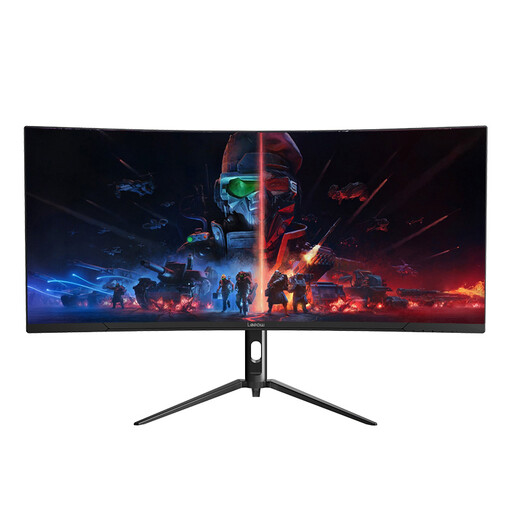
Lepow HC-SJ34MZ5 34-inch curved ultrawide monitor
Its stated 3440 × 1440 resolution makes it relevant to a multi-window website workflow if the curved screen suits the shared desk.
The product name lists a 165Hz refresh rate. Confirm the stand's adjustment range, the screen's desk footprint and any laptop-docking connections you need.
Joybuy
Questions about the shared-desk setup
Should I choose a 34-inch ultrawide instead of two monitors?
Choose a 34-inch 21:9 WQHD ultrawide if an uninterrupted space for your editor, preview and supporting windows suits your workflow. Two separate screens may suit you if you prefer a physical divide; check the ultrawide's resolution, desk footprint and central viewing position before deciding.
Can one USB-C cable connect and charge my laptop?
It can do both only when the laptop supports video through the relevant USB-C or Thunderbolt port and the monitor's power delivery meets the laptop's charging needs. Dell specifies power delivery up to 90W for its P3425WE, but that rating alone cannot confirm compatibility with your laptop.
When would a built-in KVM switch help at the club desk?
A KVM is useful when two connected computers need to share one keyboard and mouse. Samsung lists a built-in KVM for its ViewFinity S65VC; check its connections against both computers, and give the feature less priority if the desk normally uses just one device.
Does a shared-office monitor need a DSE assessment?
Where workplace display screen equipment requirements apply, the UK Health and Safety Executive says employers must assess workstations and reduce risks. Whether those duties apply to a particular club arrangement depends on how the space and its users are organised; the monitor itself does not replace an appropriate workstation setup.
How should different users position the ultrawide?
Each user should be able to place the screen directly in front of them. The UK Health and Safety Executive's posture guidance puts the top of the screen around eye level and the display about an arm's length away, so check desk depth and stand adjustment before buying.


