What matters when choosing?
40-inch 5K2K
Choose when: Page-height detail and room for adjacent tools are regular requirements; Dell UK and LG UK list 5120 × 2160 examples.
Trade-off: Allow room for the larger screen and confirm that your computer supports the intended display connection.
34-inch 3440 × 1440
Choose when: A narrower ultrawide suits your desk, particularly if a flat panel and documented colour modes matter; BenQ UK lists both for the PD3420Q.
Trade-off: Its 1440-pixel height shows less of a tall page at the same display scaling than a 2160-pixel screen.
49-inch dual QHD
Choose when: Two broad application windows matter more than extra page height; Dell UK lists the U4924DW at 5120 × 1440.
Trade-off: The screen needs substantial desk width, yet its vertical resolution remains 1440 pixels.
For brochure work, identify the need that would most affect your review if the screen fell short. The checks below separate page inspection, colour management, laptop use and parallel windows.
| Concern | What to check | Who this matters to |
|---|
| Page-height detail |
Compare native resolution and vertical pixels, not just diagonal size: 5120 × 2160 versus 3440 × 1440 or 5120 × 1440. |
If I spend most of my time inspecting tall pages and small type, I want enough vertical space before adding more width. Around 31% of consumers put page-height inspection first. |
| Colour-management confidence |
Check the exact model’s colour modes, stated accuracy measure and calibration documentation; plan a print proof for critical output. |
When I compare brochure assets and exported PDFs, I need a documented starting point for colour, without assuming the screen will match the final print. Colour management comes first for around 31% of consumers. |
| Laptop connections |
Match USB-C or Thunderbolt video support and power delivery to the laptop; check for KVM or Ethernet if needed. |
If my laptop moves between workspaces, I want the display and peripherals connected with fewer cable changes, provided charging is adequate. Around 23% of consumers prioritise this connection workflow. |
| Side-by-side width |
Check the 5120 × 1440 canvas and available desk width when considering a 49-inch, 32:9 screen. |
I may value a layout application beside a large proof or reference window more than extra portrait-page height. That broad parallel workspace is the leading need for around 15% of consumers. |
Joybuy products for layout work
These 34- and 49-inch ultrawides offer different ways to keep layouts and reference windows visible. If inspecting more of a tall page is your priority, compare their 1440-pixel-height formats with a 5120 × 2160 screen before choosing.
 No image available
Acer X Predator X49X 49-inch curved QD-OLED monitor
Consider its broad screen if keeping a brochure layout beside reference material matters more than maximising page height.
The product name specifies a 32:9, double-QHD panel with an 1800R curve and 240 Hz refresh rate. Check its physical dimensions and colour-workflow requirements before ordering.
View on Joybuy
 No image available
CRUA 49-inch curved 5120 × 1440 VA monitor
Its wide canvas suits a layout beside broad reference windows, but its 1440-pixel height is a different choice from 5K2K for portrait-page inspection.
The product name specifies a 32:9 panel, 1500R curve, 165 Hz refresh rate and HDMI 2.1 and DisplayPort 1.4 inputs. Check desk fit and the colour documentation needed for your work.
View on Joybuy
 No image available
Lenovo R34w-30 34-inch UWQHD monitor
A 34-inch ultrawide is worth considering when you want a layout and another window visible without moving to a 49-inch format.
The product name identifies the R34w-30 as a UWQHD model. For colour-critical brochure proofs, check the applicable colour mode and calibration documentation.
View on Joybuy
 No image available
Dahua 34-inch curved 3440 × 1440 VA monitor
This format gives you room for a layout and adjacent tools, with less vertical page space than a 5120 × 2160 display.
The product name specifies a 200 Hz refresh rate, 85% DCI-P3 coverage, and HDMI and DisplayPort 1.4 inputs. If you need colour-critical proofing or laptop docking, check the exact calibration and connection details first.
View on Joybuy
 No image available
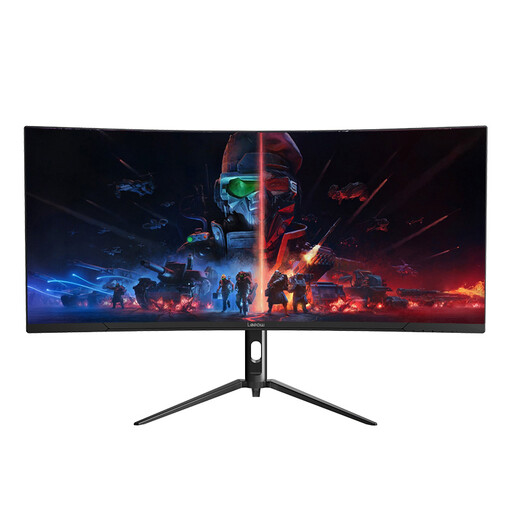
Lepow HC-SJ34MZ5 34-inch curved ultrawide monitor
Its ultrawide format can place a brochure layout beside another window, though 1440 vertical pixels provide less page height than 5K2K.
The product name specifies 3440 × 1440 resolution and a 165 Hz refresh rate. Check defined colour-space coverage and calibration documentation before relying on it for colour-critical proofs.
View on Joybuy
Common questions
Is a 49-inch ultrawide better than a 40-inch model for brochure review?
Not if your priority is vertical page space. Dell UK lists the 49-inch U4924DW at 5120 × 1440 and the 39.7-inch U4025QW at 5120 × 2160; choose the wider format for broad parallel windows, or consider the taller resolution when page-height detail matters more.
Which colour specifications matter for brochure layouts?
Start with the exact model’s supported colour spaces, stated accuracy measure and calibration documentation. Dell UK lists 100% sRGB, 99% DCI-P3 and average Delta E below 2 for the U4025QW, while BenQ UK lists 100% sRGB and Rec.709 and 98% P3 for the PD3420Q. Those specifications cannot, by themselves, confirm a match with your printer, ink, paper and viewing conditions.
Can one USB-C cable run the monitor and charge my laptop?
It can if the laptop and monitor support compatible video over that connection and the monitor supplies enough power for the laptop. The models described by BenQ UK, Dell UK and ASUS UK have different power-delivery ratings, so compare your laptop’s requirements with the exact port specification before buying.
What should I check before returning a monitor bought online?
For an eligible UK distance purchase, GOV.UK says to tell the retailer within 14 days of receiving the item if you want to cancel; rights concerning faulty or misdescribed goods are separate from a change-of-mind cancellation. Inspect the screen and ports promptly, keep it suitable for safe repacking, and check the retailer’s return arrangements for a large display.


