What matters when choosing?
34-inch 21:9 WQHD
Choose it when: The calendar chiefly needs to sit beside communications or reference windows, and a 34-inch screen suits the desk.
Trade-off: A 3440 × 1440 panel has less vertical workspace than a 5120 × 2160 model, which matters for dense grids.
39.7-inch 21:9 5K2K
Choose it when: Detailed calendars or design assets need more horizontal and vertical pixels, and the desk can accommodate the larger display.
Trade-off: Check that the computer and connection can support the intended display setup, and allow room to position the screen comfortably.
49-inch 32:9 Dual QHD
Choose it when: Two particularly broad work areas matter more than extra vertical room in the calendar.
Trade-off: A 5120 × 1440 panel remains 1440 pixels high, unlike a 5120 × 2160 5K2K display.
For consumers choosing an ultrawide to design an event calendar, identify the need that would decide the purchase, then check the corresponding screen and workstation requirements.
| Concern |
What to check |
Who this matters to |
| Side-by-side workspace |
Compare native resolution, aspect ratio and the screen’s physical width with the available desk space. |
If I keep a calendar open while checking messages and references, I want room for those windows without continually switching between them. Around 45% of consumers would put this shared workspace first. |
| Calendar and design detail |
Compare 3440 × 1440 with 5120 × 2160; check model-specific colour specifications if event assets require them. |
When my calendar has dense rows or sits beside detailed artwork, I need to assess vertical room as well as width. Roughly 33% of consumers would make that detail their primary concern. |
| Laptop and desk setup |
Match video connection and power delivery to the laptop; check ports, stand adjustment and screen placement. |
If I work from a laptop throughout the day, I care most about connecting it and positioning the display for sustained work. About 22% of consumers would prioritise that workstation setup. |
Ultrawides for calendar work on Joybuy
These products cover 34-inch ultrawides for a calendar beside supporting windows and one 49-inch option for two broad work areas. Compare their exact resolution and connections against your computer and the amount of vertical calendar detail you need.
 No image available
Dahua 34-inch UWQHD curved monitor, 3440 × 1440
Consider this 21:9 screen for an event calendar beside email or reference windows. Its stated specifications include a VA panel, 85% DCI-P3 coverage, two HDMI inputs and two DisplayPort 1.4 inputs.
For laptop charging through the monitor, confirm the required USB-C video and power-delivery features before buying.
View on Joybuy
 No image available
Lenovo R34w-30 34-inch UWQHD monitor
This 34-inch curved ultrawide is relevant if the calendar needs space beside other work windows. Confirm its exact native pixel dimensions if the number of visible calendar rows is decisive; check the laptop’s connection and charging requirements for a single-cable setup.
View on Joybuy
 No image available
Philips Evnia 6000 34M2C6500, 34-inch 3440 × 1440
The 3440 × 1440 format suits a calendar alongside communications or reference windows. The product name specifies height, swivel and tilt adjustment, two HDMI inputs and a DisplayPort input.
If colour-sensitive assets or laptop charging matter, check the exact colour-gamut and connection specifications for this model.
View on Joybuy
 No image available
CRUA 49-inch curved ultrawide, 5120 × 1440
Consider its 32:9 format if two broad work areas are the priority. The stated 5120 × 1440 resolution gives width without the 2160-pixel vertical dimension of 5K2K; allow sufficient desk space for the display.
Confirm the exact stand adjustment and laptop-connection features before relying on either for your workstation.
View on Joybuy
 No image available
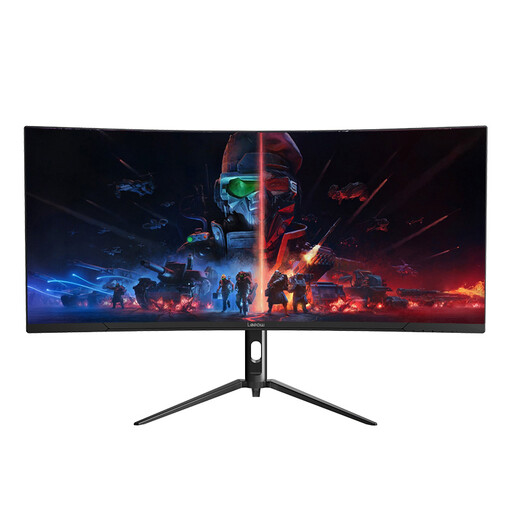
Lepow HC-SJ34MZ5 34-inch curved ultrawide, 3440 × 1440
This 21:9 format is suited to placing an event calendar beside other work windows. Its stated resolution is 3440 × 1440, rather than the taller 5120 × 2160 5K2K format.
Check stand adjustment, colour-gamut specifications and laptop video and charging connections if those will determine your choice.
View on Joybuy
Frequently asked questions
Is a 34-inch ultrawide enough for designing an event calendar?
A 34-inch 3440 × 1440 ultrawide is a reasonable choice when the main task is placing a calendar beside email, notes or a browser. If dense grids or design assets need more vertical room, compare it with a 5120 × 2160 model; BenQ’s PD3420Q and Dell’s U4025QW document those respective resolutions.
Does a 49-inch screen show more calendar detail than 5K2K?
Not necessarily: compare native resolution rather than diagonal size. Samsung specifies 5120 × 1440 for the 49-inch Odyssey OLED G95SD, while Dell specifies 5120 × 2160 for the U4025QW. The former is much wider in shape; the latter has more vertical pixels for calendar rows or stacked work panels.
Do I need USB-C or Thunderbolt for an ultrawide?
Only if those connections serve your intended computer setup; a compatible USB-C or Thunderbolt connection can be useful when you also want monitor-based charging or peripherals. Check the laptop’s video output and charging requirement against the exact monitor’s ports and power-delivery rating. Dell says display daisy chaining requires Thunderbolt and notes that some M-series chips may not support certain features.
What should I consider for sustained work at a large ultrawide?
Plan the whole workstation, not just the monitor stand. The UK Health and Safety Executive says display-screen-equipment regulations apply to workers using such equipment daily for continuous periods of an hour or more; its guidance covers posture, furniture, desk space, lighting, reflections and breaks. Workplace users should follow their employer’s assessment process.


