What matters when choosing?
Choose the screen format around the test layout first, then check device switching, desk fit and the connection path for every computer that will use it.
40-inch 5K2K
Choose it when: One tester needs room for vertically stacked filter controls, results and supporting tools.
Trade-off: Its 21:9 screen is less wide than a 49-inch 32:9 display; confirm that each computer can drive the chosen model at the intended resolution.
49-inch Dual QHD
Choose it when: Two broad application areas are the priority, or a specific KVM-equipped model suits the two-computer workflow.
Trade-off: The 5120 × 1440 models described by Samsung Business UK and LG UK have fewer vertical pixels than 5120 × 2160 models and need room on the desk.
38-inch hub ultrawide
Choose it when: A conventional 21:9 layout with hub connections suits the desk better than a 49-inch display.
Trade-off: Dell UK lists the U3824DW at 3840 × 1600, so compare its available workspace with the windows your tests must show together.
| Concern |
What to check |
Who this matters to |
| Vertical workspace |
Compare native resolution and whether the computer can output it; the cited 5K2K models are 5120 × 2160, while the cited Dual QHD models are 5120 × 1440. |
With filters, results and logs open together, I need enough height to read the material without constantly rearranging windows. Around 31% of consumers put vertical workspace first. |
| Two-device switching |
Check the exact model’s KVM support, video inputs and USB data connections for both computers. |
If the desk rotates between test machines, I want to know whether one keyboard and mouse can follow the active source. For around 31% of consumers, device switching is the primary concern. |
| Desk and DSE fit |
Measure the desk and check screen adjustment, placement and lighting; use the employer’s assessment process where applicable. |
On a shared workstation, I need space to position the screen and input devices for regular users, not just space for the panel itself. Desk and display screen equipment fit comes first for around 23% of consumers. |
| Connection compatibility |
Check each computer’s video output, the required cable or dock, and any USB-C charging requirement against the exact monitor. |
If I rely on a laptop connection, I need the intended display mode and charging arrangement to work with that laptop. Around 15% of consumers prioritise connection compatibility. |
Joybuy product choices
These ultrawides range from 49-inch wide-workspace displays to smaller 21:9 options. Compare their stated resolutions with your filter-test layout; if two computers must share a keyboard and mouse, confirm the switching arrangement for the exact model rather than assuming it from screen size or the number of inputs.
 Image unavailable
Acer X Predator X49X 49-inch curved ultrawide monitor
Consider its wide format when two application areas need to sit side by side during filter testing.
The listed variant is 32:9 with a QD-OLED panel and 240 Hz refresh rate. Check that its vertical workspace suits long results and logs, and confirm the video and keyboard and mouse connections required by both computers.
View on Joybuy
 Image unavailable
CRUA 49-inch curved DQHD ultrawide monitor
Its 32:9 layout is worth considering when two broad windows are more important than a taller test workspace.
The title specifies 5120 × 1440 resolution, 165 Hz, two HDMI 2.1 inputs, two DisplayPort 1.4 inputs and height adjustment. Check desk fit and whether the intended two-computer setup can share input devices.
View on Joybuy
 Image unavailable
Dahua 34-inch UWQHD curved ultrawide monitor
Consider this smaller ultrawide if a conventional side-by-side window layout suits the shared desk.
The title specifies 3440 × 1440 resolution, 200 Hz, two HDMI inputs and two DisplayPort 1.4 inputs. Check the required display mode on each computer and confirm keyboard and mouse switching separately if needed.
View on Joybuy
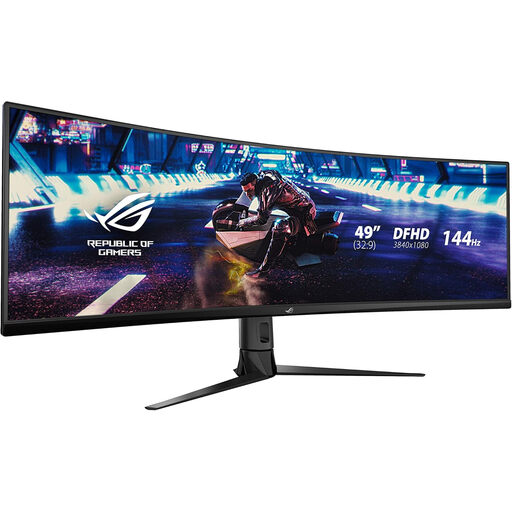 Image unavailable
ASUS ROG STRIX XG49VQ curved DFHD monitor
Consider its wide layout only after checking whether the filter controls, results and logs fit vertically at a readable size.
The title identifies the XG49VQ DFHD variant with a 144 Hz refresh rate. Confirm desk dimensions, stand adjustment and any required two-computer switching arrangement for this model.
View on Joybuy
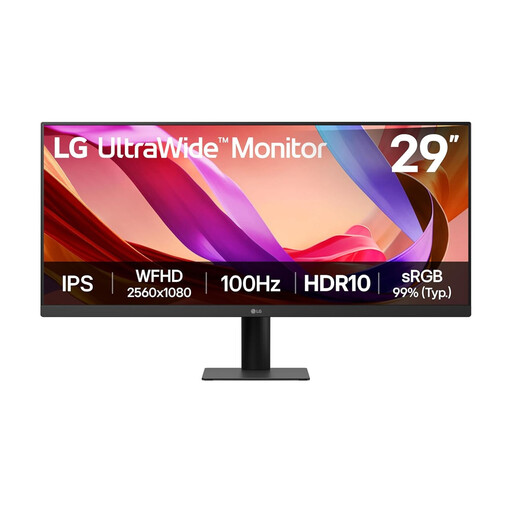 Image unavailable
LG UltraWide 29U511A 29-inch monitor
This smaller ultrawide may suit a simpler window layout; check that the test interface and results remain readable together.
The title specifies a 1080p IPS display, 100 Hz refresh rate, DisplayPort and HDMI. Confirm the stand adjustment and any device-switching requirements before choosing it for a shared desk.
View on Joybuy
Common questions
Does a shared-office ultrawide need a DSE assessment?
The workstation may need one, depending on how it is used. The UK Health and Safety Executive says the display screen equipment rules apply to workers who use such equipment daily for continuous periods of an hour or more; employers must assess those workstations and reduce risks. Its guidance also calls for a basic risk assessment when hot-desk users change desks regularly.
Is a 49-inch Dual QHD monitor better for search-filter testing?
Not necessarily: choose by the space your test windows need. The 49-inch Dual QHD models cited by Samsung Business UK and LG UK offer 5120 × 1440 resolution for wide side-by-side areas, while the cited 40-inch 5K2K models from Dell UK and LG UK offer 5120 × 2160 for more vertical workspace.
What should I check before using USB-C as a one-cable connection?
Check the exact laptop’s video output and charging requirements against the monitor’s supported USB-C mode and the cable. Dell UK specifies USB-C video and data with 90 W power delivery on the U4025QW; LG UK notes that some Intel-graphics Mac models cannot reach maximum resolution over USB-C on the 49WQ95C-W.
Can a monitor’s KVM replace a separate switch?
It can simplify the desk if the exact monitor supports both computers and the required keyboard and mouse routing. Samsung Business UK specifies two-source control through the S95UC’s built-in KVM, but the computers’ connections, cables and any workplace device restrictions still need checking.
How can different people use the same ultrawide workstation comfortably?
Make the screen and surrounding workstation adjustable for its users rather than relying on panel size alone. The Health and Safety Executive’s guidance covers arranging desk space, adjusting the screen and lighting to avoid reflections and glare, and using workstation assessments to identify problems.


