Colour-critical gallery makers
If you select photographs for portfolios, client approval or print-aware work, colour modes, calibration documentation and consistency across the panel matter alongside workspace size.


A 34-inch, 3440 × 1440 ultrawide is worth considering if you need a gallery preview and working windows visible together, but measure its full footprint before choosing one for a small desk. Prioritise documented colour modes and calibration information when judging photographs; if a laptop-led setup is the greater concern, check USB-C video compatibility and charging power instead of assuming one cable will meet every need.
If you select photographs for portfolios, client approval or print-aware work, colour modes, calibration documentation and consistency across the panel matter alongside workspace size.
If your laptop shares a compact desk with peripherals, you may want the monitor to handle display input, charging and connections. The stand footprint still needs checking, even when a hub reduces cable clutter.
If you mainly arrange browser-based galleries, captions and image selections, horizontal workspace and an appropriate sRGB setting may matter more than specialist print-oriented controls.
Check the space available on your desk first. Then decide whether colour decisions, a laptop connection or room for gallery-layout windows is your primary need.
| Concern | Buying checks | Who this matters to |
|---|---|---|
| Colour confidence | Check the exact model’s colour modes, stated gamut, calibration documentation and uniformity information. | If I am approving photographs for a client or print-aware portfolio, I need more than a wide screen to trust my colour decisions. Around 42% of consumers put colour confidence first. |
| Laptop workflow | Confirm compatible USB-C or Thunderbolt video output and compare the monitor’s power delivery with your laptop’s requirement. | On a crowded desk, I want to connect my laptop and peripherals without relying on several separate devices. About 33% of consumers make a compact laptop workflow their primary concern. |
| Gallery-layout space | Check resolution, inputs and stand adjustment against the windows you use and the space you have measured. | When arranging a web gallery, I want the preview, captions and source images within view while I work. Roughly 25% of consumers prioritise practical layout space. |
BenQ UK specifies the PD3420Q at 825.8 mm wide and 244.3 mm deep with its stand. Other models can have different stands and clearance requirements, so screen size alone cannot establish desk fit.
Measure usable width, depth, rear clearance and your eye-to-screen position. For an arm-mounted setup, check the exact monitor’s VESA pattern and weight without its stand.
A stand that takes too much space may mean changing the desk arrangement or using a compatible monitor arm.
An sRGB or P3 coverage figure describes a colour range, not whether the display is calibrated, uniform or set to the mode your work requires. BenQ UK lists separate calibration and uniformity features for the PD3420Q.
For colour-critical work, compare the exact model’s colour modes, calibration information and uniformity claims, then use the intended mode with colour-managed software.
USB-C video output depends on the laptop and connection used, while a monitor’s stated power delivery has a limit. A hub connection does not by itself establish that the laptop can run and charge as required.
Check your laptop’s video-output support and charging requirement against the monitor’s port and cable specifications before planning a one-cable desk.
If the connection cannot meet those needs, you may still need the laptop charger or another compatible accessory.
GOV.UK describes in-store take-back of electrical waste of the same type as the item purchased. That does not tell you what collection arrangement a particular retailer offers for an old monitor.
Ask the retailer how its like-for-like take-back works before ordering, particularly if you cannot bring the old monitor to a store.
The PD3420Q is a colour-focused 34-inch ultrawide to examine when gallery work involves deliberate colour decisions.
The UltraSharp U3425WE and Dell Pro P3425WE offer two model-specific ways to examine a laptop-centred ultrawide workspace.
The 34WQ75C-B and 34WR50QK-B illustrate different general-purpose ultrawide configurations for gallery and laptop work.
These 34-inch ultrawide choices are relevant to arranging gallery work across a wide screen. Several are gaming models: consider their stated screen formats and connections, but check desk fit and colour-management needs separately before using them for photo decisions.
 No image available
Consider its ultrawide format if you want a gallery beside other working windows. The stated 175 Hz refresh rate is a gaming specification, not evidence of photo-colour accuracy; check the colour settings and complete stand footprint for your setup.
 No image available
Its ultrawide format is relevant if gallery layout and editing windows need to share the screen. The stated 240 Hz refresh rate does not establish colour accuracy; measure the stand space and check USB-C charging capacity before planning a laptop-led desk.
 No image available
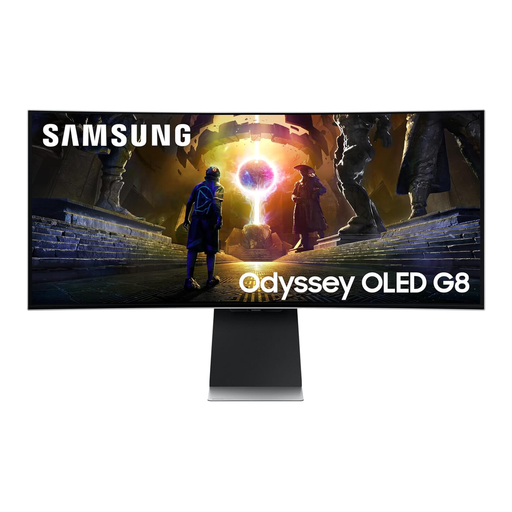
This ultrawide format suits consideration when a gallery and other windows must remain visible together. Its OLED screen carries a burn-in warning for prolonged static images, so use its screen-protection features; also check desk depth and laptop charging requirements before relying on USB-C.
 No image available
The 3440 × 1440 format is relevant to arranging a gallery across a wide workspace. Its title lists two HDMI and two DisplayPort 1.4 inputs; the stated 85% DCI-P3 coverage does not establish calibration, and you should confirm desk dimensions with the base attached.
 No image available
Consider the ultrawide format for placing a browser-based gallery alongside working windows. If you will judge photograph colour, check the exact colour settings and calibration information; measure the stand footprint and confirm the inputs your computer needs.
Yes, if you want a gallery preview and other working windows visible at once: the 21:9 format provides horizontal room for that arrangement. Resolution does not establish colour accuracy, so check colour modes and calibration information separately when photographs must be judged closely.
Not necessarily: for a browser-oriented gallery, start by checking the monitor’s sRGB setting and your system’s colour management. P3 coverage becomes more relevant if your intended workflow uses that colour space, but a coverage figure alone is not proof of calibration.
It can if your laptop supports video over the relevant USB-C or Thunderbolt connection and the monitor supplies enough power for it. LG UK specifies up to 90 W USB-C power delivery for the 34WQ75C-B, while Dell UK specifies 90 W for the U3425WE; check your laptop’s requirements and the cable specified for the monitor.
Ask the retailer about like-for-like electrical waste take-back before ordering. GOV.UK describes in-store take-back for waste of the same type as the item purchased; confirm the retailer’s arrangements if you need collection rather than an in-store handover.