Multi-window portfolio designers
If you keep a browser preview beside your design canvas, assets and inspection tools, prioritise usable resolution and check that your computer can drive the intended display mode.


Choose a 40-inch 5120 × 2160 ultrawide if keeping a design canvas, browser preview and supporting windows visible together is your priority, and your desk and computer can accommodate it. A 34-inch 3440 × 1440 display gives you a smaller physical setup with less pixel area. For either size, check the exact model’s sRGB information, laptop connection and mounting arrangement before buying.
If you keep a browser preview beside your design canvas, assets and inspection tools, prioritise usable resolution and check that your computer can drive the intended display mode.
If browser-facing colour decisions are central to your work, look for stated sRGB support and model-specific colour information. Review the finished page on the browsers and devices relevant to its audience, too.
If the monitor must fit a smaller desk and connect to a laptop, check its stand or mounting options alongside the laptop’s video output and charging requirements.
For a portfolio homepage, decide how many windows need to remain visible, then check web-colour specifications, laptop connections and the space the monitor will occupy.
| Concern | What to check | Who this matters to |
|---|---|---|
| Workspace and resolution | Compare 5120 × 2160 with 3440 × 1440, and check your computer’s supported display output. | If my preview, design canvas and assets need to stay visible together, pixel area takes priority; around 31% of consumers put workspace first. |
| Web-colour workflow | Check the exact model’s sRGB mode or coverage claim and the conditions attached to its colour-accuracy information. | When I make colour choices for a browser-based portfolio, I want a documented starting point for reviewing them; around 25% of consumers prioritise web-colour information. |
| Laptop integration | Match the laptop’s video-output capability and charging needs to the monitor’s ports and power delivery. | I want one connection to serve my laptop-led desk without assuming every USB-C port does the same job; roughly 25% of consumers put connection and charging needs first. |
| Desk fit | Measure the available width and depth, then check stand dimensions or VESA mounting requirements. | My screen has to leave room for the rest of my desk setup; about 19% of consumers make physical fit their primary concern. |
Dell UK lists its U4025QW at 5120 × 2160 and U3425WE at 3440 × 1440. A similar ultrawide shape does not give these models the same pixel area or vertical resolution.
Compare the exact resolution with the window layout you plan to use, as well as the screen’s physical dimensions.
Colour-coverage and accuracy figures apply to named models and stated conditions; a wide-gamut figure alone does not establish how a portfolio will appear in every browser or display mode.
Check for an applicable sRGB mode or coverage claim, then review the finished page on relevant browsers and devices.
Monitor power-delivery ratings and connection types differ, while the laptop and cable must also support the intended arrangement.
Check the laptop manual against the monitor’s video-input and power-delivery specifications before choosing a connection.
A separate charger, dock or suitable cable may still be needed for a laptop that cannot use the intended single-cable arrangement.
These named monitor lines illustrate different workspace and connection options; specifications for one model should not be assumed to apply across a brand.
Dell’s UltraSharp U4025QW is a 39.7-inch curved 5120 × 2160 monitor; the U3425WE is a smaller 34.1-inch curved 3440 × 1440 option.
LG UK positions the 40-inch UltraFine 40U990A-W around its 5120 × 2160 display and Thunderbolt 5 connection.
BenQ’s PD3420Q is a 34-inch 3440 × 1440 design-oriented ultrawide with listed colour modes and connection features.
These ultrawides offer different screen sizes for portfolio-design workflows, from 34-inch displays to a wider 49-inch format. Check each model’s resolution, colour information and connection requirements against your own setup; a 49-inch 5120 × 1440 screen is not the same workspace shape as a 40-inch 5120 × 2160 screen.
 No image available
Consider this 34-inch ultrawide if you want space for a design canvas beside a browser preview.
Check the applicable sRGB mode and calibration information for colour-sensitive work, and confirm how your computer will connect and charge.
 No image available
The 34-inch ultrawide format suits a desk where you want a design application and preview side by side.
The title specifies an OLED panel and 240 Hz refresh rate. Consider the stated risk of burn-in if your design interface stays static for long periods; also check the sRGB mode and whether the connection and charging arrangement suit your laptop.
 No image available
Consider the wide 32:9 format if your desk can accommodate a 49-inch display and you want to arrange several windows horizontally.
The title identifies a QD-OLED panel and 1800R curve. Check the screen’s vertical resolution, physical fit, sRGB mode and computer connection rather than treating its width as equivalent to a 5K2K display.
 No image available
This 34-inch format is worth considering when a smaller ultrawide suits your side-by-side design and preview layout.
The title specifies a VA panel, 200 Hz refresh rate, 85% DCI-P3 coverage, HDMI and DisplayPort inputs. DCI-P3 coverage alone does not establish an sRGB workflow, so check the colour mode and your connection and charging needs.
 No image available
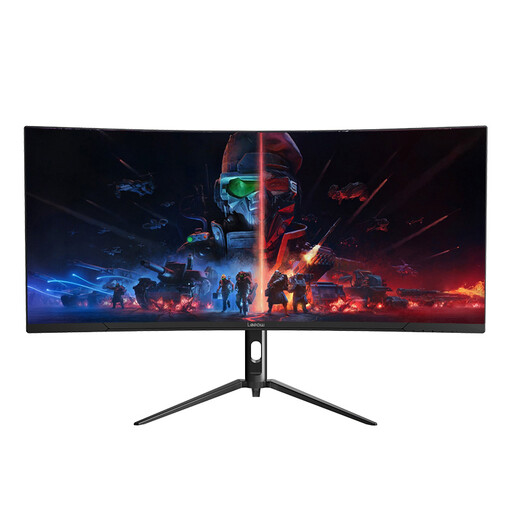
Its 34-inch 3440 × 1440 format is a choice to assess for keeping a homepage preview beside your design application.
The title specifies a 165 Hz refresh rate. Check the sRGB mode and calibration information before making colour decisions, and confirm stand adjustment, desk fit and laptop connection requirements.
No. A 5120 × 2160 display is worth considering when you need more pixel area for simultaneous design, preview and asset windows. A 34-inch 3440 × 1440 monitor may suit a smaller desk if its available workspace meets your needs.
Stated sRGB support is a useful criterion for browser-focused colour decisions. Check which mode the monitor’s claim applies to, and review the finished portfolio in the browsers and devices your audience uses.
Not necessarily. Match the laptop’s video-output capability and charging requirements to the exact monitor port, power-delivery rating and cable you intend to use.