What matters when choosing
Start with the window and desk position, then decide how much SDR colour assurance, timeline space and laptop connectivity your editing setup requires.
| Concern |
What to check |
Who this matters to |
| Glare and placement |
Check the screen finish and whether the desk, stand and light controls let you keep direct window reflections off the display. |
If window reflections obscure timeline controls or image detail, I need to change the screen angle or manage daylight rather than rely on brightness alone. Around 42% of consumers would put glare control first. |
| SDR colour review |
Check the exact model's Rec.709 or sRGB mode and the basis for its stated colour accuracy or calibration support. |
When I judge SDR footage for review or delivery, I need colour settings I can identify and manage, not just a wide-gamut claim. Colour reliability comes first for around 33% of consumers. |
| Workspace and connections |
Compare vertical resolution with your editing layout, then confirm your computer's display output and any required laptop charging or hub connections. |
If my timeline, preview and tools must share one screen, or my laptop needs to connect through the monitor, I prioritise usable space and compatible ports. This is the primary concern for around 25% of consumers. |
Joybuy product choices
These displays span different sizes and formats for a video-review desk; a larger screen or a gaming specification does not, by itself, establish glare control or an SDR colour workflow. Check each model's fit for your window, desk and computer.
 No image available
Acer X Predator X49X 49-inch QD-OLED monitor
Consider its 49-inch, 32:9 format if you have room for a particularly wide timeline layout.
The product title specifies a curved QD-OLED screen, 240 Hz refresh rate and USB-C connection. Check desk fit, the computer's display output, screen finish and the colour modes needed for SDR review.
View on Joybuy
 No image available
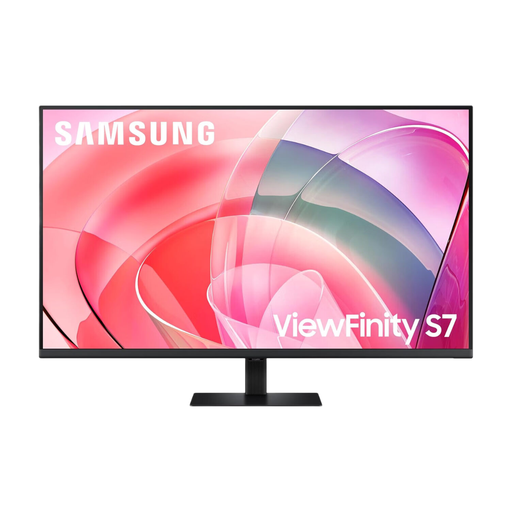
Samsung ViewFinity S70D LS37D702EAUXXU 37-inch UHD monitor
Consider this 37-inch UHD model if its display format fits your timeline and preview layout.
Check its exact screen dimensions, finish, SDR colour modes and connections before treating it as an alternative to an ultrawide.
View on Joybuy
 No image available
Lenovo R34w-30 34-inch UWQHD monitor
Its 34-inch ultrawide format is worth considering if that size suits your timeline and available desk space.
Check the screen finish, Rec.709 mode and colour-accuracy information before using it for window-side SDR review.
View on Joybuy
 No image available
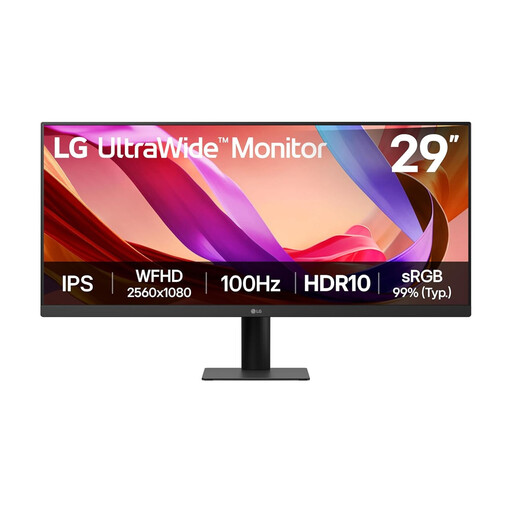
LG UltraWide 29U511A 29-inch IPS monitor
Consider this smaller ultrawide if your editing layout does not require the screen area of a larger model.
The product title identifies a 29-inch IPS screen with DisplayPort and HDMI. Check whether its resolution, window-side positioning and SDR colour options meet your review needs.
View on Joybuy
 No image available
Dahua 34-inch curved UWQHD 200 Hz monitor
Its 34-inch, 3440 × 1440 format may suit a timeline layout when that size fits your desk.
The product title specifies a VA panel and 200 Hz refresh rate. Confirm the screen finish and the exact SDR colour modes and accuracy information before relying on it for footage review.
View on Joybuy
Frequently asked questions
Will a brighter monitor solve reflections from a window?
Not by itself: the Health and Safety Executive advises arranging the desk and screen to avoid glare and bright reflections from windows or lights. Check where the display will face and whether you can control intrusive daylight before comparing brightness ratings.
Should I choose 3440 × 1440 or 5120 × 2160 for video review?
Choose according to the space your timeline, preview and other panels need: 5120 × 2160 provides more vertical and horizontal pixels than 3440 × 1440, but also calls for a suitable display size, desk arrangement and computer output. BenQ, Dell and ASUS specify 3440 × 1440 for the models discussed here; LG specifies 5120 × 2160 for the discontinued 40WP95C-W.
Does wide colour-gamut coverage confirm a monitor is suitable for SDR editing?
No. For an SDR review workflow, check the exact monitor's Rec.709 or sRGB settings, stated colour accuracy and calibration options, as well as how your editing application manages colour.
Should a UK workplace reassess a workstation after changing its monitor?
Yes, where workers use display screen equipment daily as part of normal work for continuous periods of an hour or more, the Health and Safety Executive says employers must carry out a workstation assessment. The assessment should be reviewed when the workstation or its use changes and should consider the whole setup, not only the new screen.


