For recipe-index work that keeps source material and index fields side by side, start by checking whether a 34-inch, 3440 × 1440 ultrawide fits the desk. At a shared workstation, an adjustable screen position and the right laptop connection matter more to this task than a gaming-focused refresh rate. Choose USB-C charging and Ethernet for compatible laptop hot-desking; consider Picture-by-Picture or a built-in KVM when two computers need to remain in use.
Who is this setup for?
Side-by-side index builders
People comparing recipe sources, ingredient notes, images and index fields need room for readable windows alongside one another. LG UK describes side-by-side files as a use for its 34-inch WQHD format; that does not establish how every indexing application will fit.
Laptop hot-desk users
Staff who bring a laptop to a shared desk may want display, charging and wired networking through fewer connections. Dell UK, LG UK and Samsung Business UK specify combinations of these features on particular monitors, but the laptop must support the connection used.
Two-computer reviewers
People checking recipe records across two systems may benefit from seeing both sources and using one keyboard and mouse. LG UK and Samsung Business UK specify Picture-by-Picture and built-in KVM functions on the models discussed below.
What matters when buying?
Check screen fit and the windows the team needs to keep open, then match the connection and adjustments to the way people share the desk. Add two-computer switching only if that workflow is routine.
| Concern | What to check | Who this matters to |
|---|
| Workspace and text |
Check the native resolution and measure desk width and depth for the screen and stand. |
If I compare a recipe source with index fields and references, I need enough room to read them together. Around 42% of consumers put that workspace need first. |
| Laptop connection |
Confirm USB-C video support, the laptop’s charging requirement and whether wired networking is needed. |
When I move between desks, reconnecting video, power and peripherals separately interrupts the handover. Roughly 33% of consumers prioritise a simpler laptop connection. |
| Shared-desk setup |
Check height and tilt adjustment or suitable mounting, and assess glare and viewing position at the desk. |
With several people using one workstation, I need to reposition the screen for my turn rather than inherit someone else’s setup. About 25% of consumers make shared-desk adjustment their primary concern. |
Purchase pitfalls
-
Assuming every USB-C laptop will dock through the monitor
A monitor’s USB-C power-delivery rating does not establish that a particular laptop sends video through its USB-C port or receives enough charging power.
Check the laptop’s specification for DisplayPort Alt Mode or Thunderbolt video support, then compare its charging requirement with the monitor’s power-delivery rating.
A separate dock, charger or adapter may still be needed.
-
Adding KVM when only one computer is used at a time
A built-in keyboard, video and mouse switch is useful for regularly controlling two connected computers, but adds connection choices that a single-computer desk may not need.
Establish whether two systems must remain connected, and check the required video and USB connections before choosing KVM or Picture-by-Picture.
-
Treating an adjustable stand as the whole workstation solution
The UK Health and Safety Executive identifies workstation setup and display-screen-equipment use as matters to assess; screen adjustment alone does not settle comfort or workplace requirements.
Include the monitor in the workstation assessment, alongside chair and desk position, glare, breaks and arrangements for people sharing the desk.
-
Planning around a model page without checking availability
A model can be a useful feature reference even when it cannot be ordered. Dell UK marks the P3424WE unavailable, while the Joybuy listing examined for the V7 L340WQ-HAS stated that it was out of stock.
Before ordering, check the exact model, current availability, seller and warranty terms rather than treating a feature page as a current offer.
Brands to consider for these features
LG
LG UK’s 34BA75QE-B is a reference for a 34-inch WQHD ultrawide with shared-desk connections and adjustment.
- LG UK specifies 3440 × 1440, USB-C power delivery up to 90 W, RJ45, height, tilt and swivel adjustment, Picture-by-Picture and a built-in KVM for this model.
- Check laptop compatibility; these model-specific features should not be assumed across LG’s ultrawide range.
Samsung
Samsung Business UK’s ViewFinity S6 S65UC illustrates a 34-inch option for desks where two-computer use is relevant.
- Samsung Business UK specifies USB-C, LAN, a built-in KVM and Picture-in-Picture and Picture-by-Picture modes for the LS34C652UAUXXU.
- Its 1000R curve and built-in speakers do not resolve desk fit, viewing preference or laptop-connection requirements.
Dell
Dell UK’s P3424WE provides a feature reference for a 34-inch USB-C hub ultrawide rather than an assumed current purchase option.
- Dell UK specifies a 3440 × 1440 IPS panel, USB-C power delivery up to 90 W, 1GbE Ethernet, KVM ports and height, swivel and tilt adjustment.
- Dell marks this exact model unavailable; check current offers for the exact model before planning a purchase.
Model feature comparison
This scenario-based ordering considers specified two-computer and laptop connections alongside shared-desk features, then distinguishes models whose cited listings reported limited availability. It is not a sales or test-performance ranking; the Joybuy model in the table is not one of the product cards below.
| Rank | Model | Main specifications | Reason to consider | Platform |
|---|
| 1 |
Samsung ViewFinity S6 S65UC LS34C652UAUXXU |
34-inch, 21:9 curved Ultra-WQHD display; USB-C, LAN, built-in KVM, Picture-in-Picture and Picture-by-Picture. |
Samsung Business UK specifies the switching and viewing functions relevant when recipe records are checked across two connected computers. Confirm that both computers have the required connections. |
Samsung Business UK |
| 2 |
LG 34BA75QE-B |
34-inch, 3440 × 1440 curved IPS display; USB-C power delivery up to 90 W, RJ45, adjustable stand, Picture-by-Picture and built-in KVM. |
LG UK specifies features for laptop connection and screen adjustment as well as two-computer use. Check the intended laptop’s video and charging compatibility. |
LG UK |
| 3 |
Dell P3424WE |
34-inch, 3440 × 1440 IPS display; USB-C power delivery up to 90 W, 1GbE RJ45, KVM ports and adjustable stand. |
Dell UK’s specifications make this a reference for a laptop-docking setup, but Dell marks the exact model unavailable. |
Dell UK |
| 4 |
V7 L340WQ-HAS |
34-inch, 3440 × 1440 WQHD VA display; USB-C 65 W power delivery, Picture-by-Picture, height-adjustable stand and built-in speakers. |
The Joybuy listing describes features relevant to a shared desk but stated that the model was out of stock. Check availability and whether 65 W meets the laptop’s charging requirement. |
Joybuy |
Joybuy product choices for a recipe-index desk
These ultrawides offer different screen sizes and display connections to consider for recipe-index work. Check each desk’s space and the intended computers’ connections; the list does not establish that every model provides laptop docking or two-computer switching.
 No image available
Acer X Predator X49X 49-inch QD-OLED ultrawide
Consider the larger screen if the shared desk has room for a 49-inch display and staff need to arrange several work windows. Its stated format is 32:9 with a 1800R curve; the title also lists HDMI, DisplayPort and USB-C. Check laptop video and charging requirements, and confirm any required KVM or wired-network function before ordering.
Joybuy
 No image available
Dahua 34-inch curved UWQHD VA monitor
Consider its 3440 × 1440 screen for keeping recipe material beside index fields. The title lists two HDMI and two DisplayPort 1.4 inputs. If the desk needs USB-C charging, Ethernet or computer switching, confirm those functions separately before choosing it.
Joybuy
 No image available
Philips Evnia 6000 34M2C6500, 34-inch WQHD
Its 3440 × 1440 screen is worth considering where source pages and index fields must stay visible together. The title lists two HDMI inputs, DisplayPort and height, swivel and tilt adjustment. Confirm any required USB-C docking or KVM function and check the viewing position at the shared desk.
Joybuy
 No image available
Lenovo R34w-30 34-inch UWQHD monitor
Consider this 34-inch ultrawide if the workstation needs a wide screen but not necessarily a monitor-based dock. Confirm its connections, adjustment range and any two-computer functions against the office setup before ordering.
Joybuy
 No image available
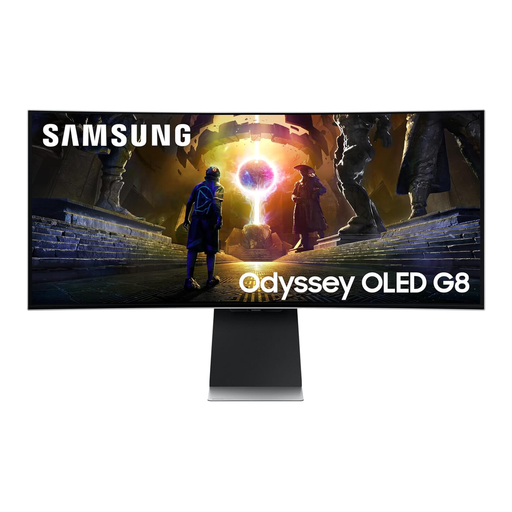
Samsung Odyssey G8 LS34DG850SUXXU, 34-inch OLED
Consider this curved WQHD ultrawide only after checking that its screen position suits everyone using the shared desk. Its title lists a 175 Hz refresh rate, which is not itself a reason to choose it for recipe indexing. Confirm the required laptop connection and switching functions separately.
Joybuy
Frequently asked questions
Is a 34-inch, 3440 × 1440 ultrawide suitable for recipe indexing?
It is a useful starting point when the desk fits it and staff need recipe sources, index fields and references visible together. LG UK describes side-by-side files and extended spreadsheet rows on its 34-inch WQHD model; check how the office’s actual applications arrange their windows.
Does a shared office need a built-in KVM?
A built-in KVM is worth considering when someone regularly controls two connected computers with one keyboard and mouse. Samsung Business UK specifies that function for the S65UC, while LG UK specifies KVM and Picture-by-Picture for the 34BA75QE-B. For one laptop connected at a time, prioritise the connection and screen adjustments the desk actually needs.
Must a UK shared office buy a particular screen size?
The UK Health and Safety Executive’s display-screen-equipment guidance does not prescribe a particular monitor size or resolution. Where the DSE rules apply, employers must assess workstations and reduce risks; HSE includes hot-desking in its guidance. Choose the screen as part of the full workstation setup, not as a substitute for that assessment.
What should the office do with an old monitor?
Ask the retailer about its electrical-equipment take-back arrangements before purchasing a replacement. GOV.UK says retailers must offer take-back for waste equipment of the same type and function as an item purchased from them; confirm the retailer’s collection arrangements and any transport charge.


