What matters when choosing storage?
For university coursework, check where the files may be kept and how you will access them, then make sure a separate copy can be restored if the working files become unavailable.
| Concern |
What to check |
Who this matters to |
| Institution fit and access |
Check permitted services and file types, your current quota, and access from the devices you use. |
If I switch between a personal laptop and campus computers, I need my permitted coursework to be accessible on both; around 36% of consumers would put institution fit and cross-device access first. |
| Independent recovery |
Check which folders are copied, how to restore them, and whether one copy can remain separate from the active device. |
A lost laptop or deleted draft should not take my only copy with it. Roughly 29% of consumers would prioritise an independently recoverable backup. |
| Capacity |
Measure current folders and expected project files against your university allowance before choosing additional storage. |
If large project files fill my available space, I need room for the working files and another copy; approximately 21% of consumers would make capacity their primary concern. |
| Sensitive-file handling |
Confirm approved storage locations and sharing settings; assess protection for any locally held files. |
When coursework contains sensitive material, I need to protect permitted copies without putting them in an unapproved location; around 14% of consumers would put this handling requirement first. |
External drives for a separate copy
These portable hard drives and SSDs are options for a local secondary copy of coursework. Check that your university permits the files on a personal drive, that the capacity and connection suit your devices, and that you can restore a backup before relying on it.
 No image available
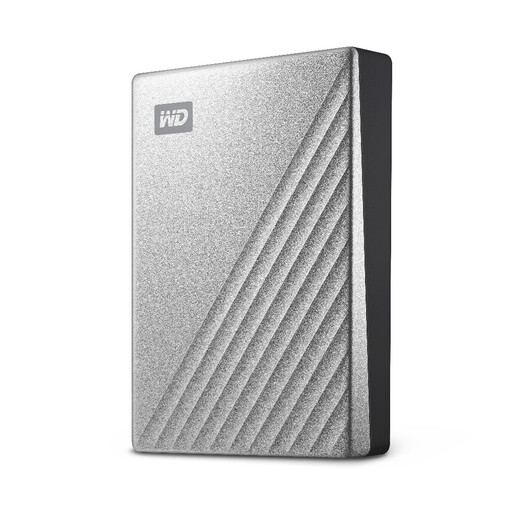
Western Digital My Passport Ultra 4TB Portable Hard Drive, Silver
Consider this portable drive if you want a local copy of larger coursework folders. Its stated capacity is 4TB; check your folder sizes and device connection, then establish and test a routine that leaves the copy separate from your laptop.
View on Joybuy
 No image available
Western Digital My Passport 2TB Portable Hard Drive, Black
This portable drive is another option for keeping a separate local coursework copy. It has a stated 2TB capacity; compare that with your files, check the connection you need and test restoration rather than treating extra storage alone as a backup.
View on Joybuy
 No image available
Lexar ES4 Magnetic Set 1TB Portable SSD
Consider this portable SSD for a local copy when 1TB covers your coursework folders and the drive suits the devices you use. The product name specifies USB 3.2 Gen 2 and speeds of up to 1050MB/s read and 1000MB/s write; those figures do not replace checking compatibility or testing a restore. Confirm any formatting or protection setup before storing permitted sensitive files.
View on Joybuy
 No image available
Samsung MU-PE1T0S 1TB USB Type-C 3.2 Gen 2, Black
For a portable local coursework copy, check whether its stated 1TB capacity is enough for your files. The product name specifies USB Type-C and USB 3.2 Gen 2, also described as 3.1 Gen 2; confirm the connection and any password-software requirements on the devices you use.
View on Joybuy
 No image available
SanDisk Portable SSD 2TB
This portable SSD can be considered for a separate local copy if 2TB suits your coursework volume. Check its connection and any protection features you require, and plan how you will make, disconnect and restore your backup.
View on Joybuy
Coursework backup questions
Do all UK universities provide the same OneDrive allowance?
No. The University of Bath states a 500GB student allocation, the University of Stirling states 50GB for student OneDrive, and Canterbury Christ Church University describes up to 2TB during studies. Check your own university’s current quota and file-version rules before choosing additional storage.
When does an external drive count as a coursework backup?
An external drive serves as a backup when it holds a recoverable copy separate from your working files. The National Cyber Security Centre advises keeping backups in a separate safe location; test that you can restore the copy and disconnect the drive when it is not needed.
Must every coursework backup drive be encrypted?
No blanket encryption requirement for all personal information follows from the Information Commissioner’s Office guidance on UK GDPR. Protection should suit the risk, and your university may set specific rules for where its data can be stored; check those rules before using a personal drive for confidential files.
What should I check before relying on cloud storage?
Confirm that the service is permitted for your coursework, that the intended folders actually sync and that you can recover a file when needed. Review sharing permissions, secure the account and retain a separate backup so access to one synced folder is not your only recovery route.


