Choose the connector route first: use a Type-A stick for two Type-A computers, a Type-C stick for two Type-C computers, or a dual-connector drive when the ports differ. A portable SSD is more suitable when repeated large transfers, higher capacity needs or waiting for copies disrupt work, but its maximum advertised speeds depend on compatible ports, cables and settings.
Who this is for
Home-to-office file carriers
People who regularly take working copies of documents, folders, photos or media between a home computer and a workplace PC, and need a physical transfer route rather than a cloud workflow. Which? specifically identifies the home-computer-to-work-PC scenario for smaller USB flash drives.
Mixed-port computer users
People whose computers use different USB connector shapes, especially one USB-A machine and one USB-C machine. Connector compatibility should be the first selection decision.
Frequent large-project movers
People repeatedly transporting large media or project folders who may prefer a portable SSD’s higher claimed throughput and larger-capacity options, provided the computer and cable support the drive.
Buying priorities
Start with the ports on both computers, then match capacity and transfer performance to the folders you carry. File-system compatibility and safe handling matter before a drive becomes part of a regular work routine.
| Priority |
What to check |
Your needs |
| Physical port compatibility |
Check the physical ports on both computers. Choose USB-A for two Type-A ports, USB-C for two Type-C ports, or a dual-connector drive for mixed ports. |
I want one drive that connects directly at home and at work, without relying on an adapter whose compatibility I have not checked. |
| Transfer time |
Compare stated read and write performance where available. Check the USB specification of both computers and the cable, as a faster drive cannot exceed the connection’s capability. |
Regular folder transfers should fit into my working day rather than leaving me waiting after every move. |
| Capacity and file format |
Choose capacity with room beyond the active file set. For current Mac and Windows computers, check whether ExFAT is suitable; Apple identifies ExFAT as Windows-compatible and recommends it for Windows volumes over 32 GB. |
I need enough working space and a drive that can be written to on both computers, especially when moving between macOS and Windows. |
| Handling and file security |
Consider connector protection and an enclosure suited to regular carrying. For sensitive files, follow workplace policy, use appropriate password protection or encryption, and safely eject the drive after copying. |
I carry the drive in a bag or pocket, so I want to reduce ordinary handling risks and protect confidential work files appropriately. |
Common pitfalls
-
Buying by connector shape alone
A Type-C drive cannot connect directly to a Type-A-only computer, and a Type-A drive cannot connect directly to a USB-C-only laptop. Carrying an adapter adds another item and can complicate troubleshooting.
Inspect both computers’ ports before buying. A dual-connector drive is often the practical choice when the two locations use different connector shapes or the available port changes regularly.
-
Assuming the headline speed is your copy speed
Maximum performance depends on the host computer, cable, software and USB mode. A fast drive attached through a slower port may not reach its stated figure.
Check the exact port specification on both computers and use the supplied or a suitably rated cable. Compare read and write performance where available, rather than relying only on the USB generation in the product name.
-
Using an unsuitable file system without testing
A drive may connect physically but still be unsuitable for writing files on the receiving computer. Apple identifies ExFAT and MS-DOS (FAT) as Windows-compatible formats, while NTFS handling on a Mac can be limited.
For a Mac-and-Windows transfer drive, use ExFAT where suitable and test copying and opening a non-sensitive file on both computers before relying on it for work.
Reformatting normally erases the drive’s contents, so move existing files elsewhere first.
-
Treating a small or rugged drive as automatically secure
Physical transport increases loss and theft exposure. The Information Commissioner’s Office identifies encryption as a possible appropriate security measure for personal information; ruggedness and water-resistance claims still have stated limits and test conditions.
For sensitive files, follow workplace policy, use appropriate encryption or password protection, keep the password separate from the drive, and maintain another authorised copy of important work.
Relevant brand references
Samsung
Relevant for buyers choosing between a conventional Type-A flash drive and a rugged portable SSD. The BAR Plus MUF-128BE3/APC is a Type-A flash drive, while the T7 Shield MU-PE1T0S/EU is a USB-C portable SSD.
- Samsung UK lists up to 400 MB/s sequential read performance for the BAR Plus and up to 1,050 MB/s read and 1,000 MB/s write for the T7 Shield.
- The T7 Shield’s maximum performance requires a compatible USB 3.2 Gen 2 host, cable and UASP. Its IP65 and drop claims are based on controlled internal testing.
Kingston
Relevant for users who want a compact USB-C flash drive rather than a cable-connected portable SSD. The DataTraveler Max Type-C range is available from 256 GB to 1 TB.
- Kingston lists maximum read speeds up to 1,000 MB/s and write speeds up to 900 MB/s for DataTraveler Max Type-C, alongside a five-year warranty.
- Kingston states that speed can vary with host hardware, software and usage, so the maximum figure is not a guaranteed copy rate on every computer.
SanDisk
Relevant for mixed-port users because the Ultra Dual Drive Go combines USB-C and USB-A on one drive, while its UK range also includes single-connector flash drives.
- SanDisk describes the Ultra Dual Drive Go as a 2-in-1 drive for moving files among USB-C macOS devices, Windows PCs and USB-A computers.
- Check the chosen capacity, interface and warranty for the exact variant, and do not assume a dual-connector flash drive matches a portable SSD’s sustained transfer performance.
Seagate
Relevant for people who have moved beyond small routine transfers and want a portable SSD for large files on Windows and Mac computers.
- Seagate lists up to 1,030 MB/s transfer rates and up to 2 TB capacity for its One Touch External SSD, with USB-C and USB 3.0 connectivity.
- Treat included software and recovery-service offers separately from the core decision about capacity, connector compatibility and regular file transport.
Joybuy product options
These Joybuy options cover portable SSDs for repeated large transfers, dual-connector flash drives for mixed USB-A and USB-C ports, and a Type-A flash drive for two Type-A computers.
 No image available
Lexar ES4 Portable SSD with Magnetic Set 1TB
A portable SSD option for frequent large-folder transfers between mixed USB-A and USB-C computers.
Listed with 1TB capacity, USB 3.2 Gen 2, USB-C-to-C and USB-A-to-C cables, PC and Mac compatibility, and stated speeds up to 1,050 MB/s read and 1,000 MB/s write. Check both computers’ ports before expecting maximum rates, and check workplace policy before using the listed encryption software for confidential files.
Joybuy
 No image available
Samsung T7 Shield Portable SSD 1 TB USB 3.2 Gen 2
Consider this SSD when large project folders or regular transfers make capacity and copy time more important than pocket-size convenience.
The listing states 1TB capacity, USB-C connectivity, USB-C-to-C and USB-C-to-A cable use, Windows and macOS compatibility, and up to 1,050 MB/s read and 1,000 MB/s write. Verify the USB mode and cable used; IP65 is stated for dust and water resistance, not prolonged submersion.
Joybuy
 No image available
MOVESPEED 512GB Dual USB-A and Type-C Flash Drive YSUSP05-512GSR
A compact option for moving documents, photos and moderate folders between one USB-A computer and one USB-C computer.
Listed with 512GB capacity, USB 3.2 Gen 1 and dual USB-A/Type-C connectors, with stated speeds up to 570 MB/s read and 520 MB/s write. Check port capability for the stated rates and follow workplace policy for confidential files.
Joybuy
 No image available
DigiEra 128GB USB-A and Type-C Flash Drive LUS320
A dual-interface drive for routine home-to-work transfers where either USB-A or USB-C may be available.
The listing states 128GB capacity, USB 3.2 dual USB-A and USB-C connectors, exFAT formatting, Windows and macOS support, plus stated speeds up to 500 MB/s read and approximately 400 MB/s write. Compare 128GB with the active working set before choosing it.
Joybuy
 No image available
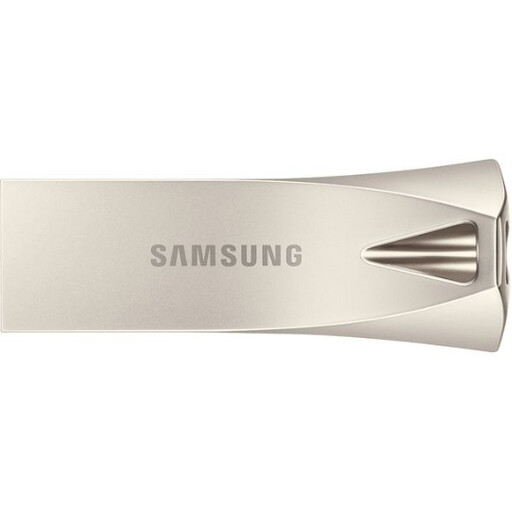
Samsung MUF-512BE3 512GB USB Type-A Flash Drive
A compact Type-A option when both the home and work computers have standard rectangular USB-A ports.
The listing confirms 512GB capacity, USB Type-A, USB 3.2 Gen 1 and a metal capless body, with stated read speeds up to 400 MB/s. It will not connect directly to a USB-C-only computer; check file-system compatibility and security requirements before use.
Joybuy
Frequently asked questions
What format should I use for a Mac at home and a Windows PC at work?
For a removable drive shared between current Mac and Windows computers, Apple identifies ExFAT as Windows-compatible and recommends it for Windows volumes over 32 GB. Formatting erases the drive, so copy existing files elsewhere first and check workplace IT policy before reformatting work-managed storage.
Do I need a portable SSD once individual files become large?
There is no universal file-size threshold. Choose a portable SSD when repeated copies are large or frequent enough that copy time, capacity or physical handling affects work, then verify the computer port and cable because maximum speeds depend on the connection.
Should I safely eject the drive every time?
Yes. Which? advises using the operating system’s eject command before unplugging a drive to help prevent data corruption. Do not remove it while a copy or sync operation is still running.
Must I encrypt a USB drive containing work files in the UK?
The Information Commissioner’s Office says UK GDPR does not specifically require encryption of all personal information, but it requires appropriate security and identifies encryption as a possible technical measure. Follow your employer’s policy and consider the sensitivity of the files, password strength, access control and the consequences of loss.
How should an old USB drive or portable SSD be disposed of in the UK?
USB drives and portable SSDs are electrical and electronic equipment. Erase or securely destroy sensitive data before using an appropriate recycling or retailer take-back route under UK WEEE arrangements.


