
24/7 Customer Support

Free returns

Same-day & Next-day Delivery

Quality Guaranteed

Unlock Your Welcome Offers: FREE Delivery | Up to 80% OFF | Free 30-day JoyPlus trial
Download the APP
As our devices become more powerful, the humble charging cable has become more important than ever. If you own a modern laptop, tablet or smartphone, you have likely encountered the frustration of slow charging or a flimsy cable that frays after a few months. A standard USB-C cable might be fine for your phone, but it will not provide the power needed for a laptop.
Choosing the right 65W USB C to USB C cable is essential for unlocking the fast charging capabilities of your high-performance devices. However, with terms like Power Delivery (PD), USB 3.2 and varying wattage ratings, the market can be confusing. This guide is designed to help you understand what to look for and to highlight a few dependable options that deliver on performance and durability.
Before choosing a cable, it helps to understand the key features that separate a basic charging wire from a high-performance tool.
Not all USB-C cables are created equal. To charge a laptop or other high-power device efficiently, you need a cable that supports USB Power Delivery. For devices requiring significant power, look for a USB C PD cable 65W or higher. This specification ensures the cable can safely handle the increased voltage and current needed for rapid charging, preventing your laptop from displaying a "slow charging" notification.
If you frequently move large files between your device and a computer, data transfer speed is a critical factor. Many basic charging cables are limited to USB 2.0 speeds, around 480Mbps. For serious productivity, a USB 3.2 cable is a significant upgrade, offering speeds of 5Gbps or more. This can reduce the time it takes to transfer large video files, photo libraries or project backups from minutes to mere seconds.
A cable is only as good as its construction. A braided USB C to C cable offers superior protection against tangles, twists and everyday wear. Look for features like reinforced connector housings and durable internal materials, such as Kevlar fibres, which add strength without sacrificing flexibility. A well-built cable is a worthwhile investment that will outlast cheaper alternatives.
Here are our recommendations for reliable charging cables, selected to meet a range of different user needs, from high-power laptop charging to everyday versatility.
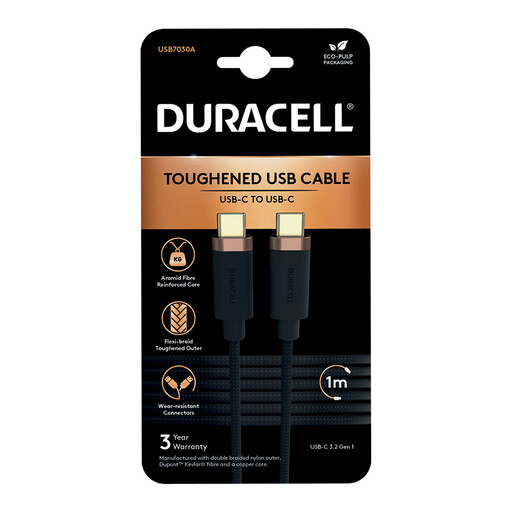
Why It Stands Out: This Duracell USB C cable is engineered specifically for users who demand both speed and strength. It fully supports 65W Power Delivery, making it an ideal laptop charging cable USB C for compatible models from brands like Apple, Dell and HP. Beyond its charging prowess, it features SuperSpeed USB 3.2 Gen 1 technology, enabling data transfers at up to 5Gbps. The construction is a key highlight, with a double-braided nylon exterior and an internal core reinforced with Dupont Kevlar fibre for exceptional durability.
Pros:
Who is it for? This cable is for the professional or tech enthusiast who needs a single, robust solution for fast charging their USB-C laptop and transferring large files without delay. It is a premium choice for those who value performance and longevity.
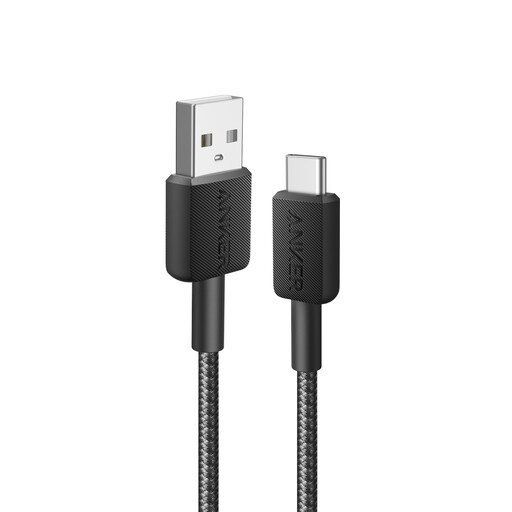
Why It Stands Out: While not a C-to-C cable, this Anker option is a dependable workhorse for connecting modern USB-C devices to legacy USB-A ports found on older chargers, computers and power banks. It is USB-IF compliant, ensuring safe and reliable charging up to 15W. Anker is known for durability, and this cable is no exception, having been laboratory-checked to withstand up to 10,000 bends.
Pros:
Who is it for? This is for anyone who needs a reliable cable to charge their USB-C smartphone or accessory from a standard USB-A power source. It is a great choice for everyday charging and syncing where high-power delivery is not required.
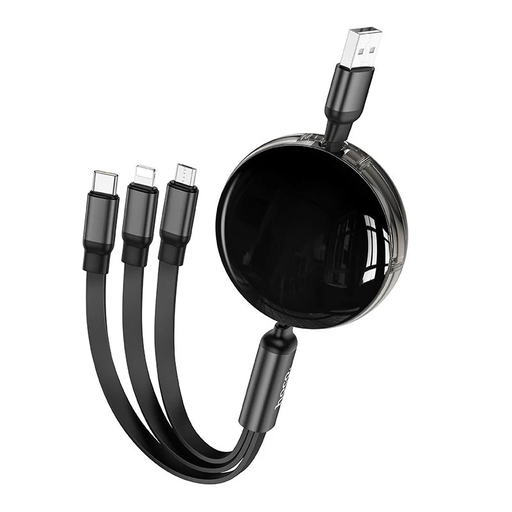
Why It Stands Out: For those who prioritise convenience and versatility, the HOCO 3-in-1 cable is a standout. It combines Lightning, USB-C and Micro-USB connectors into a single, retractable unit that connects to a USB-A port. The easy-pull storage design makes it incredibly compact and perfect for travel, eliminating the need to carry multiple cables for different devices.
Pros:
Who is it for? This cable is ideal for travellers, families with a mix of Apple and Android devices or anyone looking to declutter their bag or desk. It offers maximum convenience for charging multiple gadgets from a single USB-A port.
If your primary need is to connect a new USB-C device to a computer or charger with a traditional USB-A port, we have a wide selection of cables designed for that purpose.
Explore our full range in the USB C to A Cable category to find the perfect match for your needs.
1. Can I use a 100W USB-C cable with a 65W laptop? Yes, absolutely. Using a cable with a higher wattage rating than your device requires is perfectly safe. The USB Power Delivery standard allows your device and charger to communicate and negotiate the correct amount of power. A higher-rated cable is a good way to future-proof your purchase for more powerful devices later on.
2. What is the difference between a USB-C charging cable and a data cable? All USB-C cables can transmit power for charging, but their data transfer capabilities can vary significantly. A basic fast charging USB C cable may only support USB 2.0 data speeds (around 480Mbps), which is fine for syncing music but slow for large files. A high-performance cable, such as a USB 3.2 cable, is designed for both high-power charging and rapid data transfer, with speeds of 5Gbps or more.
3. How do I know if my cable supports 65W charging? To ensure a cable can deliver 65W, check the product's technical specifications. It must be explicitly rated for USB C PD (Power Delivery) and state its maximum supported wattage (e.g., "up to 65W" or "100W compatible"). A standard cable without this rating will not be able to charge your laptop at full speed.