What matters when choosing?
Choose for the room’s seating and lighting first, then check whether the exact TV supports the features your console and games can use.
42-inch OLED
Consider it when: Players sit at different angles and most sessions are in a dim room. RTINGS.com reports a wide viewing angle for the LG C5.
Trade-off: Strong reflections may make glare handling more important than dark-room contrast.
43-inch Mini LED LCD
Consider it when: Daylight or lamps regularly reflect in the screen. RTINGS.com found the Samsung QN90F handled direct reflections better than the LG C5.
Trade-off: A high advertised motion figure does not establish which console features work through each HDMI input.
43-inch 4K LCD with ALLM
Consider it when: Automatic low-latency switching matters more than VRR or 4K at 120Hz.
Trade-off: Sony lists a 50Hz panel and no VRR for the K-43S3, so that model does not meet a VRR or 4K/120Hz requirement.
| Concern | What to check | Who this matters to |
|---|
| Picture from side seats |
Check viewing-angle results for the exact model from the seats players will use. |
If my co-op partner sits off-centre, I want their view to remain usable too. Around 33% of consumers put shared-seat picture consistency first. |
| Responsive controls |
Confirm ALLM or Game Mode on the console’s HDMI input; check VRR and 4K/120Hz separately if your console and games need them. |
When controls feel delayed, I would prioritise a low-latency connection over extra display features I cannot use. For around 25% of consumers, responsiveness is the primary concern. |
| Daylight and reflections |
Look at windows and lamps from your usual seats, then compare reflection handling for the exact models. |
If a window appears in the screen during daytime play, I need the picture to stay clear. Reflection control comes first for around 25% of consumers. |
| Fit and installation |
Measure the furniture and stand footprint; check the mounting pattern if wall-mounting. |
With a narrow TV unit, I need the set to fit securely before considering upgrades. Around 17% of consumers place fit and installation above the other concerns. |
Joybuy product choices
These choices include 42–43-inch TVs for a compact starting point and larger 50–55-inch alternatives. For a small living room, measure the available space before considering either larger screen.
 Image unavailable
TCL 43V6C 43-inch 4K HDR Google TV
Consider this 43-inch model if a compact screen is your starting point. Its title lists a 120Hz Game Accelerator for FHD; check the resolution and refresh-rate connection your console needs rather than treating that feature as 4K/120Hz support.
Measure the stand footprint and assess the view from each player’s seat before buying.
Joybuy
 Image unavailable
Sony BRAVIA A90 XR42A90K 42-inch OLED 4K TV
Consider this 42-inch OLED model if you want to assess a compact option for shared seating. Check its viewing angles from your actual seats and confirm its console connections and settings for the features you plan to use.
Check the stand footprint against your furniture before choosing it.
Joybuy
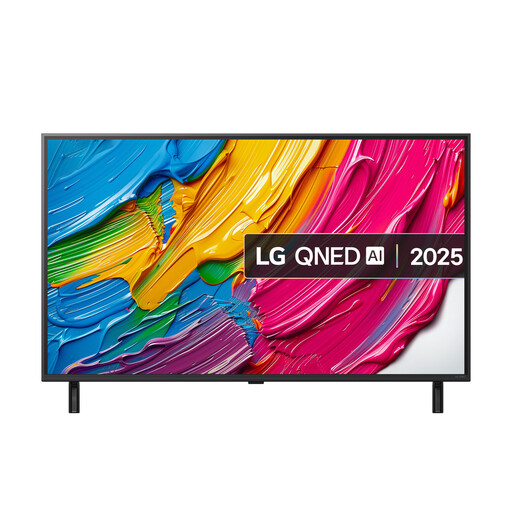 Image unavailable
LG 43QNED80A6A 43-inch QNED 4K TV
Consider this 43-inch model if you want a compact 4K TV with the VRR and ALLM features named in its title. Check the exact refresh-rate limits against your console and games rather than assuming 4K/120Hz support.
Check the stand dimensions and how the screen looks from off-centre seats.
Joybuy
 Image unavailable
TCL 50V6C 50-inch 4K HDR Google TV
Consider the 50-inch variant only if your furniture and seating distance can accommodate a screen larger than the compact 42–43-inch starting range. Its title specifies a 120Hz Game Accelerator for FHD, not 4K/120Hz.
Check the stand footprint and the picture from each player’s seat.
Joybuy
 Image unavailable
TCL 55V6C 55-inch 4K HDR Google TV
This 55-inch variant needs a particularly careful space check in a small living room. Its title specifies a 120Hz Game Accelerator for FHD; confirm the resolution and refresh-rate connection required by your console.
Measure the stand footprint and assess whether every player has a comfortable view before choosing it.
Joybuy
Frequently asked questions
What TV size should I start with for local co-op in a small living room?
A 42–43-inch TV is a useful starting point, but check the seating distance and stand as well as the screen diagonal. Which? identifies 40–43-inch TVs as potentially suitable for smaller rooms; the right fit still depends on your furniture and viewing position.
Do local co-op adventure games need 120Hz or VRR?
Not necessarily: check for a low-latency gaming mode first, then decide whether your console and games can use VRR or 4K at 120Hz. Sony explains that ALLM can activate Game Mode automatically; confirm the required HDMI input and settings on the exact TV you choose.
Is OLED or Mini LED better for players sharing a screen?
The room and seating positions decide which trade-off matters more. RTINGS.com reports a wide viewing angle for the LG C5 OLED, while its comparison found the Samsung QN90F Mini LED brighter and better at handling direct reflections; check the exact models you are considering rather than assuming all OLED or Mini LED TVs behave alike.
Do I need a TV Licence if I only use the TV for console games?
In the UK, owning a TV for local console gaming alone does not establish a TV Licence requirement. TV Licensing says the requirement applies to watching or recording live TV on any channel or service and to using BBC iPlayer, so consider how the wider household uses the screen too.
What energy information should I check for a new TV?
Check the energy label and product information sheet for the exact television, rather than assuming two similarly sized models use energy alike. GOV.UK’s energy-information guidance covers electronic displays, including televisions, and addresses labels shown at the point of sale, including online.


