Writers with uncertain charging access
If you work in libraries, shared housing or other study spaces with few available sockets, decide whether keeping an AA battery handy or charging by USB fits your routine better.


For dissertation work with few plug sockets, an AA-powered wireless mouse suits you if avoiding charging matters most; a rechargeable model makes sense if you can occasionally use a suitable USB connection. A wired mouse avoids separate mouse charging but needs a compatible computer connection and enough cable reach. Whichever power option you prefer, check hand fit and whether Bluetooth would free up a USB-A port you need.
If you work in libraries, shared housing or other study spaces with few available sockets, decide whether keeping an AA battery handy or charging by USB fits your routine better.
Drafting and reviewing sources can mean extended mouse use. Hand fit matters, as does keeping the mouse within easy reach; the Health and Safety Executive advises using it with a straight wrist.
If a USB-A port is needed for another device, a Bluetooth-capable mouse may let you leave its receiver out. Check that your laptop supports the mouse’s Bluetooth connection.
Start with how you will power the mouse when sockets are scarce, then check how it connects to your laptop and whether its shape works at your desk.
| Concern | What to check | Who this matters to |
|---|---|---|
| Power between sessions | Compare an AA battery with USB charging, and check the exact model’s stated battery-life conditions and charging connection. | If I cannot count on a free socket, I want to get through study sessions without planning frequent charges; around 42% of consumers put power independence first. |
| Fit for extended work | Check the available size and shape, then make sure the mouse can sit close enough for a relaxed, straight wrist. | When drafting and editing for hours, I need a mouse I can reach and grip comfortably; comfort is the primary concern for around 33% of consumers. |
| Connection and workflow | Confirm Bluetooth and operating-system compatibility, whether a receiver is optional, and any scrolling or quieter-click features you want. | If my laptop ports are already occupied or I work in a shared space, I want a connection and controls that suit that setup; around 25% of consumers prioritise this workflow need. |
A wireless mouse still needs charging or replacement cells. Manufacturer battery-life figures are stated for particular models and are generally “up to” figures, not a promise of your own runtime.
Decide whether you would rather keep a spare AA battery or have access to USB charging, and check the charging connector for the exact model.
A USB-A receiver occupies a port that you might need for another device.
Check whether the mouse can connect directly by Bluetooth and whether your laptop supports that connection before relying on it.
A mouse that does not fit your hand or has to sit too far away may be awkward during extended writing. The Health and Safety Executive advises keeping the mouse within easy reach and using it with a straight wrist.
Check the maker’s size guidance and arrange your desk so you can use the mouse without stretching or gripping it tightly.
Quiet-click or sensor features do not tell you whether a mouse fits your hand, connects to your laptop or has a workable power arrangement.
Settle those essentials first, then consider which click and scrolling controls you would prefer for reviewing long documents.
Relevant if you are weighing a compact rechargeable Bluetooth mouse against wireless mice offered in different sizes.
Relevant if you would rather replace an AA battery than routinely charge a mouse.
Relevant if a rechargeable mouse with a thumb rest appeals for a more settled study desk.
These choices include rechargeable and AA-powered wireless mice, plus a wired option if you would rather avoid separate mouse charging. Check connection compatibility and hand fit alongside the power arrangement.
 No image available
Consider this if you prefer recharging a wireless mouse to keeping replacement batteries. Check its charging connection and whether it remains usable while charging before relying on it for uninterrupted writing.
 No image available
Consider the MT760L-LG if you want a rechargeable option and plan to assess its grip for longer sessions. Check the exact shape and charging requirements; the described Qi wireless-charging option requires a separately purchased P3 module.
 No image available
Consider this if you want to assess a vertical grip for extended drafting without relying on mouse charging. Its name specifies Bluetooth and 2.4 GHz connection options, six buttons and an adjustable sensor rated up to 1600 DPI. Check the grip in relation to your hand and the expected battery replacement interval.
 No image available
Consider this if you prefer a replaceable battery and want to check Bluetooth as an alternative to a receiver. The product name specifies one AA battery and 2.4G+BT connectivity. Check expected battery replacement frequency and hand fit before choosing.
 No image available
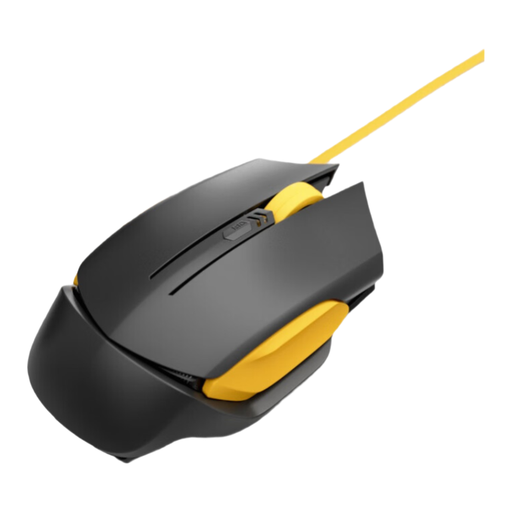
A wired mouse avoids separate charging or battery replacement if a cable suits your desk. This variant’s name specifies an optical sensor and four DPI settings; check its connector and cable length against your computer and working position.
No: choose between occasional USB charging and keeping a replacement battery available according to how you study. Logitech specifies up to 70 days per full charge for the MX Anywhere 3S, while HP Store UK specifies up to 24 months from one AA battery for the HP 430; both are model-specific “up to” figures, not guaranteed runtimes.
Bluetooth is useful if your laptop supports it and you want to keep a USB-A port free; a receiver is another option when it suits your computer better. Check the exact mouse’s connections: Logitech lists Bluetooth or a Logi Bolt receiver for the Signature M650, and HP lists Bluetooth or a USB-A nano dongle for the HP 430.
A different shape is worth assessing, but it cannot replace a workable desk arrangement. The Health and Safety Executive advises keeping the mouse within easy reach, supporting the forearm, using a straight wrist and avoiding a tight grip.
Check an appropriate local electronics-recycling route rather than putting an old mouse straight into general waste. UK government guidance describes waste electrical and electronic equipment arrangements as supporting recovery, reuse and recycling.