
24/7 Customer Support

Free returns

Same-day & Next-day Delivery

Quality Guaranteed

Unlock Your Welcome Offers: FREE Delivery | Up to 80% OFF | Free 30-day JoyPlus trial
Download the APP
A warning light can create uncertainty, particularly when a garage quotes for a diagnostic check before any repair work begins. An OBD2 car diagnostic scanner can help UK drivers, home mechanics and small workshops read vehicle data, identify diagnostic trouble codes and check whether a repair has resolved the issue.
However, choosing a scanner is not simply a matter of selecting the model with the longest feature list. Marketing descriptions often combine basic code reading with advanced functions that may only work on particular makes, models and systems. Before buying, check the following common pitfalls.
A basic car code reader may communicate only with the engine control module. That can be suitable for an engine warning, but it may not access the ABS, SRS, transmission, TPMS or body control modules.
If you want broader vehicle information, look for wording such as four-system diagnosis or full-system car scanner. Even then, “full system” means all available modules supported for a specific vehicle, not every system on every car.
Functions such as oil reset, EPB reset, battery registration, injector coding and DPF regeneration are vehicle-dependent. A scanner may list 15, 28 or 34 service functions, but availability can vary according to the vehicle’s make, model, engine, transmission and equipment level.
Similarly, a bidirectional OBD2 scanner or active test diagnostic tool can send commands to selected actuators, but it does not guarantee support for every component. Confirm compatibility using your vehicle identification number, where the seller offers this service.
A low purchase price can become less attractive if important functions require an annual software subscription. Compare whether updates are lifetime, limited to a set period or optional after the initial term.
For FCA vehicles, a scanner may support FCA AutoAuth, but an AutoAuth account or manufacturer access fee may still be required separately. This is different from the scanner’s own update policy and should be checked before purchase.
For general DIY use, look for read and clear codes, live data, freeze-frame data, vehicle information and I/M readiness. Live data can show values such as engine speed, coolant temperature or fuel-trim readings, while freeze-frame data records conditions present when a fault occurred.
A full-system tool is more suitable for independent garages and mobile mechanics that regularly work on ABS, SRS and transmission systems. Check whether the scanner can produce, save or share diagnostic reports if you inspect used cars or keep workshop records.
An OBD2 scanner with reset functions may support oil service resets, EPB maintenance mode, SAS calibration, BMS registration, TPMS reset, throttle relearn and ABS bleeding. Select functions based on the jobs you actually perform rather than the total number advertised.
ECU coding and module programming require more care. A coding-capable tool may support matching or configuring selected modules, but it is not necessarily a replacement for manufacturer equipment. Maintain stable vehicle voltage during advanced procedures and follow the vehicle and scanner instructions.
Newer vehicles may use CAN FD or DoIP, so a CAN FD diagnostic scanner can be useful if you work on compatible modern models. A wired connection generally avoids phone pairing and app compatibility concerns, while a Bluetooth OBD2 scanner offers more freedom around the vehicle.
Also check:
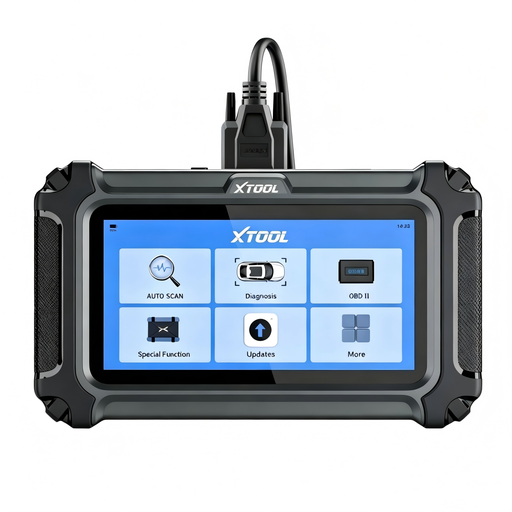
Why This Fits Their Persona: A practical handheld option for DIY owners who want more than engine-code reading without moving immediately to a large workshop tablet.
It states 16 reset functions, four main system diagnostics and lifetime free updates. Vehicle-specific availability still needs confirmation.
CAN FD and FCA AutoAuth support; includes EPB, BMS, throttle, TPMS and oil reset functions.
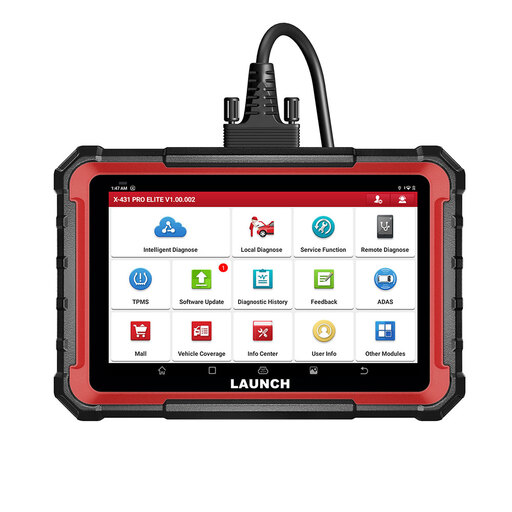
Why This Fits Their Persona: The larger tablet format suits independent garages and technicians handling repeated diagnostics, reports and advanced service procedures.
The listing separates full-system diagnosis, active tests, ECU coding and update duration, helping buyers assess ongoing costs.
8-inch display; CAN FD and DoIP support; active testing and ECU coding functions.
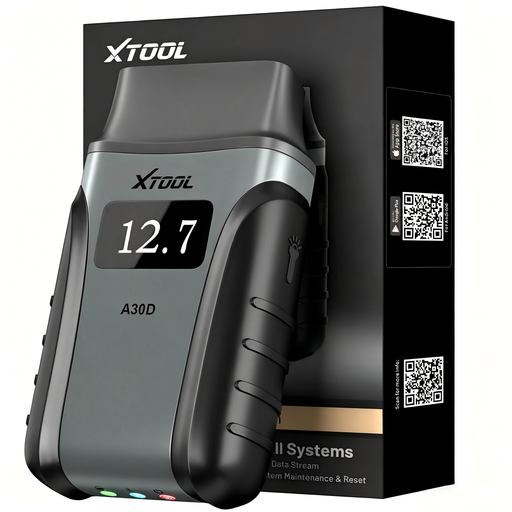
Why This Fits Their Persona: Its wireless connection allows users to move around a driveway, workshop or roadside vehicle while viewing data on a compatible phone or tablet.
It specifies wireless compatibility, 19 reset functions and the need for a separate FCA AutoAuth account where applicable.
Bidirectional control; up to eight live-data PIDs displayed as graphs; iOS and Android support.
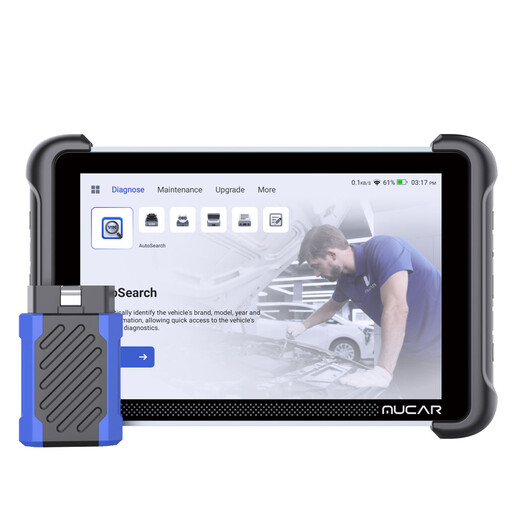
Why This Fits Their Persona: Designed for users who need repeated all-system scans, active tests and service functions across a broad range of vehicles.
The listing identifies update terms, supported protocols and separate compatibility requirements for advanced functions.
8-inch touchscreen; CAN FD and DoIP support; ECU coding, bi-directional tests and 34+ service functions.
We have compiled a complete, real-time list of products that fully satisfy these strict selection criteria and UK safety regulations.
Yes, you can use one to check fault codes and I/M readiness where supported. It cannot replace the official MOT inspection, and clearing a warning light without repairing the cause may leave the vehicle unsafe or cause readiness monitors to show incomplete.
A wired scanner can remain usable for many years if its connector, screen and battery are protected. Software coverage is more important than physical lifespan: check update terms and whether future vehicle support is included. Lifetime free updates may apply to specified software functions, so read the product conditions carefully.
They can be, particularly where the app and standard diagnostic functions have no recurring fee. However, some advanced services, vehicle software packs or authentication systems may have separate charges. Confirm the update and subscription policy before ordering rather than relying on the phrase “free updates” alone.