Households with several essential devices
If phones, tablets, laptops or networking equipment need to remain usable through a prolonged cut, plan for their combined energy demand, suitable outputs and a way to recharge the backup unit.


Choose a USB power bank if your essential devices charge directly by USB and any laptop accepts its output. A portable power station is the route to consider when several devices need charging, a laptop needs its mains charger, or you need more stored energy. If a brief interruption itself is the problem, check a product’s stated UPS function separately from its capacity: neither a transfer-time claim nor a battery-size figure establishes how long your own devices will run.
If phones, tablets, laptops or networking equipment need to remain usable through a prolonged cut, plan for their combined energy demand, suitable outputs and a way to recharge the backup unit.
Start with the laptop’s charging requirements. A USB power bank is an option only if the laptop accepts a compatible USB-C output; otherwise, consider how its mains charger would be powered.
A direct-USB setup may cover the immediate need to charge a phone or tablet. If someone depends on electricity-powered medical equipment, do not rely on a consumer battery as the sole plan; Ofgem identifies such households as potentially eligible for Priority Services Register support.
Work out which devices must stay usable and for how long, then check their charging connections. Treat uninterrupted operation as a separate requirement from stored energy.
| Concern | What to check | Who this matters to |
|---|---|---|
| Stored energy | Compare stated capacity in Wh with the essential devices’ energy demand; allow for losses and plan how to recharge the unit. | If several devices must last through a prolonged cut, I need enough reserve for the whole plan, not just a high output rating. About 40% of consumers would put stored energy first. |
| Laptop charging | Check the laptop’s accepted USB-C charging profile or mains-charger requirements, plus per-port and shared output. | When work depends on a particular laptop, a battery is useful only if it can charge that machine alongside any other essential devices. Laptop compatibility would be the primary need for about 30% of consumers. |
| Continuity | Check the exact model’s stated UPS function, transfer behaviour and supported load; keep a shutdown plan. | If a router or computer task cannot tolerate a brief drop-out, I need to assess switching behaviour as well as runtime. Roughly 20% of consumers would prioritise continuity. |
| Simple phone charging | Check suitable USB output, safe charging instructions and current recalls for the exact model. | For a household mainly trying to keep a phone or tablet available, a straightforward charging setup matters more than powering several devices. About 10% of consumers would make that their primary need. |
A large mAh figure alone cannot tell you how long a mixture of phones, tablets and laptops will remain usable. The connected devices, output method and the unit’s own consumption all affect the plan.
List the essential devices and estimate their demand in Wh. Compare that with the exact product’s stated capacity while leaving a margin, then check its ports and recharge options.
The UK Office for Product Safety and Standards recalled Anker power-bank models A1681, A1689 and A1647 in July 2025 because their batteries could overheat. That notice concerns the specified products, not every Anker power bank.
Check current recall notices against the model and any applicable serial-number range before use. Choose a traceable retailer and register the product for recall contact.
A stated fast changeover addresses a brief interruption; it does not add stored energy or establish that every connected device will remain on.
Check switching and supported load for interruption-sensitive equipment. Separately, calculate the energy needed for the length of outage you are planning for.
A backup battery needs to be charged before it can help. Electrical Safety First advises charging power banks uncovered in a ventilated place, rather than overnight or while away.
Use a compatible charger and cable, follow the product’s instructions and confirm any intended charging-while-in-use arrangement with the manufacturer.
EcoFlow UK lists RIVER portable power stations with different base capacities and outputs for device backup.
Anker’s USB power banks are relevant when direct USB charging and a compact unit suit the devices you need to keep running.
BLUETTI UK lists the Elite 30 V2 portable power station for buyers considering both AC and USB outputs.
These portable power stations are options to examine when several devices or mains-powered chargers need backup. The USB power bank represents the simpler direct-USB route; check your laptop’s charging requirements before choosing it.
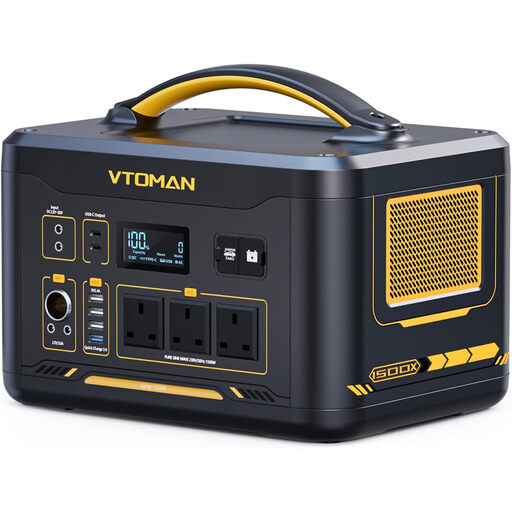 Image unavailable
Consider this model when your device plan calls for both a USB-C connection and a mains-powered charger. Its listing states an 828Wh LiFePO4 battery, 1500W AC output and 100W USB-C; expansion to 2376Wh requires the specified compatible battery. Check your devices’ requirements and allow for energy losses when planning runtime.
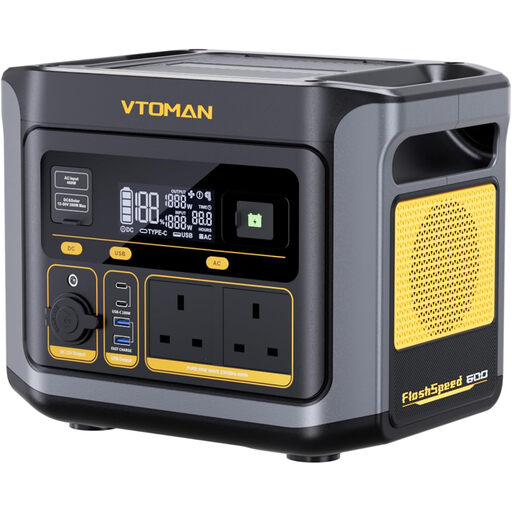 Image unavailable
This is an option to check for a mixed USB-C and mains-charger setup during a cut. The product name states 499Wh capacity, 600W output and 100W USB-C. Confirm your simultaneous load and whether any charging accessories you intend to use are included.
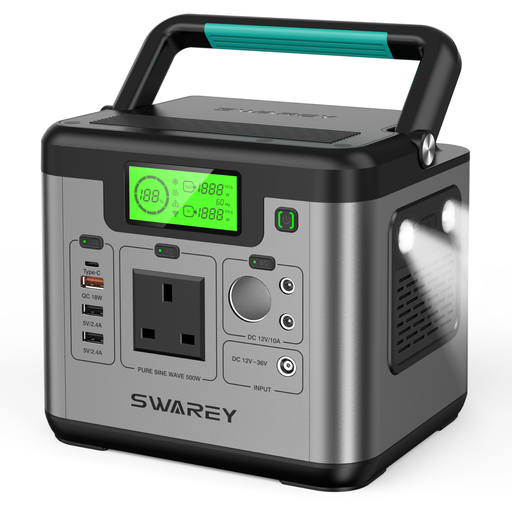 Image unavailable
Consider this unit if a 65W USB-C connection and AC output match the devices in your backup plan. Its product name states 518Wh capacity and 500W AC output. Check the laptop’s charging requirements and budget for less delivered energy than the stated battery capacity.
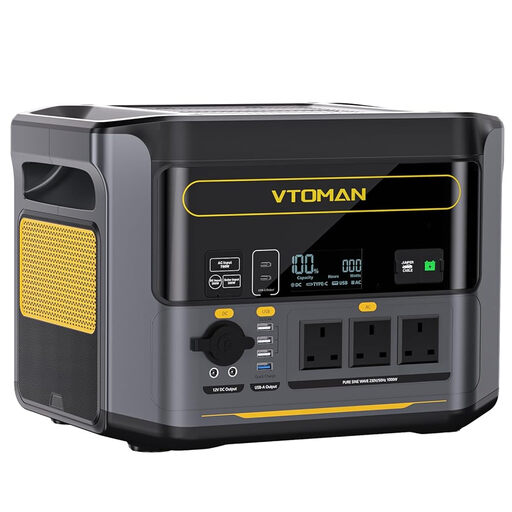 Image unavailable
This model is worth examining when stored reserve is a priority. Its name states 828Wh capacity, 1000W rated output and expansion to 2376Wh with a compatible battery. Confirm its output connections against every device you intend to power before choosing it.
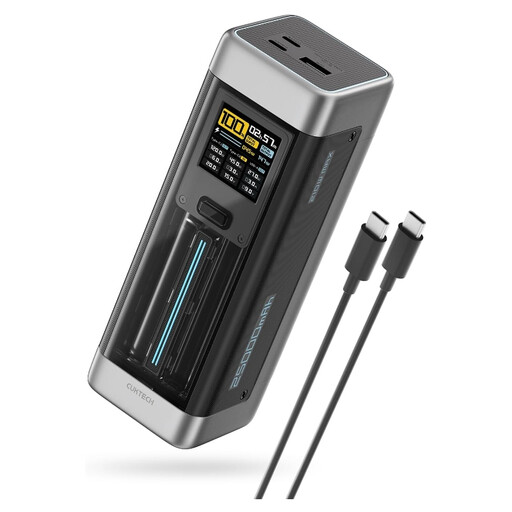 Image unavailable
Consider direct USB charging if your essential devices, including any laptop, accept the available output. The product name states up to 140W USB-C, PD 3.1 and three ports. Check the laptop’s required charging profile, the cable and how output is shared; 25,000mAh alone does not establish usable runtime.
Start with the exact product’s stated capacity in Wh and the energy demand of the devices you must keep usable. Allow for conversion, charging and standby losses rather than treating stated battery capacity as energy delivered to your devices. An mAh figure needs its voltage basis before it can serve the same planning purpose.
No. The laptop must accept USB-C charging at a profile the bank and cable can supply. Check output with other devices connected: Anker says the 737 Power Bank’s stated 140W total is shared between two USB-C devices.
Follow the exact product’s instructions and check current recall notices for its model. Electrical Safety First advises charging power banks uncovered in a ventilated place, not overnight or while away; inspect the battery, cables and connections for damage before use.
Do not make a consumer power bank or portable station the household’s sole resilience plan. Ofgem says people whose conditions require powered medical equipment may be eligible for extra support through their supplier’s Priority Services Register. For an unplanned power cut, Ofgem directs households to call 105 to reach their electricity network operator.