
24/7 Customer Support

Free returns

Same-day & Next-day Delivery

Quality Guaranteed

Unlock Your Welcome Offers: FREE Delivery | Up to 80% OFF | Free 30-day JoyPlus trial
Download the APP
Running out of space on an Android smartphone, tablet or camera can be frustrating, particularly when your device stores photos, Full HD video, apps and downloaded files. The SanDisk Ultra 128GB microSDXC card with SD adapter is designed to add flexible storage across compatible devices, but capacity alone should not determine your purchase.
Different microSD cards use similar-looking packaging while offering different speed classes, app performance and compatibility. Understanding the specifications can help you avoid paying for features your device cannot use—or buying a card that is unsuitable for your intended workload.
A listing may highlight a headline figure such as 140MB/s microSD card without clearly explaining the conditions. Maximum read or write speeds are typically measured under specific conditions and may require a compatible card reader or host device. Your smartphone, tablet, camera or laptop may operate below that figure.
For everyday storage, check the card’s stated interface and speed rating as well as the headline maximum. A UHS-I card can be a practical choice for Full HD video, photos, music and documents, but it is not automatically suitable for every high-bitrate 4K recording setup.
A 128GB microSD card uses the microSDXC format. The host device must support microSDXC, not just older microSD or microSDHC formats. Check your phone or tablet’s manual, manufacturer support page or device settings before ordering.
The included full-size adapter also needs to be understood correctly. It allows the microSD card to fit an SD-sized slot, such as one found on some cameras, laptops or card readers. It does not convert an incompatible device into a microSDXC-compatible one.
An A1 microSD card meets a defined application performance class, including minimum random read and write requirements. This makes it more appropriate for running or storing apps on compatible Android devices than a card without an application performance rating.
However, your phone’s software, internal storage and app settings still affect performance. Some Android devices do not support moving apps to removable storage, while others may format the card as portable or internal storage during setup.
The SanDisk Ultra card provides 128GB of advertised storage. Actual usable capacity will be lower after formatting and system data. This capacity can suit users who want room for a substantial photo library, music collection, documents and Full HD video without regularly deleting files.
For important photos and videos, treat the card as additional storage rather than the only copy. Back up valuable files to a computer, external drive or suitable cloud service.
The referenced SanDisk Ultra model lists maximum transfer speeds of up to 140MB/s, alongside A1 application performance and UHS-I support. These figures can help with moving files and managing compatible apps, but real-world results depend on the device, reader, file sizes and software.
If you mainly record Full HD video, take casual photographs or transfer documents, this specification set is aligned with everyday use. Heavy users recording high-resolution video should check whether their camera specifically requires U3 or V30 certification instead.
The card is intended for compatible Android smartphones and tablets, as well as devices supporting microSDHC or microSDXC. With the included adapter, it can also be used in compatible SDHC or SDXC slots.
Before inserting it:
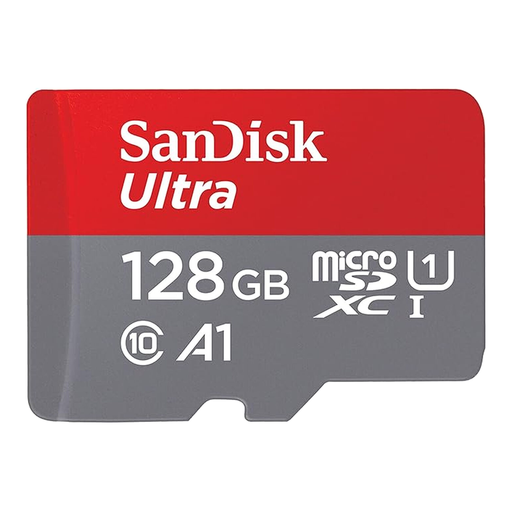
Why This Fits Their Persona: A straightforward storage upgrade for Android users, tablet owners and casual photographers who want one card for everyday media and file storage.
The listing identifies the 128GB capacity, UHS-I format, A1 rating and included SD adapter rather than relying on capacity alone.
128GB capacity, A1 application performance, up to 140MB/s stated transfer speed and a full-size SD adapter.
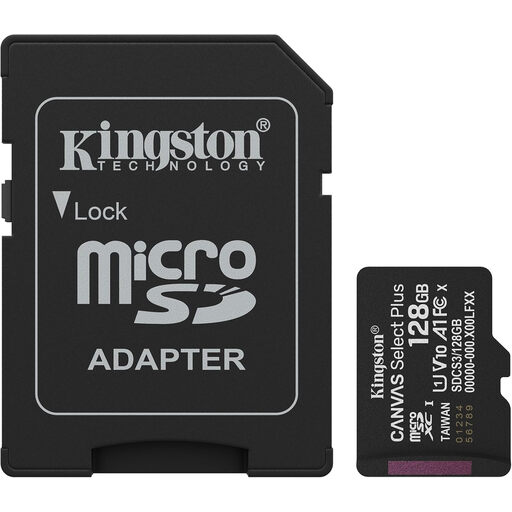
Why This Fits Their Persona: Suitable for shoppers comparing alternatives who want A1 performance, a stated 150MB/s read speed and additional protection features for regular mobile use.
Its specification lists the performance class and adapter contents clearly, helping buyers compare like-for-like rather than selecting on capacity only.
A1 rating, up to 150MB/s stated read speed, SD adapter included and listed resistance to water, temperature and X-rays.
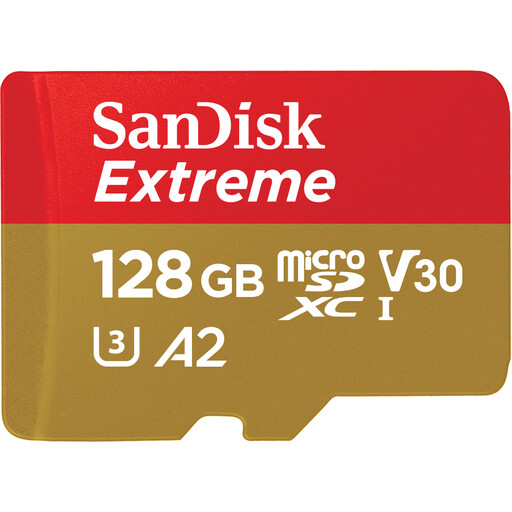
Why This Fits Their Persona: A more performance-focused option for action cameras, drones, demanding Android use and creators who need 4K UHD video support.
It specifies U3 and V30 video ratings, rather than presenting a high transfer speed as a substitute for sustained video performance.
A2 application rating, U3/V30 classification, stated speeds up to 190MB/s read and 130MB/s write, plus an SD adapter.
It is intended for compatible Android smartphones and tablets that support 128GB microSDXC cards. Check the device manufacturer’s specifications before purchase. Android may offer portable storage or internal/adoptable storage options, depending on the model and operating system.
Insert the microSD card into the adapter, then place the adapter into a compatible full-size SD slot. This can help transfer files using a laptop, card reader or camera. The adapter does not increase capacity or speed and should not be forced into a slot.
Lifespan varies according to write frequency, storage conditions, device behaviour and card usage. Frequent recording and deletion can create more wear than occasional photo storage. Safely eject the card, avoid moisture and extreme conditions, and maintain an independent backup of important files.