What matters when choosing a setup?
Choose how the household will share the screen before comparing individual privacy settings: regular viewers, temporary guests and people avoiding TV-based online services have different account arrangements.
Smart TV with household profiles
Consider it when: Regular viewers want separate accounts and a lock on an individual profile; Google TV Help documents both multiple profiles and profile locks.
Bear in mind: The household must also check each streaming app's own accounts, profiles and purchase controls.
TV with a separate streaming device
Consider it when: Visitors need to sign in temporarily; Roku Support says its UK-available Guest Mode keeps guests out of host apps and recommendations.
Bear in mind: The streaming device brings its own account and privacy settings to manage.
Non-connected or smart-disabled TV
Consider it when: The household wants to use broadcast or external media without activating online services on the television itself.
Bear in mind: Confirm that the chosen set works without network setup and has the inputs you need; a connected external source still has its own data practices.
| Concern |
What to check |
Who this matters to |
| Separate viewing spaces |
Check profile availability and PIN locks on the exact device, then check whether your streaming apps separate accounts. |
If we share a screen, I want my viewing space kept apart from other people's and a lock against casual switching; around 31% of consumers put profile separation first. |
| Advertising and data use |
Check which settings affect the advertising ID, device-usage data or particular ad placements, and read the setup choices. |
I am willing to use streaming services, but I want to understand how viewing and device-use information shapes advertising. Around 31% of consumers make those controls their primary concern. |
| Voice in a shared room |
Check whether voice input is push-to-talk or hands-free, plus the model's microphone and voice-history controls. |
When several people use the living room, I would rather voice input happen deliberately than be part of our normal viewing; around 15% of consumers prioritise limiting voice use. |
| TV connectivity |
Confirm whether broadcast or external-input viewing works without smart-service activation, and check any external source separately. |
I would prefer not to run online services on the main display if broadcast or an external source meets our needs. For around 23% of consumers, limiting the TV's own connected services comes first. |
Joybuy products for these setups
These choices include a Roku streaming stick for a separate-device setup and two Google TV televisions for households considering built-in smart features. Check the privacy controls on the exact device and software version against your household's priorities.
 No image available
Roku Streaming Stick 4KPlus
Consider this separate streaming device if temporary guest access matters; check Guest Mode availability on this model before relying on it. If voice use is a concern, check which remote is supplied and how its microphone operates.
View on Joybuy
 No image available
TCL 43V6C 43-inch 4K HDR Google TV
Consider this Google TV model if regular viewers want to assess built-in household profiles. It has a 43-inch Direct LED display and 4K HDR in its listed configuration. Check profile locks, advertising settings, app accounts and voice controls on the exact model and software version.
View on Joybuy
 No image available
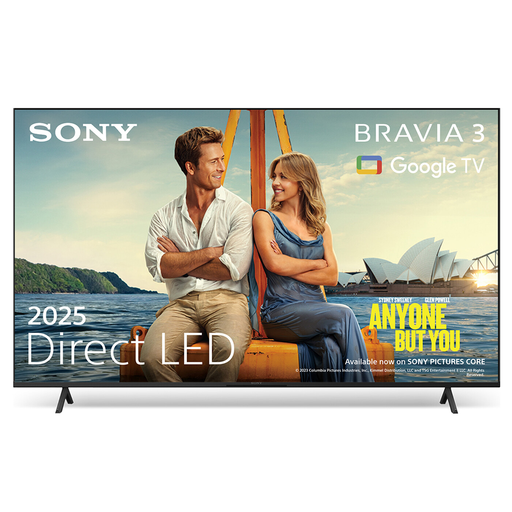
Sony BRAVIA 3 K75S35BP 75-inch 4K HDR Google TV
Consider this Google TV model if the household wants a larger screen while assessing built-in profiles. It has a 75-inch Direct LED display and 4K HDR in its listed configuration. Confirm profile locks, advertising settings and the microphone arrangement for this model and software version.
View on Joybuy
Common questions
Will deleting a Google TV advertising ID stop adverts?
No. Google TV Help says ads can still appear after the advertising ID is deleted, and apps may use other information shared with them. Check each setting for the particular use of data it controls.
Can visitors use Roku Guest Mode without entering the household's apps?
Yes, on a Roku device that supports Guest Mode in the UK. Roku Support says guests cannot access host apps, make unauthorised purchases on the host card or influence host recommendations; check support for the device you intend to use.
Does the Fire TV Device Usage Data opt-out cover all advertising data?
No. Amazon Customer Service says the opt-out affects specified device-usage-data processing for customised marketing offers and product improvement, but other data may still be processed for interest-based advertising.
Can an Alexa-enabled household manage voice-recording history?
Yes. Amazon Customer Service says Alexa recordings can be reviewed or deleted, with options to delete them automatically or not save future recordings. Amazon also notes that deleting recordings may affect Alexa accuracy; check the account settings used by the household.
Do all televisions using one platform have the same profile and microphone controls?
No. Amazon Customer Service notes that some older Fire TV devices do not support profiles, and voice hardware can vary between televisions and remotes. Check the exact model's profile support, microphone hardware, software version and setup options before buying.


