What should you check before choosing?
Start with the apps you actually watch, then decide whether you need a new screen or just another way to use the one you have.
| Priority |
What to check |
Your needs |
| Essential apps |
Check each service’s current UK supported-device list against the exact TV or player, including any model-year and software conditions. ITVX lists support by platform; a platform name alone does not settle support for every device. |
I want my regular broadcaster and subscription apps on the main screen, without discovering after purchase that one needs a different device. |
| Software changes |
Check whether the device can meet the software version required by your services. ITVX specifies firmware v15.1 or later for Roku and NOW devices following its stated app update; Netflix warns that some TVs and players made before 2015 may no longer be supported. |
My television still works, so I would rather consider an HDMI player than replace the display solely because an older app platform no longer meets my needs. |
| Free live TV |
Compare a Freely-enabled TV with a dedicated Freely device if you want its integrated guide. Freely says its device route uses an HDMI television and Wi-Fi, without an aerial or dish; confirm the apps on the exact model. |
I would like BBC, ITV, Channel 4 and Channel 5 live and catch-up viewing together, rather than moving between separate app home screens. |
| Connections |
Check for a free HDMI input and the network connection required by the chosen player. Match any advertised Wi-Fi feature to your router: Amazon says Wi-Fi 6E on its Fire TV Stick 4K Max requires a compatible Wi-Fi 6E router. |
A stick or box needs to fit my existing TV and home network. If I prefer a wired connection, I need to check support for the exact device and adapter. |
| Privacy controls |
Review the TV or player’s setup choices and settings for viewing-data, personalisation and advertising controls. The UK Information Commissioner’s Office says smart TVs can collect substantial data and may use it for targeted advertising, which requires transparency and genuine consent. |
I want to understand the choices presented during setup and be able to revisit them later. |
Which platforms and providers are relevant?
These references describe particular connected-TV routes, not a list of products available in the selection below.
Freely
An internet-delivered UK live and on-demand TV platform offered through selected TVs and dedicated devices.
- Freely says it integrates viewing from BBC, ITV, Channel 4 and Channel 5 over Wi-Fi without an aerial or dish.
- Freely says it is not built into Samsung, LG or Sony TV sets; for those TVs, its stated route is a compatible external device rather than an assumed app download.
Amazon Fire TV
A streaming-device platform for adding an app interface to a compatible television.
- ITVX lists Amazon Fire devices among its supported platforms.
- For the Fire TV Stick 4K Max model described by Amazon, Wi-Fi 6E needs a compatible router. Check app and network support for the precise device you choose.
Roku
A streaming-player and Roku TV platform with an app-based television interface.
- Roku’s channel store lists BBC iPlayer, and ITVX lists Roku devices among supported platforms.
- ITVX specifies firmware v15.1 or later for Roku and NOW devices following its stated app update. Check that the exact player can meet the requirement.
Netgem
Provider of the PLEIO 4K puck in Freely’s dedicated-device route for an HDMI television.
- Freely describes PLEIO as combining its platform with streaming apps.
- Freely describes cloud gaming as optional and requiring a subscription. Confirm the current app selection and gaming terms for the device.
Manhattan
Provider of the Aero compact 4K box in Freely’s dedicated-device route.
- Freely describes Aero as using TiVo OS and offering Freely alongside streaming apps.
- Check the app catalogue and software support for the exact Aero model before choosing it for particular services.
Joybuy options for your main TV
These options cover a streaming stick for a working HDMI TV and smart TVs for replacing the screen. If Freely integration or a particular UK app matters to you, confirm it on the exact model before buying.
 No image available
Roku Streaming Stick 4K Doly Vision
An external-player option if you want to keep a working HDMI television. The product name specifies 4K; check your essential apps on this exact stick and whether it can meet ITVX’s Roku firmware v15.1 requirement.
View on Joybuy
 No image available
Coocaa 40-inch 40CTQH38ZUK FHD Freely TiVo smart TV
A screen-replacement option whose listing identifies Freely and TiVo. The product name specifies a 40-inch Full HD display; confirm Freely and your other required apps for model 40CTQH38ZUK, and review its privacy choices during setup.
View on Joybuy
 No image available
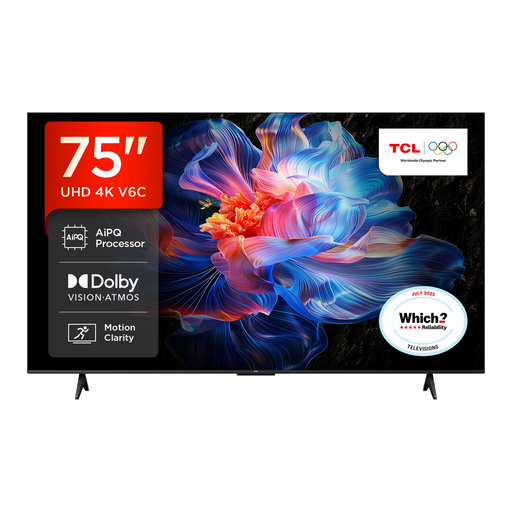
TCL 75-inch V6C (75V6C) 4K Google TV
A smart-TV route if the main screen also needs replacing. Its product name specifies a 75-inch 4K Google TV; check each essential UK service against this exact model rather than relying on Google TV support in general, and review its privacy settings.
View on Joybuy
Common questions
Do I need to replace a working TV when an app stops working?
Not necessarily. An external streaming device may give a TV with an available HDMI input a different app interface, provided it suits your home connection. Check the exact player against every essential service and its current software requirements before buying.
Can I add Freely to an existing Samsung, LG or Sony TV?
Freely says its platform is not built into those TV sets. Its stated option for an existing set is a compatible Freely device connected to an HDMI port, with Wi-Fi available; do not assume a standard TV app download will add it.
Why check app support for the exact model?
Support can depend on the device and its software, not just the platform name. ITVX specifies firmware v15.1 or later for Roku and NOW devices following its stated app update, while Netflix warns that some older TVs and players may no longer be supported. Check each service’s current guidance before ordering.
Do streaming services require a TV Licence in the UK?
TV Licensing says you need a licence to watch live TV on any channel or streaming service, or to watch or download BBC iPlayer, regardless of the device. It says a licence is not needed solely for on-demand programmes on other services, such as Netflix or ITVX, if you neither watch live TV nor use BBC iPlayer.
Which privacy choices should I review on a connected TV?
Look at the information and choices presented during setup, then find the controls for viewing data, personalisation and targeted advertising in the device or account settings. The UK Information Commissioner’s Office says smart TVs can collect substantial data and that targeted-advertising uses must be transparent and based on genuine consent.


