
24/7 Customer Support

Free returns

Same-day & Next-day Delivery

Quality Guaranteed

Unlock Your Welcome Offers: FREE Delivery | Up to 80% OFF | Free 30-day JoyPlus trial
Download the APP
A wireless lavalier microphone can make spoken audio more consistent for vlogs, interviews, livestreams and online meetings. However, the small size of these systems can hide important differences. A low-cost kit may look convenient but fail to connect to your device, run out of power during a recording or produce distracting background noise.
Before buying, focus on compatibility, transmitter quantity and the way the microphone manages sound in real-world UK settings, from busy high streets to echoing rooms and windy parks.
A receiver with a USB-C connector is suitable for many newer Android phones, tablets, computers and USB-C iPhones, but it will not automatically fit a device with a Lightning port. Similarly, a Lightning wireless microphone is intended for compatible Apple devices and may not connect directly to most Android phones.
Check the exact port on your recording device rather than relying on the phone brand alone. Some phones also require permission for external microphones or have cases that prevent a receiver from seating correctly.
A noise-cancelling microphone may reduce certain background sounds, but it cannot remove every problem. Traffic, wind, nearby conversations and room echo can still affect a recording. Noise reduction can also change the character of speech if used too aggressively.
A clip-on microphone should sit close to the speaker’s chest or collar, away from rubbing fabric and jewellery. For outdoor recording, a furry wind muff can be useful. Always check whether the selected kit includes one.
A stated operating time may refer to a single transmitter, a particular recording mode or a fully charged case. A microphone with charging case is convenient for travel, but the case itself also needs regular charging. If you record long interviews or livestreams, consider whether the case can recharge the transmitters between sessions and whether the receiver consumes power from your phone.
For a wireless microphone for iPhone, check whether your phone uses Lightning or USB-C. Newer iPhone models use USB-C, while some older models use Lightning. Android devices commonly use USB-C, although compatibility can vary by model and software.
A USB-C wireless microphone with a direct receiver is usually straightforward for mobile recording: connect the receiver, switch on the transmitter and open the camera or recording app. A Bluetooth lavalier microphone may pair directly with a phone, tablet or PC, reducing the need for a receiver, but Bluetooth support and app behaviour can differ.
For cameras, look for a receiver with the correct output and check whether the camera accepts an external microphone. For online meetings, confirm that your computer or conferencing software allows the wireless system to be selected as the input source.
A 1 TX + 1 RX kit suits solo presenters, voiceovers and one-person vlogs. A dual wireless microphone kit with two transmitters is more practical for interviews, two-person livestreams and shared content.
Some systems can support additional transmitters or receivers, but this does not mean every transmitter is included. Read the box contents carefully and distinguish between “compatible with” and “supplied with”.
Useful features include:
A microphone for vlogging may prioritise compact size and simple setup. A microphone for interviews should place more emphasis on two transmitters, stable range and battery planning. For live streaming, monitoring and connection reliability may matter more than internal recording.
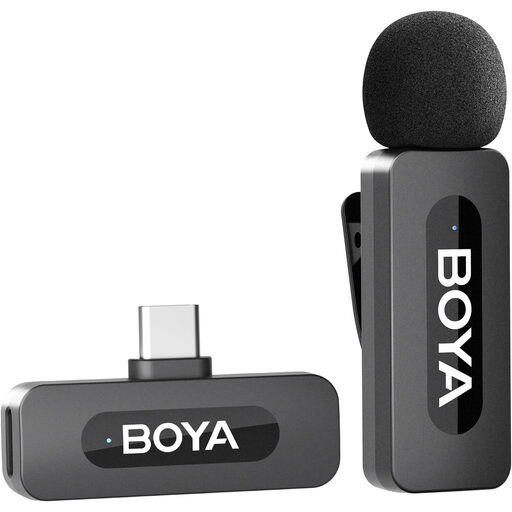
Why This Fits Their Persona: A solo creator using a USB-C phone can start with a compact 1 TX + 1 RX arrangement without paying for a second transmitter.
Its USB-C format makes the intended connection clear, while one-click noise cancellation offers a simple control for changing surroundings.
USB-C receiver; 1 TX + 1 RX format; stated battery life of up to 9 hours.
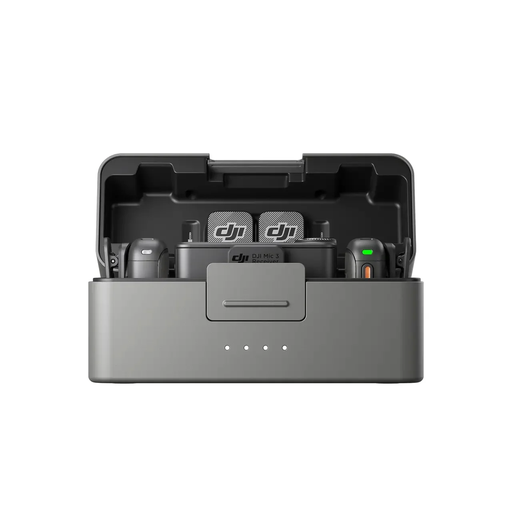
Why This Fits Their Persona: Suitable for creators producing interviews, podcasts or multi-person recordings who want more control and room to expand.
The supplied dual transmitters avoid needing to buy a second unit later, while internal 32-bit float recording provides a backup option against clipping.
2 TX + 1 RX with charging case; up to 4 TX and 8 RX capability; two noise-cancelling levels and 32-bit float internal recording.
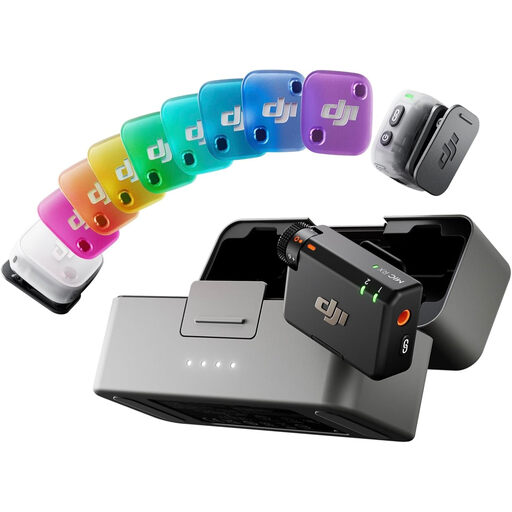
Why This Fits Their Persona: A practical choice for regular filming, mobile livestreaming and travel content where low weight and extended battery life matter.
The charging case supports repeated use away from a plug, while direct Bluetooth phone connection can reduce receiver clutter for compatible devices.
Approximately 11 g per transmitter; up to 48 hours with the case; two noise-cancelling levels and auto limiting.
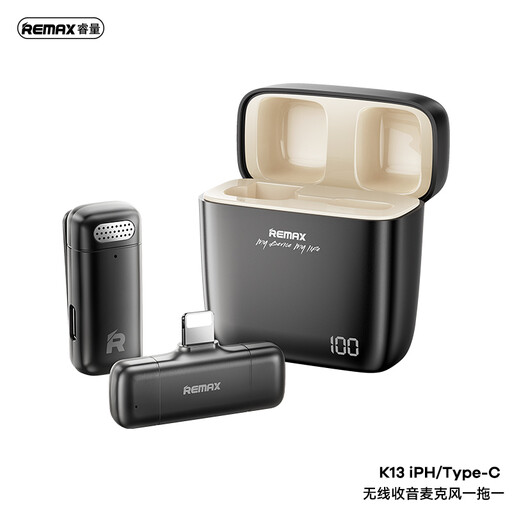
Why This Fits Their Persona: Designed for users recording on a compatible Lightning iPhone who want direct plug-and-play setup for vlogs, interviews or meetings.
The dedicated Lightning receiver avoids buying an incompatible USB-C kit, and the included furry wind muff addresses a common outdoor recording issue.
Lightning plug-and-play receiver; 2.4G wireless transmission; 3.5 mm headphone monitoring and included wind muff.
We have compiled a complete, real-time list of products that fully satisfy these strict selection criteria and UK safety regulations.
Yes, provided the receiver matches the phone’s connector or the system supports a compatible Bluetooth connection. Check whether the iPhone has a Lightning or USB-C port before ordering. A Lightning wireless microphone is not interchangeable with a USB-C model without the appropriate compatible equipment.
Neither connection is suitable for every user. Bluetooth can offer direct phone pairing and fewer components, while a 2.4 GHz system commonly uses a dedicated receiver and may provide a more controlled connection for video workflows. Check device support, app compatibility and monitoring options rather than choosing based on the connection label alone.
Service life depends on battery care, charging habits, storage conditions and physical handling. Keep the microphone dry, avoid extreme heat and use the supplied charging equipment. If recording frequently, a case with a clearly stated operating capacity and replaceable or separately available components may be more practical over time.