
24/7 Customer Support

Free returns

Same-day & Next-day Delivery

Quality Guaranteed

Unlock Your Welcome Offers: FREE Delivery | Up to 80% OFF | Free 30-day JoyPlus trial
Download the APP
An AI tennis ball machine can make solo practice more structured, but the wrong model may become an expensive piece of equipment that spends more time in storage than on court. UK buyers should look beyond phrases such as “smart”, “professional” and “match simulation”. These labels can describe very different levels of automation, control and practical usability.
Before choosing an automatic tennis ball machine, consider three common pitfalls:
A tennis training machine should offer more than one speed setting. Beginners may need slower feeds for stroke development, while club-level and advanced players may want quicker responses.
Look for clearly stated controls for:
For example, the Lumistar Tero lists a speed range of 20–140 km/h, spin adjustment up to ±3,600 RPM, elevation from 0–50 degrees and oscillation of ±25 degrees. These figures do not guarantee a match-like experience in every setting, but they give buyers useful control points for comparison.
A smart tennis ball machine may include app control, voice commands, preset drills or camera-based tracking. These features are not interchangeable.
Check whether the product offers:
The Lumistar Tero includes AI Match, Rally and Random modes, plus more than 259 preset drills. Its product information states that AI Match adjusts return frequency according to the player’s hitting rhythm, while Random Mode covers 35 court positions. Buyers should still check app compatibility, firmware requirements and whether all functions are available without optional modules.
A portable tennis ball machine should be convenient enough for regular use at a local court. Battery runtime, hopper capacity and noise can affect whether it fits your routine.
The Lumistar Tero is listed with:
In practical terms, this could suit extended sessions, but the machine still requires a flat, stable court and careful alignment. The user guidance advises against use in rain, fog, hail, strong winds and extreme temperatures. Firmware and app updates should also be checked before use.
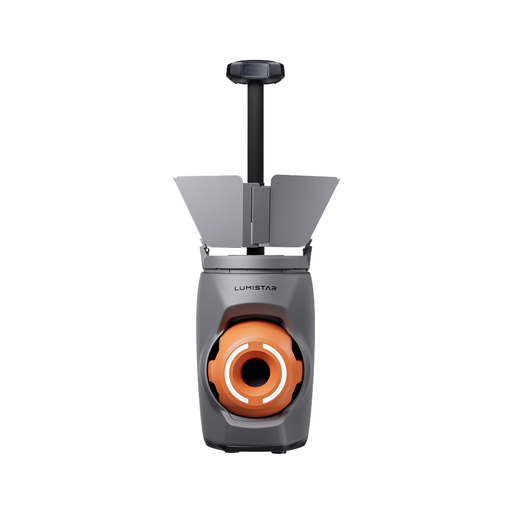
Why This Fits Their Persona: A practical option for players moving from occasional practice to regular solo sessions, with preset drills and several control methods in one machine.
Its listed 259-plus drills, app settings and Rally, Random and AI Match modes provide more than a single fixed feed.
20–140 km/h speed range, voice control through a wristband and up to four hours of listed battery life.
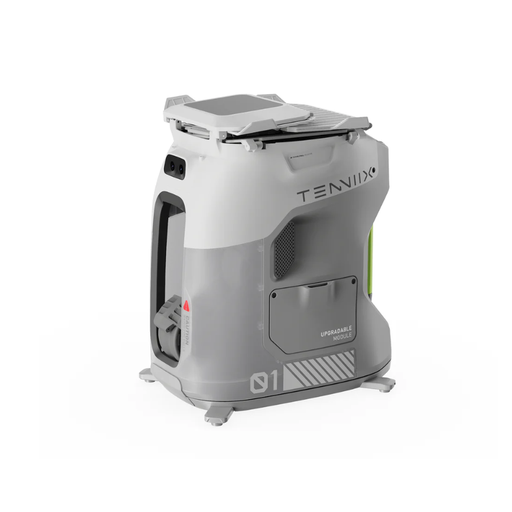
Why This Fits Their Persona: Suited to players and coaches looking for extensive customisation and camera-based training features, subject to checking the separate Vision Module requirement.
The listing identifies the Dual Camera Vision Module as shipped separately, making an important additional purchase requirement visible before ordering.
Lists more than 1,000 customisable modes, 100-plus ball capacity, voice and app control and speeds up to 75 MPH.
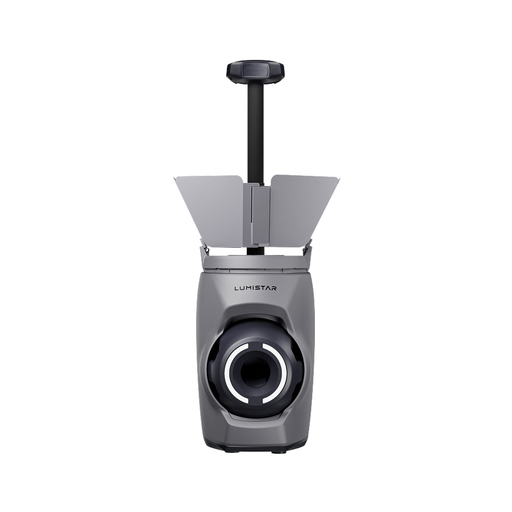
Why This Fits Their Persona: A suitable match for frequent court users who want a substantial practice programme, ball capacity and fine control for varied sessions.
Its documented anti-jamming and anti-empty-ball features address interruptions that can make long training sessions frustrating.
Stores approximately 80–100 balls, supports ±3,600 RPM spin adjustment and includes sports-report functions.
Allow time for initial positioning and pairing. The Lumistar guidance recommends aligning the machine with the court’s centre line, checking battery levels and updating the app, firmware and wristband before use. A flat, dry court is essential for stable placement.
Running costs include electricity for charging, replacement tennis balls and possible accessories or optional vision modules. Ball wear can also affect feeding consistency, so inspect balls regularly and keep the machine clear of debris. Store the unit indoors and follow the manufacturer’s charging instructions.
Yes, provided it offers low speed, adjustable frequency and predictable drills. Start with Rally Mode or slower feeds before increasing spin, pace and court coverage. Beginners should also confirm that the controls are easy to use without relying entirely on advanced app features.
It can support repetitive practice, but it does not replace personalised coaching, tactical feedback or technical correction. Use it for consistency, movement patterns and repetition, while combining sessions with a qualified coach or playing partner where appropriate.
Runtime varies by model, settings, temperature and battery condition. The Lumistar Tero is listed with up to four hours of battery life. Treat this as a product specification rather than a guaranteed session length, and charge the battery fully before travelling to the court.