
24/7 Customer Support

Free returns

Same-day & Next-day Delivery

Quality Guaranteed

Unlock Your Welcome Offers: FREE Delivery | Up to 80% OFF | Free 30-day JoyPlus trial
Download the APP
A basic automotive code reader can be useful for checking an engine warning light, but many UK buyers need more than a single-system scan. DIY car owners, mobile mechanics and independent garages may also require live data, service resets, active tests, ECU coding and support for newer communication protocols.
The difficulty is separating practical capability from impressive-sounding marketing. Before choosing the best OBD2 car diagnostic scanner for your needs, check these common pitfalls.
A full-system OBD2 scanner may access available modules such as the engine, transmission, ABS, SRS, air conditioning and body control systems. However, coverage still depends on the vehicle’s make, model, engine, year and control-unit configuration.
The same tool may offer injector coding on one vehicle but only code reading on another. Always check compatibility by VIN or ask the seller about the exact function you require.
Some devices offer lifetime free updates for core diagnostic software, while service functions or vehicle-specific packages may have separate conditions. Other tools include free updates for a limited period and continue to operate afterwards, but advanced features may require renewal.
Check precisely what the update covers:
For example, the LAUNCH X431 PRO ELITE includes two years of free updates, while several XTOOL, KINGBOLEN and MUCAR products advertise lifetime free updates. These offers are not automatically equivalent, so read the product terms before purchase.
A CAN FD diagnostic scanner can communicate with selected newer vehicle networks, while a DoIP diagnostic tool uses Ethernet-based communication for compatible vehicles. These protocols improve communication potential, but they do not guarantee access to every function.
For certain Fiat, Chrysler, Dodge, Jeep and related vehicles, an FCA AutoAuth scanner may require a separate account or manufacturer authorisation. The account is not necessarily included with the device and may involve an additional charge.
A full-system scanner should be able to scan all available electronic control units, rather than only the engine. Look for access to:
A four-system tool covering ECM, TCM, ABS and SRS may be suitable for routine fault diagnosis. A workshop handling varied vehicles may prefer broader system access.
A bidirectional scan tool sends commands to the vehicle’s ECU to activate supported components. Examples can include cooling fans, fuel pumps, windows, door locks, lights, valves and air-conditioning clutches.
This can help distinguish between a failed component, wiring issue or control fault without immediately removing parts. However, active tests can affect vehicle systems, so maintain a stable battery voltage and follow the on-screen instructions. Availability varies by vehicle.
A car scanner with reset functions may support oil service resets, electronic parking brake release, steering-angle calibration, battery registration, throttle relearning, ABS bleeding, DPF regeneration and injector coding.
An ECU coding scanner goes further by matching or configuring certain modules after replacement. Coding is not a universal repair function and may require an external power supply, internet connection or manufacturer-specific access. Do not use coding or immobiliser functions unless you understand the procedure and have confirmed compatibility.
A Bluetooth OBD2 scanner is convenient for driveway checks and mobile work, but it depends on a compatible iOS or Android device, app permissions and reliable wireless communication. A dedicated tablet can be easier to use in a workshop, particularly for reports, live-data graphs and longer diagnostic sessions.
Also check:
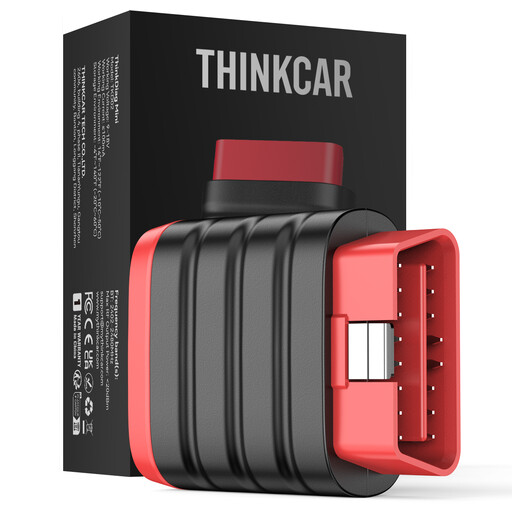
Why This Fits Their Persona: A compact phone-connected option for UK drivers who mainly need full-system scans, live data and battery-voltage checks without carrying a tablet.
Its listed functions focus on diagnostics rather than implying that every service reset is included. Check the app and vehicle coverage before ordering.
Bluetooth 5.0, iOS and Android support, full-system scan, live data and lifetime free updates listed by the product description.
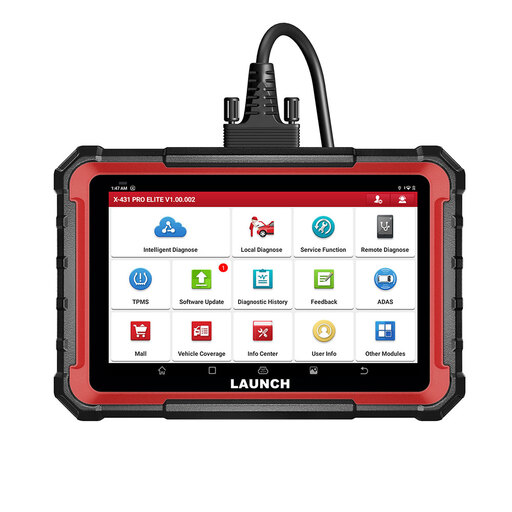
Why This Fits Their Persona: Suited to independent garages and serious home mechanics who want a dedicated screen, detailed reports and advanced diagnostic functions.
The listing clearly states the update period and that the tool remains usable afterwards, helping buyers assess future running costs.
8-inch touchscreen, CAN FD and DoIP support, ECU coding, active tests and more than 31 listed service functions.
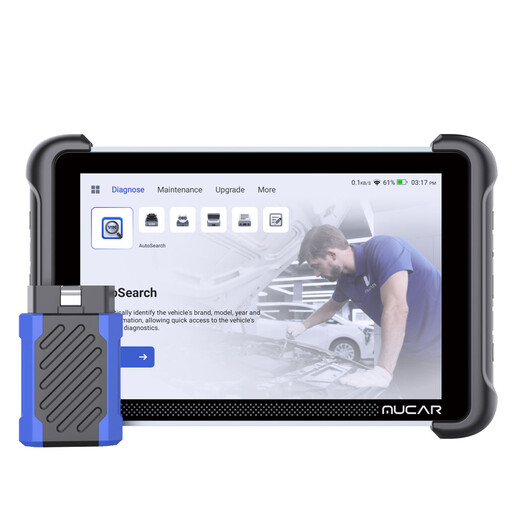
Why This Fits Their Persona: A workshop-focused choice for mobile mechanics and repair businesses handling varied European, Asian and American vehicles.
The product information identifies protocol support, update terms and the need for compatible vehicle access rather than promising universal operation.
8-inch tablet, ECU coding, bidirectional control, CAN FD, DoIP, FCA AutoAuth support and more than 34 service functions listed.
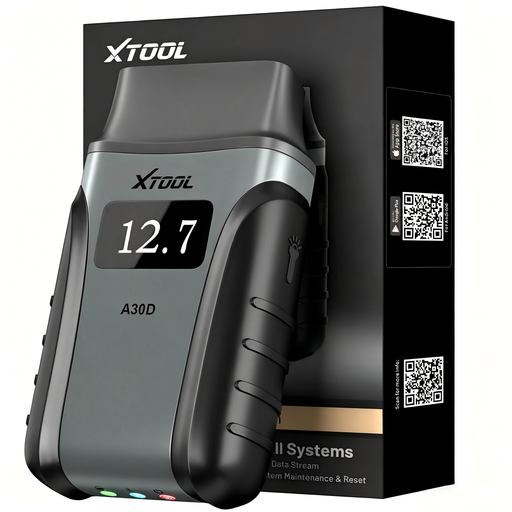
Why This Fits Their Persona: Practical for DIY owners who want wireless diagnostics, maintenance resets and active tests through a smartphone or tablet.
It specifies 19 reset functions, compatibility limits and separate FCA AutoAuth requirements, making the ownership conditions easier to evaluate.
Wireless connection, full-system diagnostics, 8-PID live-data graphing, CAN FD, FCA support and lifetime free software updates listed.
We have compiled a complete, real-time list of products that fully satisfy these strict selection criteria and UK safety regulations.
It can be worthwhile if you maintain several vehicles, perform repairs yourself or need functions beyond engine-code reading. For occasional warning-light checks, a simpler automotive code reader may be sufficient. Compare the functions you will actually use with the purchase price and update arrangements.
The hardware can remain usable for several years when stored dry, protected from excessive heat and handled carefully. Software coverage may change sooner as vehicle systems develop. A lifetime free updates OBD2 scanner can reduce recurring software costs, but compatibility still depends on the vehicle and the specific function.
No. A scanner can clear supported diagnostic trouble codes and reset certain service indicators, but it cannot repair the underlying fault. Some warning lights require a successful repair, calibration, security authorisation or manufacturer-level procedure before they can be cleared.