What should you check before changing the setup?
Start with the channels and box functions used in a normal week, then work through the controls needed to reach them.
| Priority | What to check | Your needs |
|---|
| Reaching live TV |
Check aerial reception for live Freeview through the TV Guide, then try switching on, entering a channel number and returning to live TV from an app. Freeview says terrestrial reception needs an aerial. |
I’d rather go straight to familiar channels than choose an input or search through a home screen. |
| Box and remote use |
List any recording or other functions supplied by the box. If it stays, check both devices’ remote-control features and test power, volume, channels and input recovery. |
Changing channels and adjusting volume should not mean repeatedly swapping remotes. |
| Catch-up viewing |
Confirm the exact TV’s catch-up services and connection method. Freeview states that Freeview Play catch-up and on-demand access need internet of at least 2Mbps; live terrestrial Freeview does not need internet. |
We watch programmes later as well as live, but I still want a straightforward route back to regular channels. |
| Aerial-free viewing |
Confirm Freely on the exact TV model and assess the home Wi-Fi connection. Try its live-TV interface rather than assuming that fewer devices mean fewer menu steps. |
An aerial is not suitable for our setup, and I want to avoid adding another TV box. |
| Guide and keypad |
Inspect the supplied remote and demonstrate the programme guide on the exact model. Check whether the everyday viewer can repeat the usual viewing steps. |
Clear channel choices matter more to me than having more apps on the screen. |
Joybuy TVs to consider
These TV options relate to built-in viewing services or a TV-led setup. Compare their exact service support and everyday controls before deciding whether any can replace your current box.
 No image available
Coocaa 40CTQH38ZUK 40-inch Freely TV
The Freely designation makes this a model to consider for live TV without a separate box or aerial, provided the exact model’s service works with the home connection. The product name also specifies FHD, HDR10, Dolby Audio and QLED; try its remote and route to regular channels before choosing it for simpler controls.
View on Joybuy
 No image available
LG 32LQ63006LA 32-inch Freeview HD TV
Its Freeview HD designation makes it worth checking as a replacement for a box used only for terrestrial viewing. The product name specifies HD Ready and webOS; live Freeview through the TV Guide needs suitable aerial reception. Confirm the exact catch-up services, remote keypad and guide operation if those matter to the viewer.
View on Joybuy
 No image available
Toshiba 32WV2553DB 32-inch Freely TV
The named Freely service makes this an option to investigate when avoiding an aerial and external box. The product name specifies HD Ready, VIDAA OS and HDR10. Confirm Freely support for this exact variant and try its live-TV navigation with the intended viewer.
View on Joybuy
 No image available
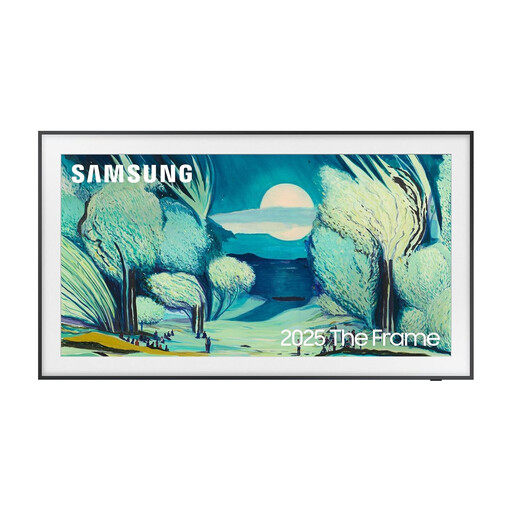
Samsung The Frame QE50LS03FAU 50-inch 4K TV
If this TV would replace a box, confirm the exact UK terrestrial service support and the channels the household uses before changing the setup. The product name specifies 4K Ultra HD and Wi-Fi. If an external device stays, test its required commands with the TV remote rather than assuming one-remote operation.
View on Joybuy
 No image available
VISPERA Rx32T1 32-inch Freeview HD TV
Its Freeview HD designation makes it relevant to a TV-led terrestrial setup, subject to suitable aerial reception. The product name specifies HD Ready and Roku TV; confirm the exact operating platform, catch-up support and remote layout before relying on it to simplify daily viewing.
View on Joybuy
Common questions
Can a TV replace a separate Freeview box?
Yes, if the TV has suitable built-in terrestrial reception, the home has usable aerial reception and the box is not needed for another function. Check recording, channels and other services before removing it; Freeview’s setup guidance describes tuning a Freeview-ready TV directly from an aerial.
Does live Freeview need an aerial?
Yes. Freeview says live channels through the TV Guide require an aerial. Check predicted channels for the address and the existing aerial arrangement before choosing this route.
Does Freeview Play need broadband?
Its catch-up and on-demand services do: Freeview states a minimum internet connection of 2Mbps. Terrestrial Freeview channels can be watched without internet, provided the TV has suitable aerial reception.
Can one TV remote operate a set-top box?
It may control some functions if the exact TV and box are compatible. Sony describes HDMI-CEC control for compatible equipment, while Samsung describes connected-device control through its Smart Remote; check both devices and test the commands used every day.
Can live TV work without an aerial or dish?
Yes, through Freely on a compatible internet-connected TV, according to Everyone TV’s Ofcom-hosted report. Confirm Freely on the exact model, check the home connection and try its live-TV interface before replacing a familiar aerial-based setup.


