
24/7 Customer Support

Free returns

Same-day & Next-day Delivery

Quality Guaranteed

Unlock Your Welcome Offers: FREE Delivery | Up to 80% OFF | Free 30-day JoyPlus trial
Download the APP
Buying a USB flash drive may seem straightforward, but product listings often make simple comparisons difficult. A low-cost USB memory stick may use an older interface, while a drive advertised as “high speed” may only reach its stated performance when connected to the right port.
For UK shoppers, the main traps are usually:
Choose capacity according to the files you regularly handle:
Remember that usable capacity is lower than the number printed on the packaging because of formatting and system data.
USB-A remains common on desktop PCs, older laptops, televisions, car systems and many gaming devices. USB-C is increasingly found on current laptops, Android phones, tablets and newer iPhone models.
A USB-C flash drive can connect directly to compatible mobile devices, but check that the phone or tablet supports external storage. Some devices may require permission, a compatible file system or a file-management app.
A dual interface USB drive combines USB-A and USB-C connectors. This is useful if you move files between a computer and a mobile device, or between newer and older equipment. Connector protection also matters: sliding, swivel and flip-cover designs can reduce the chance of losing a separate cap.
USB 3.0 and USB 3.2 drives are generally more suitable for large files than USB 2.0 models. However, the complete connection determines the result. A drive connected to a USB 2.0 port will be limited by that port, even if the drive itself has a faster interface.
When comparing a high-speed USB 3.2 flash drive, check both declared read and write speeds. Read speed affects opening or copying files from the drive; write speed affects saving files to it. Large video files may transfer more efficiently than thousands of small documents.
Advertised figures such as 500MB/s or 1,090MB/s should be treated as maximum stated performance rather than a guaranteed everyday result. Heat, file type, available device bandwidth and sustained workloads can all affect speed.
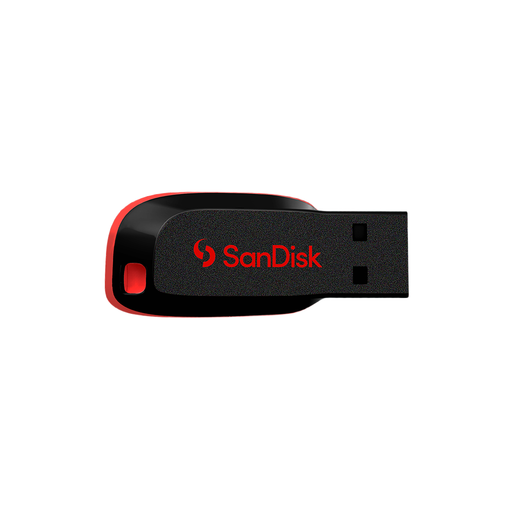
Why This Fits Their Persona: A straightforward choice for students, households and anyone who needs a small USB memory stick for documents, photos and music. Its compact 3g design is easy to carry in a laptop bag or pocket.
Its USB 2.0 specification is clearly suited to basic transfers, avoiding confusion with products marketed for high-speed video workflows.
64GB capacity, plug-and-play use and compatibility with standard USB 2.0 ports.
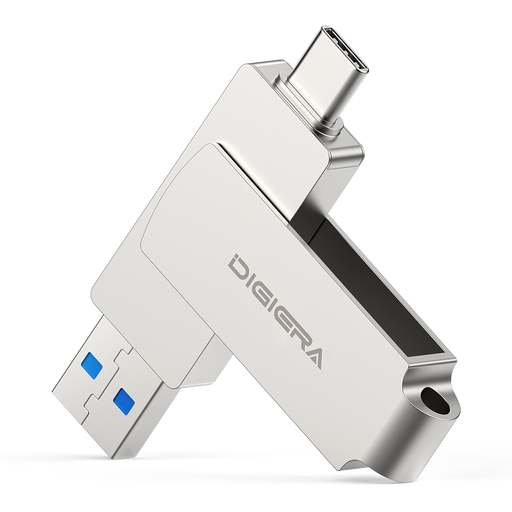
Why This Fits Their Persona: A flexible option for professionals and mobile users who regularly switch between USB-A computers and USB-C phones or tablets.
The two connectors reduce the need for separate adapters, while the swivel casing helps shield the ports from dust and scratches.
256GB capacity, USB-A and USB-C connectivity and declared read and write speeds of up to 500MB/s and 400MB/s.
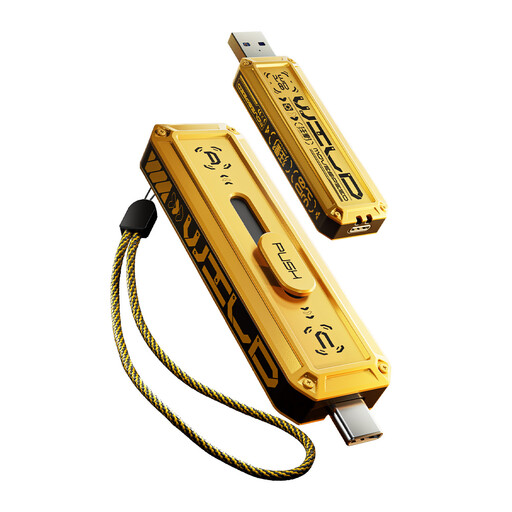
Why This Fits Their Persona: Suitable for content creators, gamers and small businesses carrying large media files, project folders or portable working data between compatible devices.
The listing identifies the 1TB capacity, dual interface and declared transfer speeds, making it easier to compare capacity separately from performance.
1TB storage, USB-A and Type-C connectors, zinc alloy housing and declared read/write speeds of up to 1,090MB/s and 1,030MB/s.
We have compiled a complete, real-time list of products that fully satisfy these strict selection criteria and UK safety regulations.
No. The phone must support USB host or external storage functions, and the connector must match. Some devices may also require permission or a compatible file system. Check the manufacturer’s specifications before buying.
Lifespan depends on usage, storage conditions and the amount of data written. Avoid moisture, excessive heat and physical impact. For important files, use more than one storage location rather than relying on one drive.
No electricity subscription or ongoing service is normally required. A USB flash drive draws power from the connected device. However, larger or faster models may use more power during intensive transfers, which can matter when backing up from a phone or tablet.