
24/7 Customer Support

Free returns

Same-day & Next-day Delivery

Quality Guaranteed

Unlock Your Welcome Offers: FREE Delivery | Up to 80% OFF | Free 30-day JoyPlus trial
Download the APP
A reliable USB flash drive is an essential tool for students, professionals and home users across the UK. Whether you're backing up important coursework, transferring large files for work, or simply moving photos from your laptop, the right USB stick makes life easier. However, the market is flooded with options, and it's easy to fall for common purchasing traps that lead to frustration and wasted money.
As a Joybuy Product Recommendation Officer, my role is to help you navigate the options and identify what truly matters. Let's look at the most common pitfalls and how to avoid them.
To make a smart purchase, focus on these three core parameters. They will determine the performance, compatibility and longevity of your new memory stick.
This is the most critical factor for compatibility.
USB C flash drive is essential for these devices.USB for phone without needing an adapter.Don't be swayed by a single speed number. A high speed USB drive should perform well in both reading and writing.
pen drive.How much space do you really need?
128GB USB stick or 256GB flash drive provides ample space for large photo libraries, music collections and a good number of HD videos, all at a reasonable price point.Based on these practical criteria, we've matched several products to common UK user profiles.
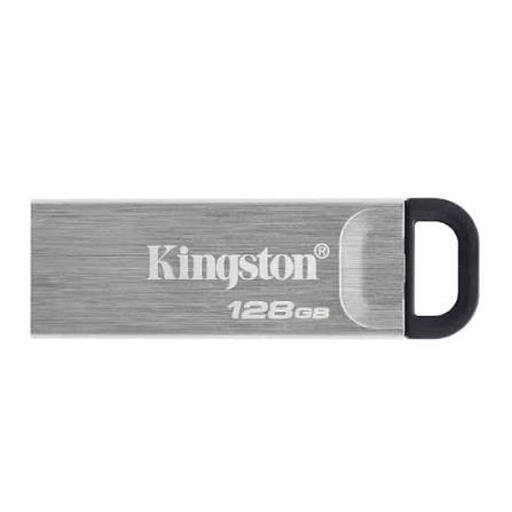
Why This Fits Their Persona: This user needs a reliable and affordable drive for coursework, documents and personal files. It needs to be sturdy enough to survive being tossed in a backpack and fast enough for everyday transfers without long waits.
Its capless metal casing directly counters the flimsy plastic trap, offering solid durability. The USB 3.2 Gen 1 speeds (up to 200MB/s read) avoid the sluggish performance of basic USB 2.0 drives.
A great balance of speed, durability and value. The functional loop is practical for attaching to a keychain, making it less likely to be lost.
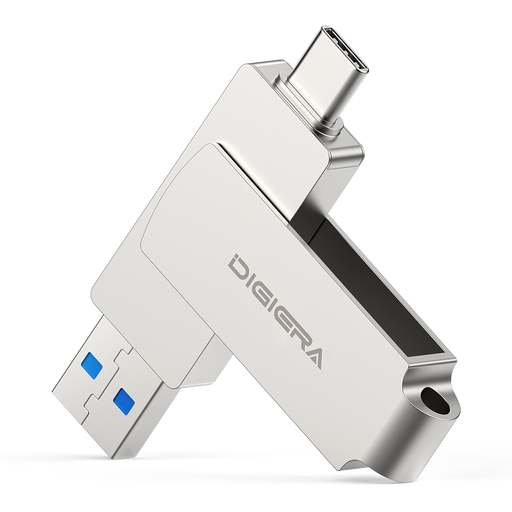
Why This Fits Their Persona: This user juggles a work laptop (USB-A), a personal MacBook (USB-C) and an Android phone. They need one drive to rule them all, with enough speed and capacity for presentations, project files and media backups.
The dual USB-A and USB-C connectors completely solve the connector mismatch problem. Its 360° rotating metal casing is far more robust than flimsy plastic alternatives, protecting the connectors without a cap to lose.
Ultimate convenience and compatibility. The high read speed (up to 500MB/s) and generous 256GB capacity make it a versatile workhorse for any modern device.
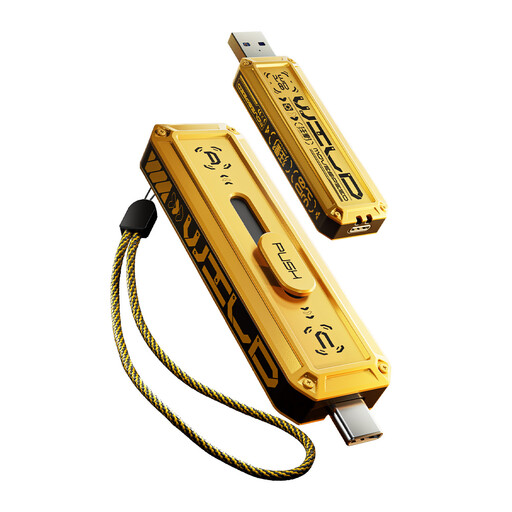
Why This Fits Their Persona: This user works with 4K video, high-resolution photos or large game files. For them, time is money, and waiting for files to transfer is not an option. They need maximum speed, capacity and durability.
It demolishes the "high-speed myth" by offering exceptional write speeds (up to 1030MB/s) that are nearly as fast as its read speeds. The robust zinc alloy housing ensures it can withstand the demands of a professional workflow.
Performance that rivals an external SSD in a compact thumb drive form factor. The huge 1TB capacity and dual USB-A/USB-C interface provide unmatched speed and versatility for power users.
The lifespan of a USB flash drive is not infinite. It's determined by the number of write/erase cycles the internal memory chips can endure, which is typically in the thousands. For the average user, this translates to many years of use. However, physical damage is a more common cause of failure. A drive with a sturdy metal casing and a protected connector will generally last longer than a cheap plastic one.
Most new USB drives come pre-formatted with a file system like exFAT or FAT32 and are ready to use straight out of the box. exFAT is generally the most versatile, as it supports large file sizes (over 4GB) and is compatible with both Windows and macOS. You would only need to reformat the drive if you have a specific requirement, such as using the NTFS system for Windows-specific features.
Yes, in most cases. Modern Android phones and recent iPhones (iPhone 15 and newer) with a USB-C port can connect directly to a USB C flash drive. This allows you to easily transfer files or back up photos to free up space on your phone. You can access the drive's contents through your phone's built-in file manager app. It's a simple and effective way to expand your device's storage on the go.