Households missing dialogue during shared viewing
Several people need to follow speech without turning up loud action scenes or music. Which? identifies the difference between quiet dialogue and louder programme sound as a common TV-audio complaint.


Try the existing TV’s speech, equaliser and subtitle settings before replacing it: quiet dialogue alongside loud music or action does not necessarily call for a new screen. For clearer sound that everyone in the room can hear, consider a compatible soundbar or speaker system; for one person’s own volume, consider headphones, but check whether the TV can keep sound playing for other viewers. Replace the TV when its built-in sound remains unsuitable or you also need a new screen, and assess the exact model’s audio features rather than its age alone.
Several people need to follow speech without turning up loud action scenes or music. Which? identifies the difference between quiet dialogue and louder programme sound as a common TV-audio complaint.
One person wants private listening or a separate volume level while someone else watches in the room. Whether both can hear the programme at once depends on the TV’s audio-output options, as Sony and Samsung’s model-specific guidance illustrates.
A new screen is already under consideration, but built-in sound still matters. Which? includes sound in its TV testing; any voice-control feature should also be checked against the exact TV model and intended audio output.
Start with the sound and subtitle controls already available. If they do not meet the household’s needs, decide whether sound must be shared through room speakers or controlled independently through headphones before choosing connections or a replacement TV.
| Concern | What to check | Who this matters to |
|---|---|---|
| Improve the current setup | Try speech settings, equaliser controls and available subtitles before choosing new hardware. | If speech gets lost mainly when a programme turns loud, I want to see whether my TV’s settings help before changing the setup. Around 36% of consumers put that settings-first need ahead of a hardware purchase. |
| Shared-room dialogue | For a soundbar, check its dialogue controls and the TV’s compatible ARC, eARC or optical output; separate speakers also need suitable placement and connections. | When we watch together, I need dialogue that everyone can follow through room speakers rather than individual headphones. Around 29% of consumers put shared-room listening first. |
| Independent listening | Check the exact TV’s headphone connection, simultaneous-output options and whether wireless sound stays in sync with the picture. | I need my own volume without stopping someone else from hearing the programme. For around 21% of consumers, independent listening is the primary concern. |
| Replacement TV sound | Look for independent sound assessment, then check the exact model’s voice controls and outputs for future audio equipment. | If I am changing the screen, I want its built-in sound and connections to suit how we watch, not just a newer picture. Around 14% of consumers prioritise that combined TV-replacement need. |
According to Which?, dialogue can sit much quieter than action sequences. Raising the overall volume may make those louder scenes uncomfortable.
Try the TV’s speech or equaliser settings and available subtitles. If shared listening still needs improvement, assess a soundbar’s documented dialogue controls and independent speech-clarity testing where available.
HDMI ARC and eARC capabilities depend on the ports and devices involved; the soundbar’s connection options alone do not establish what the TV can output.
Check the labelled TV port and both devices’ manuals for the intended ARC, eARC or optical connection, including everyday volume-control behaviour.
Pairing headphones does not establish that TV speakers or a soundbar can remain active. Sony and Samsung describe different simultaneous-output capabilities on supported TVs, and Panasonic warns of possible Bluetooth audio delay on a specified model.
Check the exact TV’s audio-output settings and whether another viewer needs speakers or a second headphone pair; test lip-sync where possible.
Built-in sound and voice features vary by model. Sony also notes output configurations in which its Voice Zoom 3 feature is unavailable through TV speakers.
Compare independent sound assessments where available and confirm the replacement TV’s voice settings and headphone or speaker behaviour before ordering.
BRAVIA TVs and compatible audio products are relevant when TV-level voice controls and connected-device behaviour both matter.
Its soundbars are worth examining when shared-room listening and app-controlled speech settings are priorities.
Compact TV soundbars may suit a household seeking a single speaker unit with a dedicated dialogue setting.
Its TV audio options are relevant to households considering a soundbar or separate Bluetooth listening levels.
These soundbars relate to the shared-room listening route. Match their connection and placement requirements to your existing TV before deciding whether an added speaker is more appropriate than replacing the screen or using headphones.
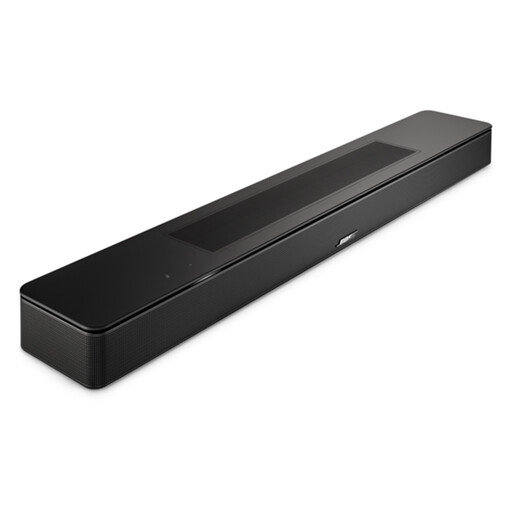 No image available
Consider this soundbar for shared TV listening if you want to keep the existing screen. Check whether your TV has the connection you intend to use; if headphone listening matters too, confirm compatibility with the specific headphones.
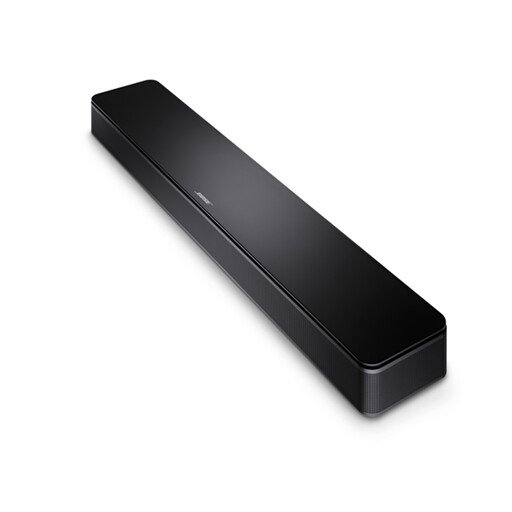 No image available
This TV speaker is a shared-listening option when you would rather add audio equipment than replace the screen. Confirm that your TV has a suitable audio output and check which cable is supplied for your intended connection.
 No image available
Consider this Arctic White soundbar for shared listening if your furniture has room for it. Measure the available space and confirm that your TV supports the intended audio connection before buying.
 No image available
This 2.0-channel soundbar is worth considering for a TV setup with a suitable optical output. Its listed specifications say ARC is unavailable, so do not plan around an ARC connection; confirm the intended connection before buying.
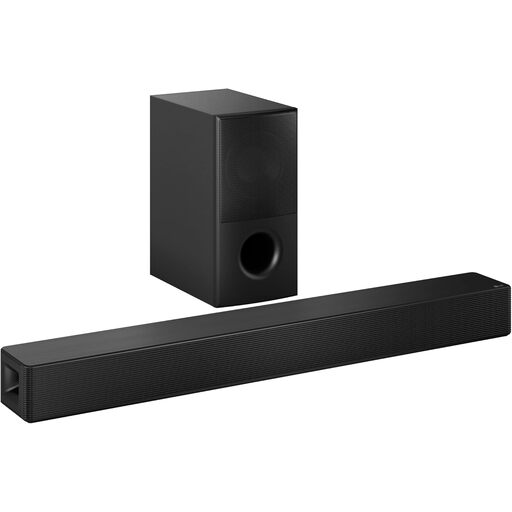 No image available
This 2.1-channel system suits a shared-TV setup where there is space for a separate wireless subwoofer. Check where both components will go and whether your TV supports the intended audio connection; the 320W figure does not establish dialogue clarity.
Yes: try the existing TV’s speech settings, equaliser and available subtitles first. Which? notes that dialogue can be much quieter than action, so turning up the master volume may not address the problem comfortably.
Not necessarily: ARC or optical may meet your needs if the exact TV and soundbar support the intended connection. HDMI Licensing Administrator describes eARC’s higher-bandwidth capabilities, but you should check both devices’ port labels and supported inputs rather than assuming any HDMI port will work.
Yes, if the exact TV supports simultaneous output in the required arrangement. Samsung documents independent Bluetooth-device and TV-speaker volume on supported TVs, while Sony describes configurations that cannot play through TV speakers and connected headphones at the same time.
Check the TV’s selected sound output and speech settings, particularly if the difficulty occurs only with certain programmes. If a device update or replacement changed the setup, recheck the intended connection and the soundbar’s dialogue setting before treating the equipment as faulty.