Immersion-first explorers
You play story-led or open-world games and want to hear environmental detail, music and directional cues throughout a long session.


Choose a headset that connects to your gaming platform before weighing up spatial-audio features: a PS5-centred model may suit one-console play, while a compatible dongle or base-station model may make more sense across several systems. For long sessions on a large screen, check the connection from your seat, fit and charging needs; an open-back design also calls for a quiet room where sound leakage will not be a problem.
You play story-led or open-world games and want to hear environmental detail, music and directional cues throughout a long session.
You move between a TV-connected console and a PC, or share one headset across systems. The exact model and connection method matter more to you than a feature tied to one platform.
You sit away from a large display and need a connection, charging routine and fit that remain practical for extended play.
Start with the exact console or PC connection, then decide how much audio detail, freedom from cables and room suitability matter to your sessions.
| Concern | What to check | Who this matters to |
|---|---|---|
| Environmental audio | Check whether spatial or 3D audio works with your platform and games, rather than relying on the feature name alone. | I want to pick out subtle ambience and directional cues while exploring, rather than choose on microphone features alone. Around 36% of consumers put environmental audio first. |
| Platform compatibility | Match the exact model variant, adapter or base station to every system and port you intend to use. | Switching between a console and PC makes one workable connection for each device my main concern. For around 29% of consumers, platform compatibility takes priority. |
| Long-session use | Consider fit and the charging arrangement for wireless play; for a wired headset, check cable reach from your seat. | If I play from the sofa for hours, I need a headset I can keep wearing and using without an awkward interruption. Around 21% of consumers place long-session practicality first. |
| Chat and room fit | Check microphone controls and decide whether an open-back design suits the noise and people in your room. | In a shared room, I care most about being heard in chat without choosing a design that lets too much sound out. Room and chat needs come first for around 14% of consumers. |
Console support can change with the model variant and its adapter. SteelSeries lists broad platform support for the Arctis Nova 7X, while Sony lists PULSE Elite for PS5 and other specified devices; neither specification applies to every headset from those brands.
Check the complete model name and connection method against each device you plan to use.
Logitech G describes HDMI 2.1 passthrough for the Astro A50 X, but using that arrangement depends on how the consoles and display are connected.
Check your console and display ports and the video settings you want before choosing a base-station setup.
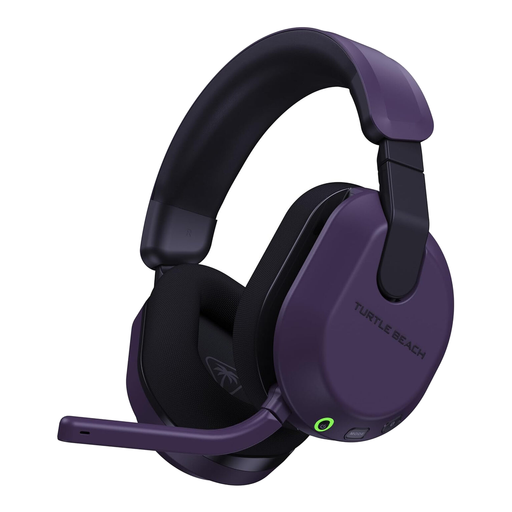
Turtle Beach describes the Atlas Air as open-back. That construction may suit a quiet, private space but is less practical when you need to limit sound heard by others or keep household noise out.
Decide whether your usual playing room calls for awareness of your surroundings or greater sound isolation.
Relevant to a PS5-centred setup, particularly when you play games that support PS5 3D Audio.
Worth comparing when one headset needs to serve several gaming platforms.
Relevant when a multi-console large-screen setup has room for an HDMI-connected base station.
Offers an open-back route to consider for PC play in a quiet, private room.
These choices cover PS5-focused wireless play, headsets listed for particular console and PC combinations, and a wired option. Check the exact variant and connection against your own large-screen setup.
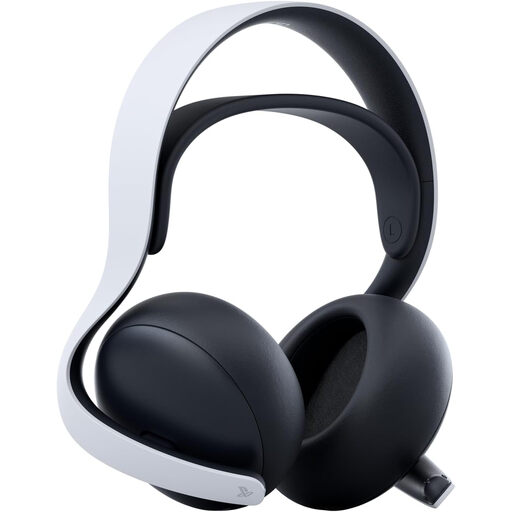 No image available
A PS5-centred choice if you want to use 3D Audio in supported exploration games.
Sony lists a PlayStation Link USB adapter and up to 30 hours of rated battery life for PULSE Elite. Check compatibility with any other device you plan to use and whether the fit suits longer sessions.
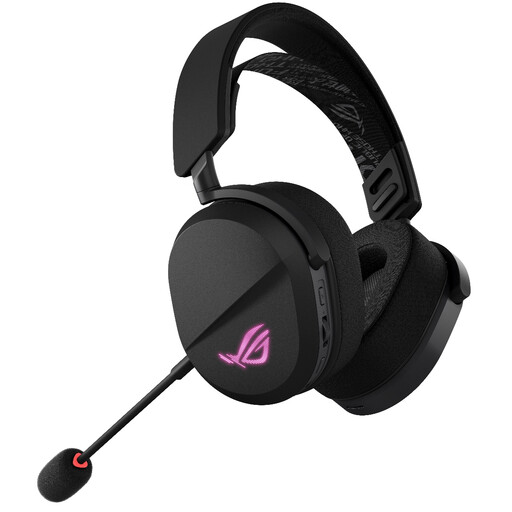 No image available
Consider this model if your large-screen gaming moves between PC, PS5 and Nintendo Switch.
Check the connection mode for each device and whether the audio features you want work on that platform. Confirm Xbox compatibility separately if it matters to your setup.
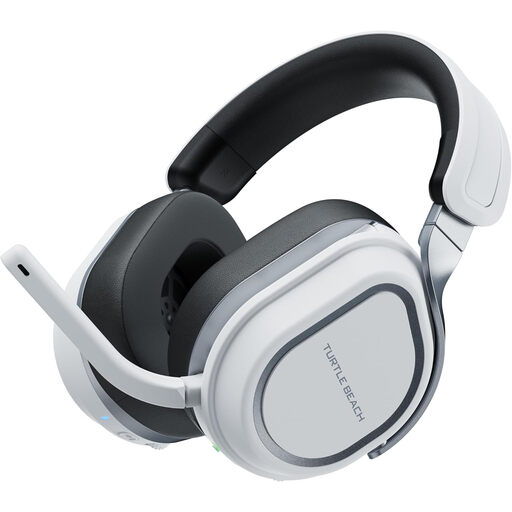 No image available
This PlayStation-edition model is relevant if you switch between a listed PlayStation console and PC.
Confirm how you will connect each system and whether your chosen games and platform support the spatial-audio features you want. Try to assess the fit for the length of your usual sessions.
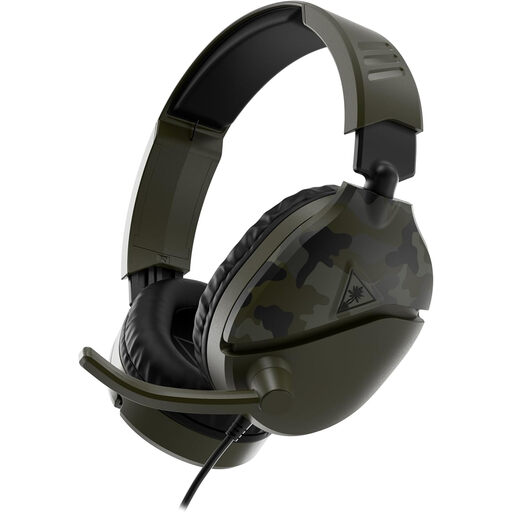 No image available
A wired option if your controller or device has a suitable 3.5 mm connection and the cable can reach your playing position.
Check cable length before buying. Spatial-audio availability varies by platform, and some technologies may require an additional purchase.
 No image available
Consider this Xbox-and-PC model when your large-screen setup centres on those systems.
Check how it connects to each device and whether the spatial-audio features you want work with your games. If you also use PlayStation, confirm that its connection and available features meet your needs.
No, but platform-compatible spatial audio is worth considering if directional environmental cues matter to you. Sony describes PULSE Elite's 3D Audio features for PS5 games that support them; check both game and headset support before making that feature decisive.
Sony's PlayStation support guidance says to use the included PlayStation Link USB adapter with a PS5. For a compatible PC or Mac, check Sony's connection instructions and the computer's available USB port before buying.
It can suit a quiet, private room if you want to remain aware of your surroundings. An open-back model such as Turtle Beach's Atlas Air is less suitable when other people may hear your game audio or household noise distracts you.
You may be entitled to a refund, repair or replacement, according to Citizens Advice guidance on faulty goods. Keep your purchase details and describe the fault to the seller; a fault is different from simply deciding that a non-faulty headset does not suit you.
Use an appropriate electrical-waste collection route rather than ordinary household waste. GOV.UK says waste electrical products can be taken to a local household waste recycling centre; check local instructions for a headset with a battery.