
24/7 Customer Support

Free returns

Same-day & Next-day Delivery

Quality Guaranteed

Unlock Your Welcome Offers: FREE Delivery | Up to 80% OFF | Free 30-day JoyPlus trial
Download the APP
A cluttered desk and strained eyes are common complaints for anyone spending long hours at a computer. A traditional desk lamp often creates glare on your screen or takes up valuable space. The monitor light bar, a sleek light source that sits atop your display, has emerged as a popular solution. However, not all screen bar lights are created equal. Many fall short, leading to buyer's remorse.
As a Joybuy Product Recommendation Officer, my role is to help you navigate the market. This guide will highlight the common pitfalls to avoid and the key features to look for, ensuring you find a light that genuinely improves your workspace.
Before you buy, be aware of these frequent issues that can turn a promising purchase into a daily frustration.
To ensure your investment enhances your comfort and productivity, focus on these non-negotiable specifications.
This is the most critical feature. An effective monitor light bar must have an asymmetric optical design. This means the light is precisely angled to illuminate the desk area in front of your monitor without casting any light onto the screen itself. This eliminates reflective glare, protecting your eyes and ensuring a clear view of your display. Always check that the product description explicitly mentions this feature.
Your lighting needs change throughout the day. A quality dimmable screen light allows you to control brightness levels to match your ambient environment. Equally important is adjustable colour temperature, measured in Kelvin (K).
Most modern monitor light bars are powered via USB. A USB C monitor light is preferable as it uses the current, reversible standard. Check the length of the included cable to ensure it can comfortably reach your computer or a power source. The build quality also matters; metal housings often provide better heat dissipation and durability than all-plastic models.
Based on these essential criteria, here are a few options matched to different user needs.
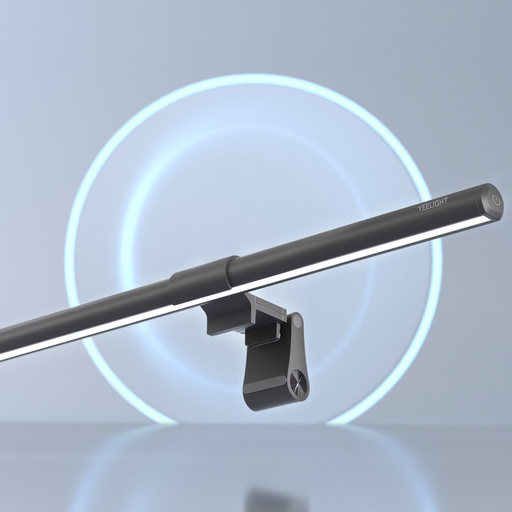
Why This Fits Their Persona: An excellent entry-point for students or home office users in the UK who want the core benefits of a monitor light bar without a significant financial outlay. It provides essential eye-care features for a more comfortable workspace.
This model includes the essential asymmetric light design to prevent screen glare, a common failure in other budget options. It also offers adjustable colour temperature and brightness.
Focuses on core functionality with dimmable LED controls and adjustable colour temperature, delivering high value for its price point.
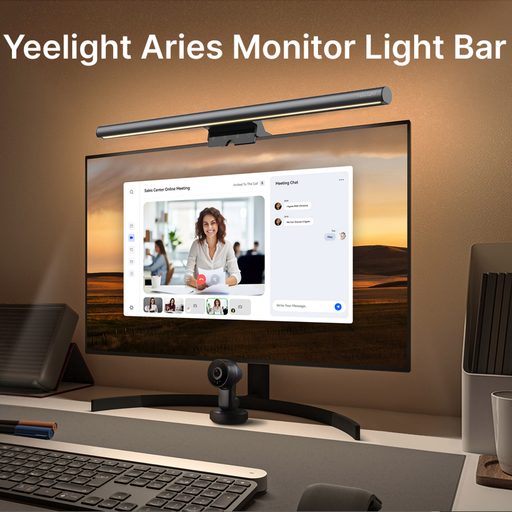
Why This Fits Their Persona: For designers, developers and remote workers who demand superior light quality and build. Its high CRI is crucial for colour-sensitive work, and its robust construction is built for daily, intensive use.
This model directly addresses the poor light quality trap with a high CRI of Ra95, ensuring true-to-life colour rendering. Its tool-free clip is also designed for compatibility with a range of monitors, including curved screens.
Features a premium full-metal build for durability and heat dissipation. The USB-C connection and intuitive controls with presets for work, reading and leisure offer enhanced convenience.
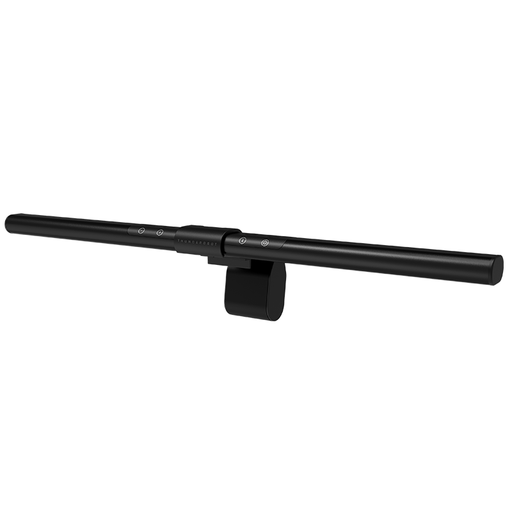
Why This Fits Their Persona: Designed with gamers in mind, this gaming light bar focuses on performance features like flicker-free lighting and high colour accuracy to make game worlds more vibrant and reduce eye fatigue during long sessions.
This light explicitly targets the flicker issue, promoting a stable light source to prevent eye strain. Its Ra95 CRI ensures that the rich colours of games and media are displayed accurately on your desk and peripherals.
Offers ten levels of dimming for precise brightness control. The combination of an asymmetric light source and high colour accuracy makes it a strong choice for an immersive gaming setup.
We have compiled a complete, real-time list of products that fully satisfy these strict selection criteria and UK safety regulations.
Many modern monitor light bars are designed with curved monitors in mind. They often feature a weighted, hinged clip that can securely rest on the thicker profile of a curved screen. Always check the product specifications for compatibility, which usually lists the range of monitor thicknesses (e.g., 0.3"–1.4") it can accommodate. Models like the Yeelight Aries explicitly mention this compatibility.
A well-designed light bar should not damage your monitor. Look for models with soft, non-slip padding on the parts of the clip that make contact with the monitor's frame. The weight is typically counter-balanced and rests on the back of the monitor, not on the screen itself, making it a safe and stable solution.
Monitor light bars are very energy-efficient. They typically consume between 5W and 10W of power, which can be easily supplied by a standard USB-A or USB-C port on your computer, a monitor with USB outputs or a simple phone charger. Their power consumption is significantly lower than that of most traditional desk lamps.