
24/7 Customer Support

Free returns

Same-day & Next-day Delivery

Quality Guaranteed

Unlock Your Welcome Offers: FREE Delivery | Up to 80% OFF | Free 30-day JoyPlus trial
Download the APP
If you spend hours at your desk, you know the struggle is real. A cluttered workspace, tired eyes from screen glare and shadowy lighting can turn a productive day into a frustrating one. A monitor light bar promises a sleek solution, but the market is flooded with options that look good online but fail in practice. As the Joybuy Product Recommendation Officer, my role is to help you see through the marketing clutter and find a product that genuinely improves your workspace.
Before you add any screen bar light to your basket, let's look at the common pitfalls that lead to buyer's remorse. Understanding these will help you invest in a tool that serves you well for years, rather than one that ends up in a drawer.
monitor light bar must have an asymmetric optical design that casts light forward and down onto your desk, not backward onto your monitor.gaming monitor light, poor colour accuracy can be a significant problem.To avoid the traps above, focus on these key specifications. They are the difference between a gimmick and a genuine productivity tool.
anti-glare monitor light experience. It illuminates your keyboard and documents without causing reflections on the screen you're trying to focus on.Instead of a generic list, we've matched specific products to different user needs. This helps you find a solution that fits not just your monitor, but your lifestyle.
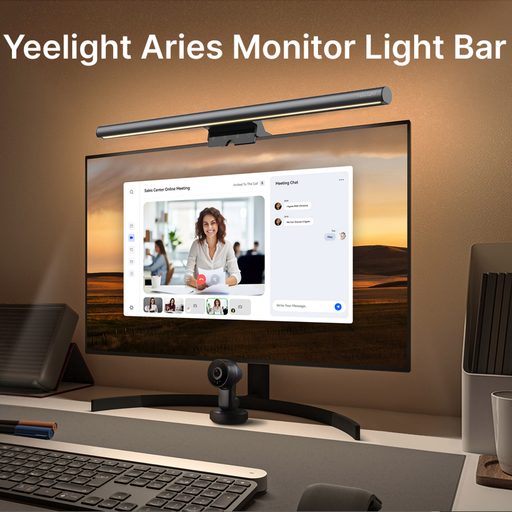
Why This Fits Their Persona: Ideal for UK professionals in creative fields or those who appreciate premium build quality. Its minimalist metal body complements a modern desk setup, while its technical specs support colour-critical work.
It directly addresses the colour distortion and mounting flaws. The high CRI Ra95 rating ensures true-to-life colours, while the tool-free clip is specifically designed to fit a wide range of monitors, including curved screens.
Exceptional colour accuracy (Ra95) and a wide, adjustable colour temperature range (2700K–6500K). The full-metal construction aids heat dissipation and ensures durability.
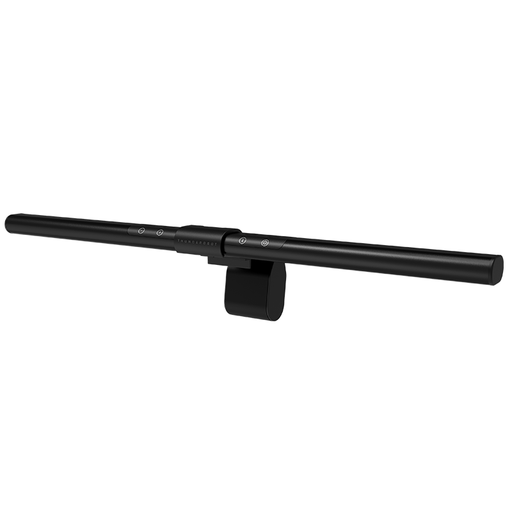
Why This Fits Their Persona: Built for those who spend long, intense hours at their screen. Whether for an e-sports session or a deep-work sprint, this light prioritises features that reduce eye fatigue and maintain focus.
This model's core feature is its asymmetric light source, which is the number one defence against the screen glare trap. It also offers ten levels of dimming, providing far more control than basic, inflexible lights.
Strong focus on eye-caring features, including flicker-free output and blue light safety. The high Ra95 CRI also makes it a versatile choice for a great gaming monitor light that doesn't distort in-game colours.
We have compiled a complete, real-time list of products that fully satisfy these strict selection criteria and UK safety regulations.
Here are answers to a few common questions we receive from shoppers in the UK.
This is a frequent concern, and the answer is: it depends entirely on the mounting mechanism. Basic spring-loaded clips often struggle with the shape of a curved screen. You should look for models with a weighted, counter-balanced hinge mount. These rest on top of the monitor and are held in place by gravity, making them far more adaptable. Always check the product specifications for stated compatibility with curved screens and maximum monitor thickness.
A usb monitor lamp is a very energy-efficient piece of equipment. Most models consume between 5 to 10 watts of power, typically powered by a standard USB-A or USB-C port. You can plug it directly into your monitor, laptop or a powered USB hub. This low power draw means it's an inexpensive and simple addition to your home office lighting setup without worrying about energy bills.
It's more accurate to say it serves a more specific purpose. A traditional led desk lamp for monitor setups can often create new problems, like casting shadows or creating a bright reflection on your screen. A monitor light bar is engineered to solve these issues by lighting your desk area from above without taking up valuable desk space and, most importantly, without causing screen glare. For a clean, ergonomic workspace focused on screen-based tasks, it is often the more suitable choice.