What matters before the call?
Choose the network at your calling location before choosing the device. For a Zoom 720p group call, Zoom lists 2.6 Mbps upload and 1.8 Mbps download; those requirements are more useful for planning than a hotspot’s maximum advertised speed.
Phone hotspot
Choose it when: Calls are occasional and your phone, signal and tariff can support tethering.
Trade-off: The call uses your phone’s battery and mobile data.
Dedicated 4G MiFi
Choose it when: You want a separate portable connection for a laptop or a few devices and local 4G meets the call’s needs.
Trade-off: You need compatible hardware and a suitable SIM or data plan.
Dedicated 5G MiFi
Choose it when: Repeated or shared use justifies it and your intended location has usable 5G coverage.
Trade-off: A 5G label alone cannot establish better call quality at that location.
| Concern |
What to check |
Who this matters to |
| Coverage and upload |
Compare networks’ indoor coverage at the calling location using Ofcom’s checker. For an important call, test the chosen SIM and calling app there. |
If the connection drops where I sit, a faster device specification will not rescue my call. Around 45% of consumers put reliable local coverage and usable upload first. |
| Occasional-use commitment |
Confirm your tariff permits tethering and check the remaining data allowance and phone battery. |
For a short call now and then, I would rather use my phone than carry another device if it can do the job. Around 27% of consumers primarily want that low-commitment route. |
| Separate or shared connection |
Check the SIM and plan needed by the device, then consider its stated battery life and connected-device capacity. |
With repeated calls or several devices, I want a connection that does not tie up my phone. Around 28% of consumers place separate or shared-use capacity first. |
Relevant brands for reference
These brands illustrate different portable-connection approaches; a brand’s inclusion does not indicate that a particular model is available on Joybuy.
TP-Link
The M7005 represents a compact, dedicated 4G MiFi option for someone who would rather not tether from a phone.
- TP-Link specifies up to 150 Mbps download, 50 Mbps upload, 12 hours of battery use and 10 connected devices for the M7005.
- Those are manufacturer maximums, not the speeds or battery life you will necessarily get during a call; network conditions still matter.
NETGEAR
The Nighthawk M6 is a 5G hotspot to consider for repeated use or several connected devices rather than capacity needed solely for one short call.
- NETGEAR specifies Wi-Fi 6 speeds up to 3.6 Gbps and up to 32 concurrent devices for the M6.
- Its stated Wi-Fi capacity does not establish the cellular upload speed available at your calling location.
Three
Three offers a network-and-device route for consumers who prefer a carrier-supplied MiFi and data plan.
- Three describes its portable MiFi as a data-SIM-based connection and presents its 5G MiFi U50 for uses including video calls.
- Check the selected plan and coverage at your call location; the intended use does not guarantee how a call will perform there.
Joybuy portable hotspot options
These D-Link devices are dedicated portable hotspots: one labelled 4G LTE and one labelled 5G NR. If phone tethering already meets your needs, you may not need either; for a separate hotspot, check network and SIM compatibility and local coverage before choosing between them.
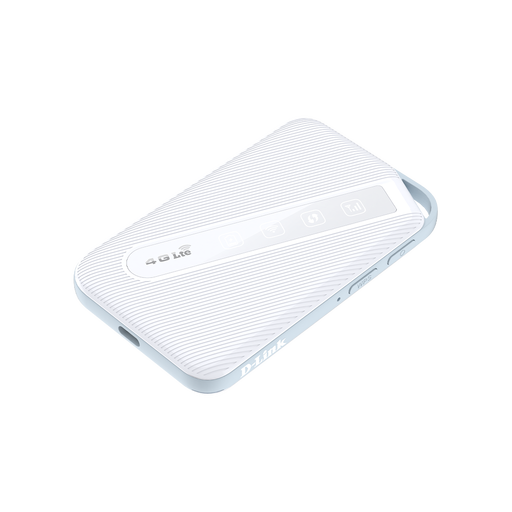 Image unavailable
D-Link DWR-932W 4G LTE AX300 Wi-Fi 6 hotspot
Consider this dedicated 4G option if you want a separate portable connection for a short call. Its name specifies 4G LTE and AX300 Wi-Fi 6; confirm the exact Wi-Fi specification if it affects your choice, as the supplied product descriptions differ. Check compatibility with your chosen network and SIM, and test the connection where you will call.
View on Joybuy
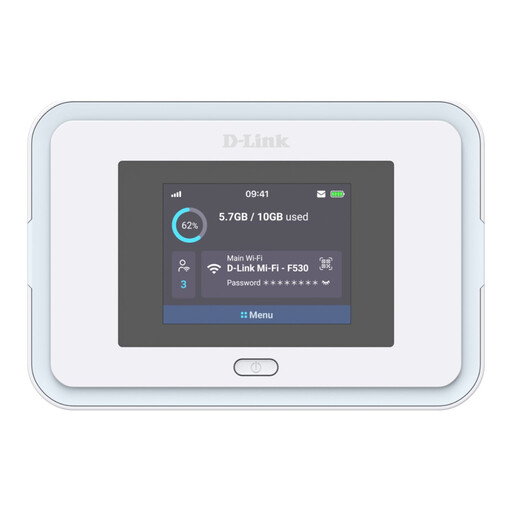 Image unavailable
D-Link F530 5G NR AX3000 Wi-Fi 6 hotspot
Consider this dedicated 5G option for repeated portable use if your chosen network and plan provide usable 5G where you call. Its name specifies 5G NR and AX3000 Wi-Fi 6, but neither establishes the upload speed you will experience. Confirm SIM and network compatibility before ordering, and check connected-device capacity if you intend to share it.
View on Joybuy
Frequently asked questions
Can I use my phone instead of buying a hotspot?
Yes, if your phone can tether, your tariff permits it and the connection works at the call location. EE’s Data SIM terms allow tethering subject to device capability, but check your own provider’s terms, remaining data and phone battery.
Do I need 5G for one short video call?
Not necessarily: a 4G connection that meets your calling app’s requirements at the intended location may be enough. Zoom lists 2.6 Mbps upload and 1.8 Mbps download for a 720p group call, so check actual connection performance rather than choosing 5G on the label alone.
How can I check coverage before an important call?
Use Ofcom’s mobile checker to compare networks’ indoor and outdoor predictions for the relevant postcode. Because reception can differ at the actual location, test the intended SIM and calling app where you will sit if the call matters.
Does a dedicated MiFi need a separate SIM?
A MiFi needs a suitable mobile data connection; Three describes its mobile broadband devices as using a data SIM to create portable Wi-Fi. Check the exact device’s SIM requirements and your chosen plan’s allowance and 4G or 5G access before ordering.


