New-phone buyers without an included plug
Check the phone’s charging port and official power and protocol requirements before reusing an old plug. Check whether you already have the right cable, too.


Start with your exact phone model’s charging requirements, then match the charger, cable and any required USB Power Delivery (PD) or Programmable Power Supply (PPS) support. A higher wattage on the plug will not by itself make the phone charge faster. USB-C is a useful starting point for many recent phones; keep a USB-A setup only if it is compatible, and choose wireless charging only if the handset supports the relevant standard.
Check the phone’s charging port and official power and protocol requirements before reusing an old plug. Check whether you already have the right cable, too.
Choose a compatible product with an identifiable manufacturer and model from a reputable retailer. Electrical Safety First advises checking charging equipment for damage and warns that product markings alone can be faked.
A USB-C charger may serve more than one compatible phone, but check each model’s charging mode and cable. A shared plug’s output rating does not establish the rate each phone can use.
Identify your exact phone model first, then check the connection, charging mode and cable as a set. If you prefer a wireless pad, check the phone’s wireless support separately.
| Priority | What to check | Your needs |
|---|---|---|
| Phone compatibility | Find the exact model’s charging port, supported wired power and any required PD or PPS mode in its official specifications. Match the charger’s output and the cable’s connectors to those requirements. | My old plug fits the cable, but I want to know whether the whole setup supports my new phone’s charging mode. |
| Useful power | Compare the phone’s supported charging mode with the plug’s output, not just its headline wattage. Samsung says its 25W Super Fast Charging requires a compatible USB PD 3.0 device supporting Direct Charging; its 45W mode has device and cable conditions. | I would rather choose power my phone can use than rely on a larger number printed on the charger. |
| Cable and connector | Check both cable ends, the cable capability required for the intended charging mode and whether one comes with the plug. Apple sells its UK 20W USB-C adapter without a cable; Samsung identifies a genuine 5A cable for optimal results with its 45W charger. | If my existing cable is unsuitable, I need to account for a replacement cable as well as the plug. |
| USB-A setup | Keep a USB-A plug only where the phone and cable support that arrangement. Do not assume it provides a documented USB-C PD fast-charging mode. | I can reuse an older plug if it is compatible, even if it does not provide the charging mode I would get from another setup. |
| Wireless charging | Confirm that the exact handset supports wireless charging and check its Qi or Qi2 requirements, case fit and the pad’s power needs. Google states that Pixel 10 and later models, except Pixel 10a, support Qi2; it says older Qi1.x chargers can charge those phones more slowly, at up to 5W. | I want a charging pad for my desk or bedside, but only if it works with my phone and case. |
| Product traceability | Look for a named manufacturer, model number and a reputable retailer. Electrical Safety First advises checking for a UKCA or CE mark but cautions that marks can be faked. | For a replacement mains plug, I want to be able to identify what I am buying and who made it. |
A 45W label describes the charger’s output capability, not a charging rate every phone will reach. Samsung says its 45W mode depends on a compatible device, while cable quality and environment can affect performance.
Check your phone’s official charging mode and cable requirements before comparing charger wattages.
The cable may be sold separately or have requirements specific to the charging mode. Apple sells its UK 20W adapter without a cable, and Samsung identifies a genuine 5A cable for optimal results with its 45W charger.
Check the package contents and the required connector and cable capability for your phone and plug.
A separate compatible cable may be needed alongside a wall adapter.
Electrical Safety First warns that markings can be faked, so a logo alone does not establish that an untraceable charger is safe.
Buy from a reputable retailer and check the manufacturer and model number as well as the marking and the product’s suitability for your market.
Wireless support and charging rates vary by handset and standard. Google says older Qi1.x chargers can charge compatible Pixel 10-series phones more slowly, at up to 5W.
Confirm your exact phone’s Qi or Qi2 support, then check the pad, case fit and its required power supply.
These manufacturer examples show why the phone model and charging setup matter; they do not establish which brand suits every handset.
Apple’s UK 20W USB-C adapter is a first-party option to consider for a compatible iPhone.
Samsung’s 25W and 45W charger routes depend on the charging mode supported by the specific Galaxy device.
Belkin’s 30W USB-C wall-charger bundle is an example to consider when a USB-C-to-USB-C cable is also needed.
Anker’s UK Nano A2337 is a 30W USB-C charger option with listed PPS support.
These options cover USB-C wall chargers, USB-C-to-USB-C replacement cables and a Qi2 wireless stand. Choose a route only after checking your phone and the other parts of your charging setup.
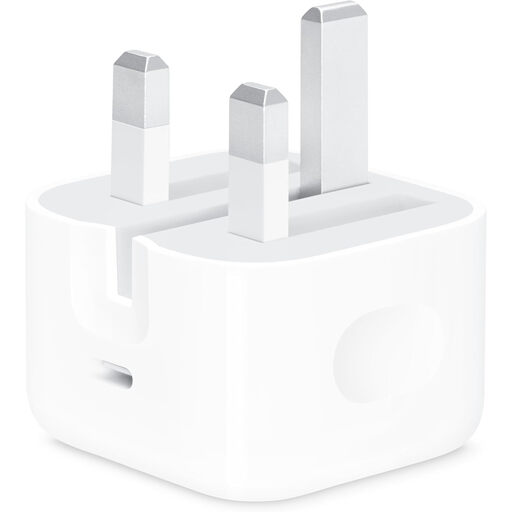 No image available
Consider this USB-C wall adapter for a compatible iPhone. Apple describes fast charging for iPhone 8 or later under its stated conditions; the cable is sold separately, so check which cable your phone requires.
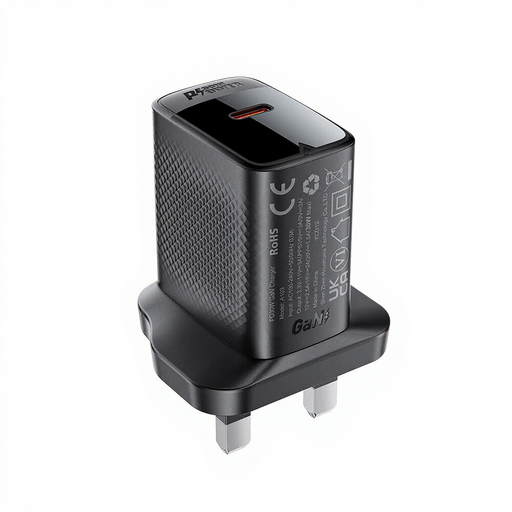 No image available
This USB-C wall-charger option has a stated 30W rating. Compare its charging modes with your exact phone’s requirements, and check the manufacturer, model number and UK-market product information before buying.
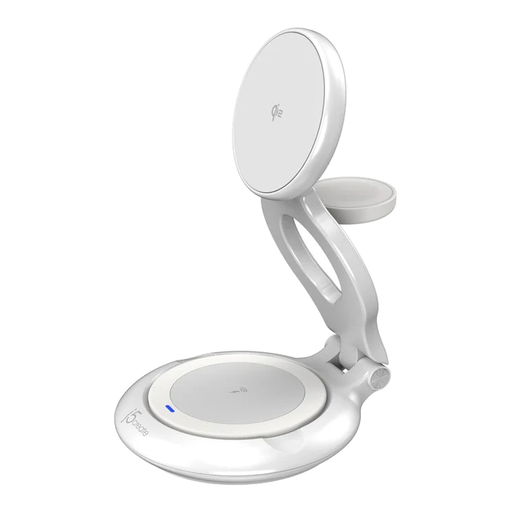 No image available
This wireless option is for a phone that supports a compatible Qi2 charging setup. Check your phone and case, then confirm the package contents and the power adapter needed to run the stand.
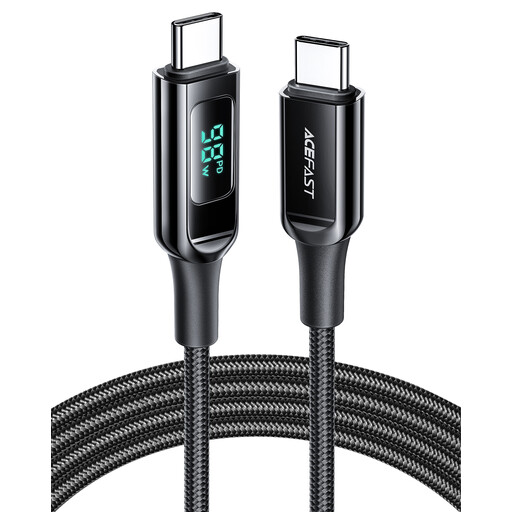 No image available
A replacement cable to consider when the phone and wall charger use USB-C connections. Its stated 100W cable rating does not establish how quickly your phone will charge; check the phone and adapter requirements.
 No image available
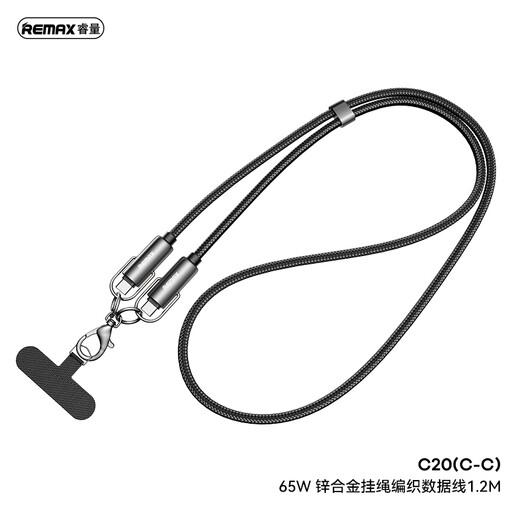
This replacement cable is for a setup with USB-C connections at both ends. The stated 65W cable rating is not the phone’s charging rate; check the charging mode required by your phone and adapter.
Find your exact phone model’s official charging specifications. Check its port, supported wired power and any required PD or PPS mode, then match the plug and cable; a charger’s larger output rating does not tell you the phone’s supported input.
No. Samsung says its 45W Super Fast Charging 2.0 requires a USB PD 3.0-compatible device supporting Direct Charging. It also notes that the device model, cable quality and environment can affect charging performance.
You may. Apple’s UK 20W USB-C adapter is sold without a cable, while Samsung specifies cable requirements for its documented fast-charging routes. Check both connector ends and the cable required for your phone and chosen plug.
Confirm that your exact phone supports wireless charging and check its Qi or Qi2 standard, then check the pad and case. Google says Pixel 10 and later models, except Pixel 10a, support Qi2 and advises checking the Wireless Power Consortium database for Qi certification.
No. GOV.UK guidance dated March 2026 lists UKCA or CE marking for electrical equipment placed on the Great Britain market, and CE, or UKNI and CE, for Northern Ireland. Electrical Safety First cautions that marks can be faked; also check the manufacturer and model number and buy from a reputable retailer.