
24/7 Customer Support

Free returns

Same-day & Next-day Delivery

Quality Guaranteed

Unlock Your Welcome Offers: FREE Delivery | Up to 80% OFF | Free 30-day JoyPlus trial
Download the APP
By Joybuy Product Recommendation Officer
A professional OBD2 car diagnostic scanner can do far more than switch off a warning light. Depending on the model and vehicle, it may scan multiple control units, display live data, run active tests, complete service resets and support selected ECU coding tasks.
The challenge for UK buyers is separating useful capability from broad marketing language. A low-cost car fault code reader may only access the engine ECU, while a higher-priced tool may still require paid software, an account or vehicle-specific authorisation for advanced functions.
“All-system” generally means the scanner can communicate with multiple available vehicle systems, such as the engine, transmission, ABS, SRS, BCM or TPMS. It does not guarantee identical coverage across every make, model and year.
Special functions such as injector coding, DPF regeneration, battery registration or ECU coding are often vehicle-dependent. Always check compatibility using the exact make, model, year, engine and VIN, particularly for newer UK vehicles.
A tool advertised with “free updates” may offer them for one year, two years or the stated lifetime of the device. Some products also separate core diagnostics from paid special-function software.
Before buying, confirm:
A vehicle diagnostic tool with lifetime updates can reduce long-term running costs, but the exact update terms should still be checked on the product page.
A bi-directional OBD2 scanner can send commands to vehicle components, such as cooling fans, windows, lights or throttle actuators. This can help narrow down a fault, but an active test does not replace safe mechanical inspection.
ECU coding and module programming also require stable voltage. Use a suitable battery maintainer where the manufacturer recommends it, avoid interrupting communication and confirm the procedure for the specific vehicle. Incorrect coding may create additional faults.
For routine fault-code reading, look for support for standard OBD2/EOBD protocols. In the UK, petrol cars generally use OBD-compatible systems from the late 1990s, while diesel compatibility commonly begins later; exact coverage depends on the vehicle.
For newer cars, CAN FD diagnostic tools and DoIP support can be important. CAN FD allows newer vehicle networks to transfer larger data frames, while DoIP uses IP-based communication for selected diagnostic operations. These protocols do not automatically guarantee coverage, so use the vehicle compatibility checker before ordering.
A useful automotive diagnostic scanner should provide more than a code description. Check whether it can display:
Graphing several parameters at once can make it easier to compare readings while a vehicle is running. For a home mechanic, clear menus and a built-in fault-code library may be more practical than a large number of rarely used functions.
If you carry out your own maintenance, look for an OBD2 scanner with service resets. Common functions include oil reset, electronic parking brake reset, steering-angle calibration, battery registration, ABS bleeding, throttle relearn, DPF regeneration and TPMS reset.
The number of resets is not the only consideration. Check whether the functions you actually need are supported for your vehicle. A scanner with 15 useful functions may be more suitable than one listing 30 functions that are unavailable on your car.
The following options match different levels of use, from occasional home diagnostics to independent workshop work.
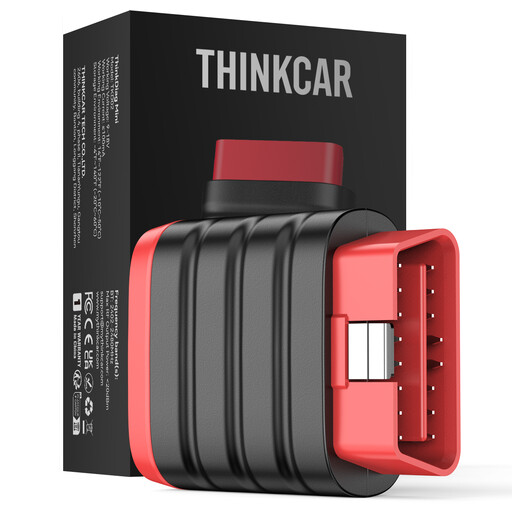
Why This Fits Their Persona: A compact Bluetooth option for UK drivers and weekend DIY users who want full-system scans from an Android or iOS phone.
The listing clearly distinguishes full-system diagnostics from maintenance resets and special functions, helping buyers avoid assuming every service task is included.
Bluetooth 5.0, live data, read/clear DTCs, VIN detection and stated lifetime free updates.
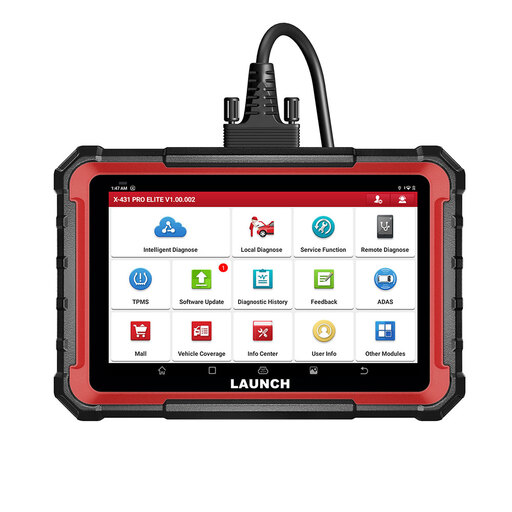
Why This Fits Their Persona: Designed for independent garages and technicians needing a larger tablet interface for repeated diagnostics and saved reports.
The listing states a two-year free update period rather than implying unlimited updates, making the future subscription position easier to assess.
8-inch touchscreen, CAN FD and DoIP support, ECU coding, active tests, 31-plus listed reset services and report sharing.
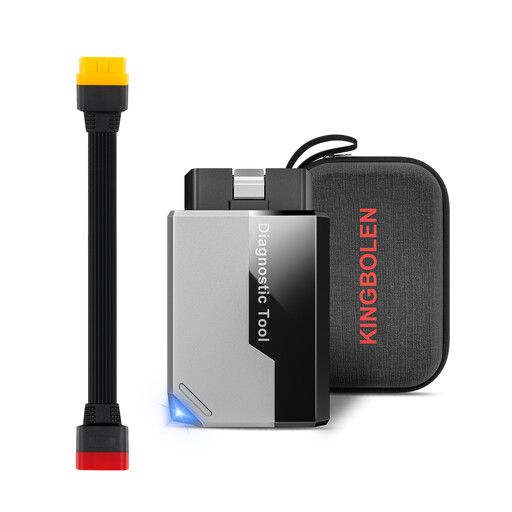
Why This Fits Their Persona: Suitable for mobile mechanics, home garages and owners who need a pocket-sized tool with service functions and active testing.
Its listing notes that reset availability varies by model and year, and that FCA access may require compatibility confirmation before purchase.
15 listed reset functions, bi-directional testing, CAN FD support, FCA AutoAuth compatibility and Bluetooth 5.2.
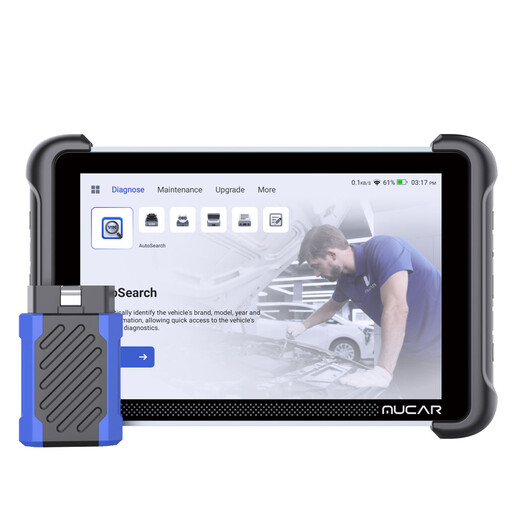
Why This Fits Their Persona: A tablet-based option for garages handling varied European, Asian and American vehicles and wanting room to expand their equipment.
The listing identifies lifetime updates, supported protocols and separate warranty terms, while FCA and newer vehicle coverage should still be checked against the VIN.
8-inch touchscreen, CAN FD and DoIP, ECU coding, bi-directional control, 34-plus service functions and magnetic VCI.
We have compiled a complete, real-time list of products that fully satisfy these strict selection criteria and UK safety regulations.
Yes, provided the vehicle and scanner are compatible. Basic code reading is relatively straightforward, but active tests, service resets and ECU coding require careful adherence to the vehicle and scanner instructions. DIY users should begin with reading codes and live data before attempting programming functions.
Hardware lifespan depends on storage, handling, battery care and software support. Wired tools have fewer wireless components, while Bluetooth adapters rely on a compatible phone and app. A product listed with lifetime updates may remain supported for longer, but update scope and vehicle coverage can change, so retain the purchase documentation.