What to check before choosing
Start with the bus game and platform, then make sure the wheel, pedals and any extra controls will fit where you sit.
| Concern | Buying checks | Who this matters to |
|---|
| Game and platform compatibility |
Check the exact game version, platform and wheel model; confirm which steering, pedal, feedback and button functions the game supports. |
I need the wheel to work with the bus game I actually play, not just with my console or PC. Around 36% of consumers put game and platform compatibility first. |
| Seated mounting and pedals |
Measure desk thickness and underside clearance, and plan how the pedals and chair will stay in place. |
At my desk, a stable driving position matters more than extra controls if the pedals move underfoot. For around 29% of consumers, mounting and pedal placement are the primary concern. |
| Accessible bus controls |
Check reachable buttons and in-game remapping; for a separate truck-style rim, check its required base and adapter. |
I want to reach frequently used bus functions without relying on a keyboard, provided my game lets me map them. Around 21% of consumers place accessible controls first. |
| Feedback and expansion |
Compare drive type and included components, then check compatibility before planning later rim or accessory changes. |
Once my game and seated position are sorted, I care most about steering feedback and room to change the setup. That is the first priority for around 14% of consumers. |
Joybuy product choices
These wheel-and-pedal choices cover seated PC, PlayStation or Xbox setups, depending on the variant. Match the exact bus game and your mounting position before choosing; the Thrustmaster T248X and T128 listings here are different models from the T248R discussed above.
 No image available
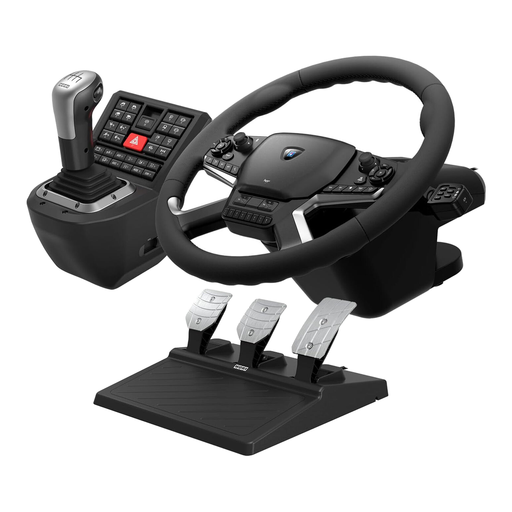
HORI Force Feedback Truck Control System (Windows 11/10)
Consider this truck-oriented PC system if you want a seated commercial-vehicle layout. Its name specifies Windows 11/10 and force feedback; check the components supplied, desk mounting and support for your exact bus game before choosing it.
View on Joybuy
 No image available
Thrustmaster T-248X Wheel and Pedals (Xbox and PC)
This Xbox-and-PC wheel-and-pedals variant may suit a seated setup if your bus game supports it. Check your desk’s fit, pedal position and the game’s control mapping rather than applying the T248R’s specifications to the T-248X.
View on Joybuy
 No image available
Turtle Beach VelocityOne Race Wheel and Pedal System (Xbox, Windows 10/11)
Consider this wheel-and-pedal system for an Xbox or Windows 10/11 seated setup. Confirm support for your intended bus title and check the mounting surface and pedal position before ordering.
View on Joybuy
 No image available
Thrustmaster T128 Wheel and Pedal Set (PS5, PS4, PC)
This force-feedback T128 variant is a wheel-and-pedal choice for the listed PlayStation platforms or PC. Confirm your bus game’s support and check mounting hardware and desk fit for your seated position.
View on Joybuy
 No image available
Thrustmaster T128 Wheel and Pedal Set (Xbox Series X/S, Xbox One, PC)
This force-feedback T128 is the Xbox-and-PC wheel-and-pedal variant, distinct from the PlayStation listing. Check support for your exact bus game and confirm how the wheel will mount at your desk.
View on Joybuy
Common questions
Which Logitech wheel matches my console?
Logitech G lists G29 for PS5, PS4, PS3 and PC, and G920 for Xbox Series X|S, Xbox One and PC. Check your particular bus game separately: a matching console does not establish support for every wheel control.
Will the Thrustmaster T248R clamp to my desk?
The T248R’s included clamp is specified by Thrustmaster for desks or tables up to 45 mm thick, as well as cockpits. Measure the mounting edge and make sure the pedals have a stable position; do not assume the same limit applies to other models.
Do I need to update the wheel before playing?
For the T248R, Thrustmaster’s manual instructs owners to update firmware for proper operation with video games. Follow the support instructions for your exact model and then check its controls in your bus simulator.
Will any PC racing wheel work in my bus simulator?
PC compatibility alone does not establish support in every bus game. MOZA Racing publishes an R3 game list, while the Bus Simulator 21 Next Stop publisher has described a diagnostic tool for steering-wheel issues; check your title, version, wheel profile and required controls.
What should I do with an old electronic racing wheel?
Check an appropriate electrical-equipment recycling or take-back route rather than putting the wheel in general waste. GOV.UK guidance describes the UK Waste Electrical and Electronic Equipment framework; ask your retailer or local authority which route applies to your equipment.


