Choose around the adult’s first online tasks and the connection available at home. A tablet configured for a few repeat activities may offer fewer visible choices, while longer forms and emails may call for a physical keyboard on a laptop or fixed desktop. Before buying, agree who will set up the account and provide help later, and check the exact device’s update support.
Who is this setup for?
Adults with a few repeat online tasks
If the main activities are messages, video calls, photos and selected service apps, a household can focus on making those starting points visible. Apple’s iPad guidance describes a focused interface that a trusted supporter can help configure; the intended apps and the adult’s preferences still matter.
Households working out how they will connect
Home broadband, mobile data and connections available only outside the home lead to different setup decisions. Ofcom’s 2025 analysis distinguishes these forms of access, so establish which connection works where the device will normally be used.
Adults completing forms and emails
Longer entries may make a physical keyboard and a stable working position worth considering. On a Windows 11 device, Microsoft documents settings for text size, cursor appearance and Magnifier, which can be configured before the device is handed over.
What matters when choosing?
Start with the tasks and connection, then decide whether touch input, a portable keyboard or a permanent desk setup fits the adult’s routine.
Tablet
Consider when: A trusted supporter can set up a touch device for a small set of repeat activities. Apple says Assistive Access can provide larger onscreen items and more focused features on eligible iPads.
Trade-off: Someone must manage account access, app choices and later changes; test longer typing before relying on an added keyboard.
Large-screen phone
Consider when: The adult already uses a phone comfortably and mainly needs short tasks and communication, including where mobile data is the household’s usual connection.
Trade-off: A larger phone still offers less room for typing than a keyboard device, and downloads may use a limited mobile-data allowance.
Laptop or Chromebook
Consider when: Forms, emails or files make a portable, keyboard-first workspace the main need.
Trade-off: More windows and sign-in steps may need simplifying. For a Chromebook, check the exact model’s final update date using Google’s update schedule.
All-in-one desktop
Consider when: A permanent place to work, with a full-size keyboard and mouse, suits the adult better than carrying a device between rooms.
Trade-off: The fixed position is less convenient away from the desk, and a Windows desktop still needs its sign-in, notifications and display settings arranged for the user.
| Concern |
What to check |
Who this matters to |
| A predictable first screen |
Choose the first few tasks, then check whether their apps can be easy to find and unwanted notifications can be managed. |
If I mainly want to return to the same activities without navigating many choices, a limited, maintained home screen matters most; around 36% of consumers put that predictable start first. |
| A workable connection |
Check the connection in the usual room and how setup, app downloads and updates will work if the household uses mobile data. |
When my internet access depends on a phone connection, I need routine use and updates to fit that arrangement; around 29% of consumers make connection fit their primary concern. |
| Space to type and read |
Try the intended keyboard and pointing method for longer forms or emails; adjust text size before judging the screen alone. |
If forms and emails take time to complete, I need a workspace where entering and reviewing text feels manageable; around 21% of consumers put that task first. |
| Help after setup |
Agree on account ownership and recovery help, and check the exact model’s stated update-support information. |
I need to know who can help when an account, app or setting needs attention later; around 14% of consumers make ongoing support their main priority. |
Buying pitfalls
-
Expecting a new device to resolve low confidence by itself
Ofcom describes digital exclusion in terms of internet access and low digital skills or confidence. A device that arrives without a usable connection, familiar starting tasks or help with setup may leave the practical barrier in place.
Agree on the first activities, the home-screen layout, account ownership and who will help before choosing a model.
-
Overlooking updates on a mobile-data connection
Ofcom identifies mobile-data-only access as distinct from home broadband. Google says a Chromebook using a phone connection or its own mobile data can warn about the data needed for an update.
Check whether Wi-Fi is available where the device will be used and how the chosen device will download updates.
Updates can use a limited mobile-data allowance as well as the data needed for everyday tasks.
-
Making the helper the long-term account owner
Account ownership affects access to personal settings and recovery information. Apple’s Assistive Access guidance tells supporters to check that the Apple Account belongs to the person using the iPad.
Use the adult’s account where appropriate, agree on recovery arrangements and obtain consent before giving a helper access.
-
Judging update support by a listing’s model year
Google says a Chromebook’s final update also ends ChromeOS and browser security updates and bug fixes for that device. A broad platform policy does not tell you the remaining support for a particular model.
Identify the exact model and check its update schedule before buying, particularly for older or refurbished devices.
Relevant brands to consider
Apple
Relevant when a household is considering an iPad for a deliberately small set of activities.
- Apple’s UK guidance says Assistive Access can show larger onscreen items and more focused features, with help from a trusted supporter during setup.
- Check the intended iPad’s software compatibility, the apps needed and whose account will own the device; the feature does not make every setup suitable by default.
Samsung
Relevant to households considering a Galaxy phone or tablet with a configurable home screen.
- Samsung’s UK guidance describes adjustable app-icon sizes and app or widget labels in One UI 7.
- Samsung says interface details vary by model, software version and region; check the controls on the exact device.
Google
Relevant to Chromebook choices where a keyboard-based device and a clear update schedule matter.
- Google provides an update schedule showing a Chromebook’s final update and describes automatic ChromeOS updates.
- The end date is device-specific. Updates can also use mobile data when the Chromebook relies on a phone connection or its own mobile connection.
Microsoft
Relevant to Windows 11 laptops or desktops used mainly for forms, email and documents.
- Microsoft documents Windows 11 settings for text size, cursor appearance and Magnifier.
- These controls need configuring; they do not remove the need to simplify sign-in, notifications and the desktop for the intended user.
Joybuy devices for these routes
These laptops, tablets and phone offer different starting points for home use. Compare each one with the adult’s typing needs, connection and willingness to use its interface; arrange setup and check update support for the exact model before deciding.
 No image available
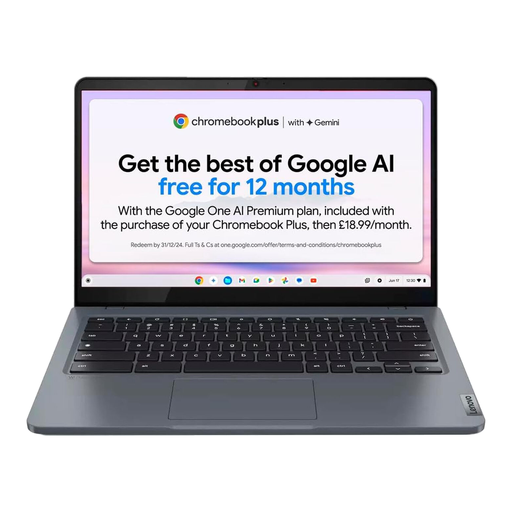
Lenovo IdeaPad Slim 3 Chromebook 14IAN8, 83BN001EUK, grey
Consider this keyboard-based laptop when longer forms and emails are the main tasks. It has a 14-inch display, Intel Core i3 N305, 8GB RAM and 256GB eMMC storage, and runs ChromeOS. Check the intended apps and Google’s final update date for this exact Chromebook model.
View on Joybuy
 No image available
Acer Aspire Lite AL15-36P-C29Z, silver
Consider this laptop for a keyboard-first place to complete forms and emails. Its stated configuration includes a 15.6-inch Full HD display, Intel N150, 8GB DDR4 RAM, a 128GB SSD and Windows 11 Home. Plan the sign-in and display settings around the adult’s routine.
View on Joybuy
 No image available
TABWEE T20 10.1-inch tablet with keyboard bundle
Consider the touch-based tablet format for repeat activities, with the keyboard bundle worth examining if typing is also needed. The title states a 10.1-inch display and 256 GB storage; confirm which keyboard, mouse and stylus are supplied. Check the shipped Android version and its update support, as the product information gives conflicting version details.
View on Joybuy
 No image available
Xiaomi Pad 8, 8G RAM, 128GB Wi-Fi, grey
Consider this tablet when the adult prefers touch input for short home tasks. Before adding longer typing to the plan, check whether a suitable keyboard is part of the chosen setup. Confirm the home-screen options and update support for the exact model.
View on Joybuy
 No image available
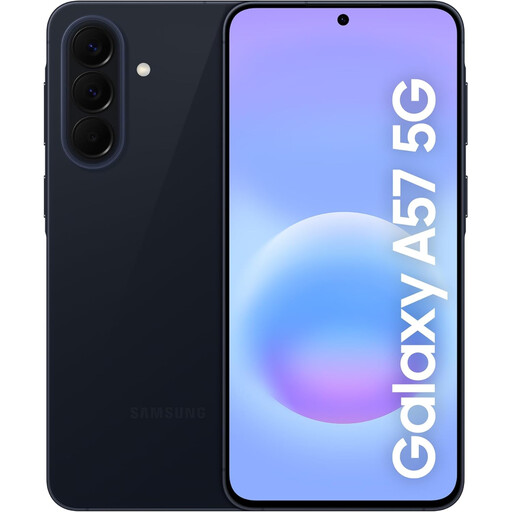
Samsung Galaxy A57 5G, 256GB, Awesome Navy
Consider this phone for short tasks and communication if the adult is already comfortable using a phone. Its title identifies 5G connectivity and 256GB storage, but a phone is not the same workspace as a physical-keyboard device for lengthy forms. Check the home-screen controls and update support on this exact model.
View on Joybuy
Common questions
Do we need home broadband before choosing a device?
No, but establish how the adult will connect before choosing a device. Ofcom’s 2025 analysis distinguishes mobile-data-only use from home broadband and access outside the home. If mobile data is the usual connection, check the allowance and how app downloads and software updates will be handled.
Can a family member set up the device and leave the adult to use it?
Yes, if the adult can manage the planned tasks and knows how to get help when something changes. Apple says a trusted supporter can assist with Assistive Access setup on an iPad; check that the account belongs to the person using it, then agree who may change settings and help with recovery.
How can we check whether a device will keep receiving updates?
Check support for the exact model, not just the brand or a year in its title. Google provides a final-update schedule for Chromebooks. For other connected devices, ask the seller or manufacturer for the applicable update-support information for the item you intend to buy.


