What matters when choosing
Start with your must-have games and any save-transfer requirements; once those work for your chosen platform, compare screen comfort and what you need to start using the tablet.
| Concern |
What to check |
Who this matters to |
| Games and saves |
Check each title on the intended platform and confirm its tablet layout, purchase restoration and save-transfer rules. |
If a favourite puzzle game or saved progress is essential, I need to know it will work before choosing a screen. Around 40% of consumers put game and account compatibility first. |
| Screen comfort |
Compare display size with how you hold the tablet or use a stand; treat refresh rate as a panel specification, not a promise about game frame rate. |
Dense grids and small clues make a readable board my priority, but I still want a tablet I can use comfortably. For around 30% of consumers, screen comfort is the primary concern. |
| Configuration and accessories |
Compare the storage and connectivity variant you intend to order, then check the box contents and any accessories you need. |
If I mainly play casual puzzles, I want the configuration and charging setup to meet my needs without choosing extras I will not use. Around 30% of consumers prioritise those practical essentials. |
Brands to consider
These models illustrate different platform and screen choices; check the exact game titles you intend to play on any tablet you consider.
Apple
The iPad (A16) is an 11-inch iPadOS option if your required puzzle games and existing purchases suit that platform.
- Apple UK lists an A16 chip, a 2360 × 1640 display and 128GB starting storage for the iPad (A16).
- Check each game's availability and transfer rules individually, and confirm what charging equipment you need.
Samsung
The Galaxy Tab S10 FE is an Android option for someone considering an approximately 11-inch screen and expandable storage.
- Samsung UK lists a 10.9-inch display with 90Hz visuals, microSD support up to 2TB and an IP68 water- and dust-resistance rating.
- Samsung UK says a travel adapter is not included. The IP68 rating is not a reason to expose the tablet to avoidable water damage.
Lenovo
The Tab Plus Gen 2 is a larger-screen Android option to consider for puzzle play at home or with a stand.
- Lenovo UK lists a 12.1-inch, 2560 × 1600 display with a 120Hz refresh rate.
- Check whether that screen size suits your grip and carrying setup; the panel refresh rate does not establish how a particular game will run.
Joybuy tablets for puzzle games
These tablets offer screen sizes from 11 inches to 13.4 inches for different playing setups. Check your required games and account access on the intended platform before choosing a model.
 Image unavailable
Xiaomi Pad 8, 8G RAM, 128GB, Wi-Fi, grey
Consider this tablet if you want an approximately 11-inch screen for puzzle boards and have checked your required games.
The listed configuration has 8G RAM, 128GB storage and Wi-Fi connectivity. Check how your purchases and saves work on the intended platform.
View on Joybuy
 Image unavailable
TECLAST T65 Plus, 13.4-inch, 120Hz, 256GB
Consider its larger display for puzzle play with the tablet supported, rather than assuming it will be comfortable to hold throughout a session.
The title lists Android 15, a 120Hz display, 256GB storage and dual-SIM 4G LTE. Processor descriptions differ for this listing, so confirm the exact variant before relying on a chipset claim.
View on Joybuy
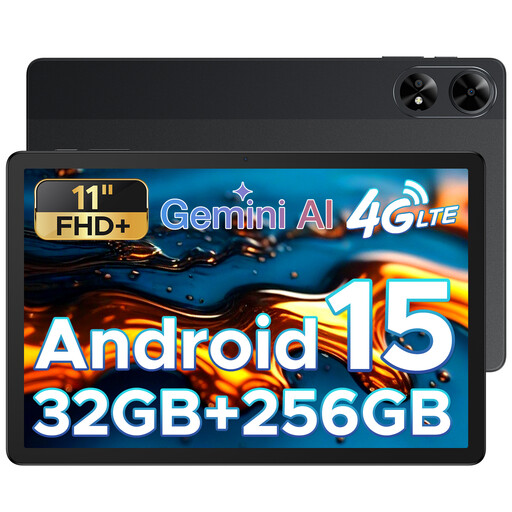 Image unavailable
DOOGEE Tab G6 Plus, 11-inch, 256GB, black
This is an 11-inch Android option if that screen size suits the way you play and your puzzle titles work on it.
The title lists 256GB storage, expansion up to 2TB and an 8000mAh battery. Confirm any processor requirement against the exact variant before ordering.
View on Joybuy
 Image unavailable
DOOGEE Tab E3, 11-inch, 90Hz, black
Consider this Android tablet if an 11-inch screen fits your playing setup and your chosen puzzle games suit the platform.
The title lists Android 15, a 90Hz display and an 8800mAh battery. Memory and storage are presented as options, so confirm the installed configuration for this SKU.
View on Joybuy
Frequently asked questions
How can I tell whether my favourite puzzle game will work well on a tablet?
Check the exact title on the intended platform, including its operating-system requirements, tablet layout and rules for restoring purchases or saves. Android Developers explains that games need to accommodate different tablet window sizes and aspect ratios, so phone availability alone is not enough to judge the tablet experience.
Do puzzle games need a 90Hz or 120Hz screen?
No particular refresh rate is established as necessary for puzzle games. Samsung UK lists 90Hz visuals for the Galaxy Tab S10 FE and Lenovo UK lists a 120Hz panel for Tab Plus Gen 2, but neither specification establishes the frame rate of your chosen game. Settle game compatibility and a comfortable screen size first.
Will I need a separate charger?
Check the box contents for the exact model and whether you already have a suitable power adapter. Samsung UK says the Galaxy Tab S10 FE and S10 FE+ do not include a travel adapter; Apple UK lists a USB-C charge cable with the iPad (A16), so confirm your charging arrangement separately.
What should parents consider when choosing a puzzle-game tablet for a young child?
Plan how the tablet will fit the child's screen-time routine, not just which games it can run. In advice published in March 2026, the UK Government Education Hub said parents of children aged two to five should aim for no more than one hour of screen time a day.


