What matters when choosing
Start with the household’s normal viewing source, then decide whether the main obstacle is the TV’s home screen, the setup process, switching remotes or reading the controls. These lead to different choices: fewer built-in services will not necessarily solve remote confusion, and clearer menus will not necessarily reduce the number of options.
Non-smart TV
Consider it: when broadcast channels, DVDs or connected HDMI devices cover routine viewing without built-in streaming.
Trade-off: adding streaming later means using an external device and its own interface. Cello’s non-smart range illustrates this distinction.
Google TV in Basic TV mode
Consider it: when a Google TV television will mainly show tuner channels or connected inputs and the household wants to avoid an account-led setup.
Trade-off: Google TV Help says Basic TV mode limits connected features; returning to it after full Google TV setup requires a factory reset, and offline use prevents important security updates.
Roku with a compatible remote
Consider it: when streaming is part of the routine and a compatible remote could combine Roku navigation with useful TV controls or push-to-talk voice search.
Trade-off: Roku says TV power and volume support depends on the equipment; a universal remote may provide basic controls without full navigation.
Smart TV with accessibility settings
Consider it: when spoken feedback, larger on-screen elements or stronger contrast address the main difficulty and someone can configure the TV.
Trade-off: Samsung UK’s documented accessibility features do not remove the smart-TV home screen, and availability varies by model, broadcast or area.
| Concern |
What to check |
Who this matters to |
| Familiar viewing steps |
Check how to reach the usual channel, DVD player or HDMI source from power-on, and whether an app-led home screen is involved. |
If I mainly watch channels or use one connected device, I want to get there without choosing between apps. Around 33% of consumers put this straightforward viewing route first. |
| Initial setup and upkeep |
Decide who will configure the TV, whether an account or internet connection is acceptable, and when a restricted mode must be chosen. |
When someone else handles setup, I need the daily arrangement to stay manageable without repeated sign-ins or reconfiguration. Roughly 25% of consumers prioritise keeping those setup demands low. |
| Remote and input control |
Verify power, volume, input selection, Home, arrows and Back on the exact TV, remote and connected devices. |
If several boxes are connected, swapping remotes or losing the right input disrupts ordinary viewing. Around 25% of consumers place one dependable control path first. |
| Readable or spoken controls |
Confirm the exact model’s accessibility features or voice functions and how to reach them with its remote. |
If on-screen text or menu feedback is hard to follow, I need clearer cues or a usable voice option while retaining physical controls. About 17% of consumers make that assistance their primary concern. |
Joybuy Google TV options
These Google TV televisions are options for households considering a connected TV. Before choosing one for simpler routine viewing, confirm that the exact model offers the intended Basic TV setup and that its supplied remote handles the household’s channels, volume and connected inputs.
 No image available
TCL 43-inch V6C (43V6C) Direct LED 4K HDR Google TV
For routine channel or connected-input viewing, confirm whether Basic TV mode can be selected on this exact model during first setup.
The listed variant has a 43-inch Direct LED display and 4K HDR. Check the supplied remote’s channel, volume and input buttons against the household’s daily actions.
Joybuy
 No image available
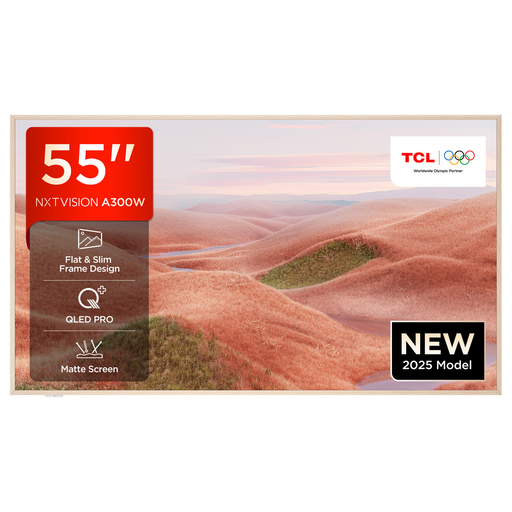
TCL 55-inch A300W (55A300W) QLED 4K HDR Google TV
If this TV would mainly show familiar channels or one connected device, check its exact Basic TV setup path before relying on a reduced interface.
This variant is listed with a 55-inch QLED display and 4K HDR. Confirm how the supplied remote changes sources and whether it controls every device used regularly.
Joybuy
 No image available
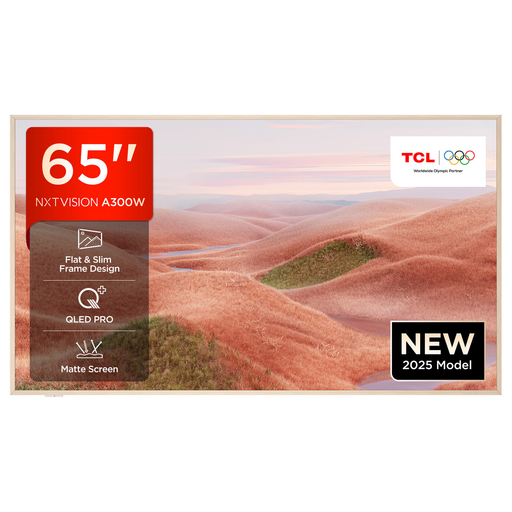
TCL 65-inch A300W (65A300W) QLED 4K HDR Google TV
For a household that wants routine viewing without navigating the full smart interface, verify Basic TV mode and its first-run setup on this exact model.
The listed 65-inch QLED, 4K HDR variant is distinct from the 55-inch A300W. Check its supplied remote and the steps needed to select the usual input.
Joybuy
 No image available
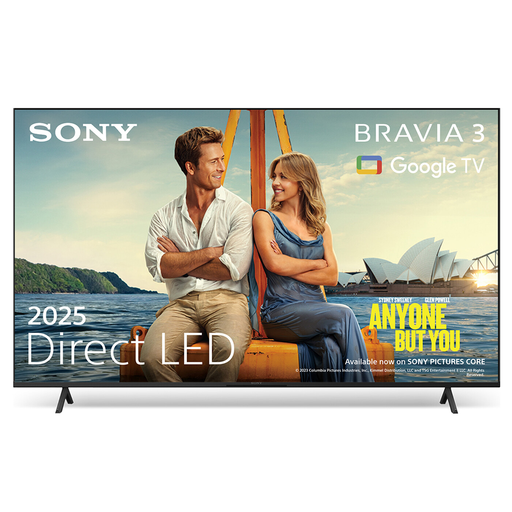
Sony 75-inch BRAVIA 3 (K75S35BP) Direct LED 4K HDR Google TV
Before using this Google TV for a small set of daily viewing tasks, confirm whether its exact setup offers Basic TV mode.
The listed variant has a 75-inch Direct LED display and 4K HDR. Check whether its supplied remote can reach the required channels, volume and inputs without extra device switching.
Joybuy
Common questions
Can a Google TV work without a Google Account or internet connection?
Yes, if the television has Google TV built in and Basic TV mode is chosen during setup. Google TV Help says the mode allows tuner and connected-input viewing without an account or internet connection, but connected features are limited and offline use prevents important security updates.
Can I switch a fully set-up Google TV to Basic TV mode later?
Yes, but Google TV Help says returning to Basic TV mode after full Google TV setup requires a factory reset. Choose the intended mode before the household begins using the television routinely, particularly if repeating setup would be difficult.
Will any universal remote handle TV and Roku navigation?
No. Roku says some compatible universal or provider remotes provide only power, volume and input control, while others also handle Home, arrows, Back and playback. Check the exact remote and device combination against the buttons the household uses each day.
Will a Roku voice remote control TV power and volume?
It can on compatible setups, but Roku says support varies with the remote and television, and HDMI-CEC may need configuring. Confirm both commands with the intended equipment and retain a simple button-based way to control the TV if voice commands are unavailable.


