
24/7 Customer Support

Free returns

Same-day & Next-day Delivery

Quality Guaranteed

Unlock Your Welcome Offers: FREE Delivery | Up to 80% OFF | Free 30-day JoyPlus trial
Download the APP
USB-C wired audio is a practical option for UK commuters, office workers, students and mobile users who want reliable sound without charging or Bluetooth pairing. However, not every pair of Type-C earphones offers the same microphone quality, comfort or device compatibility.
Before buying USB-C wired earphones and headsets, watch for three common traps:
The suitable choice depends on whether you need compact in-ear USB-C earphones for commuting, a USB-C headset for calls or USB-C headphones for laptops and long work sessions.
Check that your device supports digital audio through USB-C. This is particularly important for USB-C earphones for phones, as two phones with identical-looking ports may support different accessory functions.
For computers, plug-and-play USB-C headphones commonly work with Windows, macOS and ChromeOS, although call controls may depend on the operating system or meeting application. If your laptop has USB-A ports, an included adapter can make a meaningful difference. The Poly Blackwire 3220, for example, includes a USB-C to USB-A adapter for connection to a wider selection of workstations.
Also check whether the product has:
For remote work, customer service, online study and video meetings, microphone placement matters more than many buyers expect. A boom microphone positioned close to the mouth generally gives more consistent voice capture than a small microphone placed on the cable.
Look for USB-C earbuds with microphone or wired headphones with mic if hands-free calling is important. A retractable or adjustable boom can be useful at a desk, while an in-line microphone is more discreet for commuting.
Useful controls may include:
Remember that “noise cancelling” can refer to the microphone rather than the speakers. If you work in a busy open-plan office, a noise-cancelling USB-C headset with ANC may be more suitable than standard Type-C earphones.
In-ear models should include suitable ear tips and sit securely without requiring excessive pressure. Angled housings can help direct the cable naturally, while several ear-tip sizes make it easier to find a stable fit.
For longer sessions, check:
A lightweight design can be comfortable on a train journey, but office users may prefer padded ear cups and an adjustable headband. Avoid pulling the cable when disconnecting; hold the USB-C plug instead.
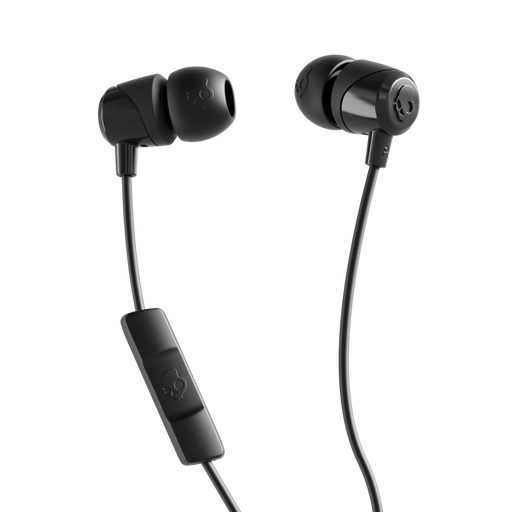
Why This Fits Their Persona: A straightforward option for students, commuters and mobile users who want direct USB-C connection without charging or pairing.
The USB-C design is described as plug-and-play, and three ear-gel sizes help address poor fit and sound leakage.
In-line microphone and remote; direct wired USB-C connection with no battery requirement.
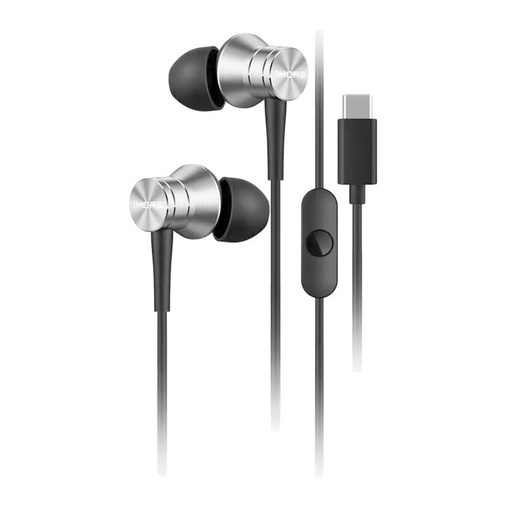
Why This Fits Their Persona: Suitable for listeners who value a lightweight metal design, a personalised fit and a spare pair for home, work or travel.
The supplied details specify additional silicone tips and a reinforced cable, helping address fit and cable-wear concerns.
14-gram stated weight; built-in microphone and in-line remote; reinforced cable construction.
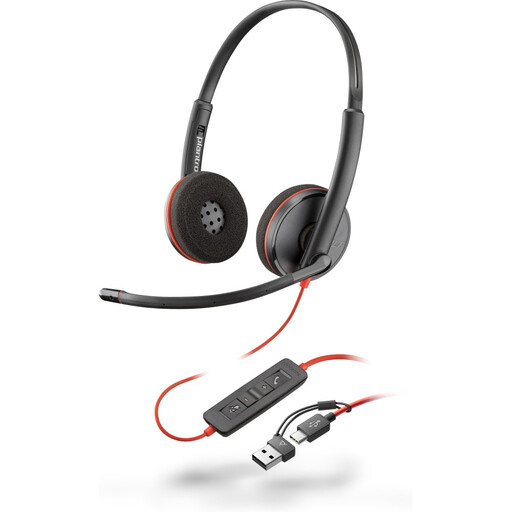
Why This Fits Their Persona: Designed around desk-based calls, meetings and multimedia, with compatibility for USB-C and USB-A workstations.
Its retractable noise-cancelling microphone is separate from speaker noise reduction, making the call-focused design clear.
Stereo audio; adjustable boom microphone; on-headset volume, mute and call controls; USB-C to USB-A adapter included.
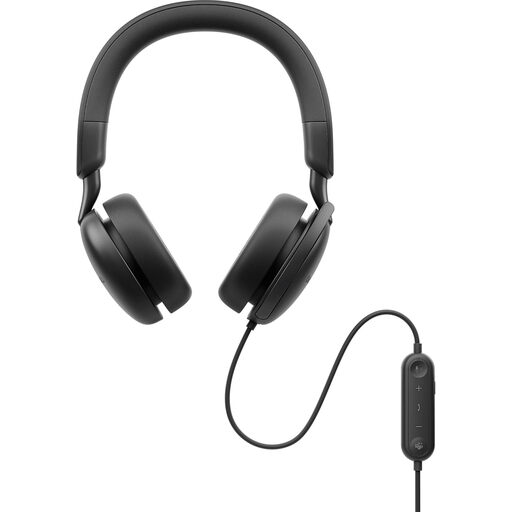
Why This Fits Their Persona: A practical match for open-plan offices, frequent conferencing and users who want both listening-side ANC and a boom microphone.
The product separately lists Active Noise Cancellation, transparency mode and an AI-based noise-cancelling microphone.
USB-C connection with USB-A adapter; replaceable memory-foam ear cushions; foldable ear cups; transparency mode.
We have compiled a complete, real-time list of products that fully satisfy these strict selection criteria and UK safety regulations.
When connecting USB-C headphones for laptops or USB-C earphones for phones, insert the plug fully and select the device under your operating system’s sound settings if it is not automatically recognised. In Microsoft Teams, Zoom or another calling platform, choose the headset separately for speaker and microphone input where necessary.
Keep the cable away from chair wheels, desk edges and walkways. Store in a dry place, avoid sharp bends and clean ear tips or cushions according to the manufacturer’s instructions. Keep listening volume moderate and take breaks during extended use.
No. The phone must support USB audio output through its USB-C port. Check the handset manufacturer’s specifications before buying. Some devices may also require permission for accessories or specific system settings.
They do not require a rechargeable battery, so there is no headset charging cost or battery replacement during normal use. The device itself still uses a small amount of power to process USB audio, and cable damage can eventually require replacement.
Lifespan depends on cable handling, frequency of use and storage conditions. Avoid pulling the cable, bending it sharply near the plug or exposing the earphones to moisture. A reinforced cable and careful storage can help reduce everyday wear, but no fixed lifespan can be guaranteed.