
24/7 全天候客户支持

免费退货

当日/次日达

品质保障

开启新人专享福利: 全场免邮 | 低至 2 折 | 免费试用 30 天 JoyPlus 会员
下载 Joybuy
Choosing a new home office printer can feel like a chore. The market is filled with models that promise the world, but often leave you with high ink costs, unreliable connections and a bulky machine taking up valuable desk space. Whether you're a professional running a small business printer from home, a parent managing schoolwork or simply need a reliable device for occasional use, the goal is the same: to find a machine that is cost-effective, dependable and easy to use.
This guide is designed to cut through the marketing clutter. We will walk you through the key features to consider and present a few carefully selected models that offer a strong balance of performance, value and practicality for UK homes and offices.
Before diving into specific models, let's cover a few essential points. Focusing on these areas will help you identify the right type of printer for home use or professional work.
The initial price of a printer is only part of the story. The long-term running cost is largely determined by its ink system.
Modern printers offer features that can genuinely save you time and resources.
After analysing the market for devices that meet the needs of UK users, we've highlighted three strong options from the Brother printer range, each catering to a different set of priorities.

Why It Stands Out: The DCP-T780DW is built for high-volume, low-cost printing. Its main appeal is the enormous amount of ink included in the box—enough for up to 15,000 black pages and 5,000 colour pages. This, combined with its mess-free, easy-fill ink tank system, makes it a formidable choice for anyone tired of constantly buying ink.
Pros:
Who is it for?: High-volume home offices, small businesses and busy families who prioritise the lowest possible long-term printing costs above all else.
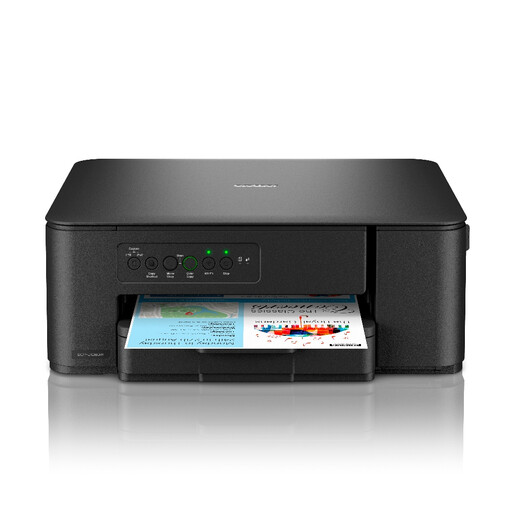
Why It Stands Out: This all in one printer proves that you don't need a large device for great functionality. The DCP-J1260W is exceptionally compact, designed for a small footprint on a desk or shelf without fuss. It offers straightforward print, scan and copy functions with the convenience of wireless operation, making it a great entry-level multifunction printer.
Pros:
Who is it for?: Students, families and home users with moderate printing needs who are looking for a compact, affordable and easy-to-use device.
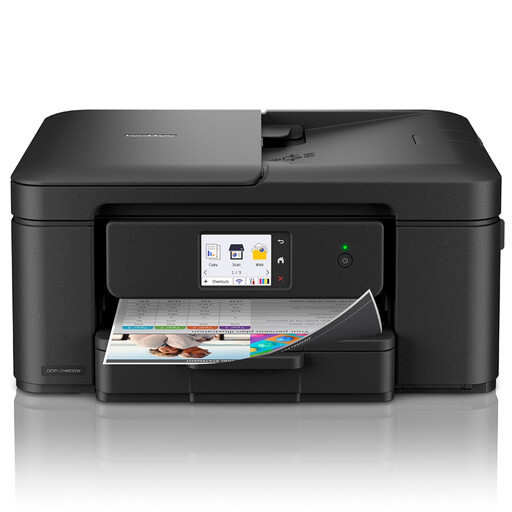
Why It Stands Out: The DCP-J1460DW strikes an excellent balance between advanced features and a compact, affordable design. It brings productivity tools often found in larger office machines—like a 20-sheet ADF and a large 6.8cm colour touchscreen—into a device suitable for a home office. Its fast colour print speed is another significant advantage.
Pros:
Who is it for?: Home office professionals and busy households who want premium features like a touchscreen and an ADF without sacrificing desk space or budget.
While these three models represent excellent choices for different needs, they may not be the perfect fit for everyone. If you require different features, such as laser printing or A3 capabilities, we have a wider selection available.
Explore our full range of office inkjet printers to find the right device for your workspace.
This depends entirely on your printing volume. For those who print frequently (several times a week), an ink tank printer offers a significantly lower cost per page and is more economical in the long run. For very occasional use, a traditional cartridge printer has a lower initial purchase price.
An ADF, or Automatic Document Feeder, allows you to scan or copy a stack of multiple pages automatically. If your work involves handling multi-page documents like contracts, reports or invoices, a printer with ADF is a major time-saving feature that streamlines your workflow.
Yes, almost all modern printers are designed for this. To ensure compatibility, look for a wireless printer that supports mobile printing technologies such as Apple AirPrint (for iOS devices) and Mopria Print Service (for Android) or the manufacturer's dedicated app, like Brother Mobile Connect. This allows you to print documents and photos directly from your smart devices with ease.