
24/7 全天候客户支持

免费退货

当日/次日达

品质保障

开启新人专享福利: 全场免邮 | 低至 2 折 | 免费试用 30 天 JoyPlus 会员
下载 Joybuy
Trying to move files between your new USB-C smartphone and an older USB-A computer can be a frustrating exercise in finding the right adapter. In a world of mixed ports, carrying multiple drives or dongles is an unnecessary complication. A dual USB C flash drive offers a streamlined solution, featuring both connectors on a single, portable device.
This guide is designed to help you navigate the options. We will outline key features to consider and present a selection of drives that offer a practical balance of speed, capacity and reliability for everyday use, whether you're a student, a professional or simply need a better way to manage your files.
Making the right choice comes down to understanding a few key specifications. Here’s what to look for when selecting a 2 in 1 thumb drive.
Transfer speed determines how quickly you can move files. A high speed flash drive is essential for large media like 4K videos or extensive photo libraries. Speeds are measured in megabytes per second (MB/s) for both reading (opening files from the drive) and writing (saving files to the drive). Look for drives with USB 3.2 specifications, as this standard offers a significant performance increase over older USB 2.0 technology. For professionals who regularly transfer gigabytes of data, a drive with Gen 2 performance can save valuable time.
How much storage do you need? A 128GB drive is often sufficient for documents and a moderate number of photos. However, a 256GB USB stick provides a more comfortable buffer for larger files, software backups and growing media collections.
Equally important is file system compatibility. Most drives come pre-formatted with exFAT, which works seamlessly across Windows, macOS and Android. This makes it an excellent choice for a flash drive for phone and computer, allowing you to use it as an OTG flash drive (On-The-Go) with compatible smartphones and tablets without reformatting.
A USB C memory stick that you carry daily needs to be durable. Metal casings, often made from zinc or aluminium alloy, offer better protection and heat dissipation than plastic. Consider the connector protection mechanism as well. A 360° swivel design or a sliding mechanism prevents dust and debris from damaging the ports, eliminating the need for a separate cap that can easily be lost.
Here are our recommendations for dual-interface flash drives that stand out for their performance, build quality and versatility.
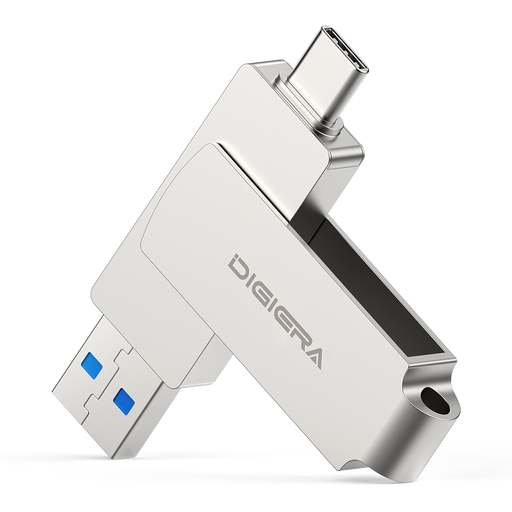
Why It Stands Out: The DigiEra LUS320 strikes an excellent balance between speed and practicality. With read speeds of up to 500MB/s, it handles large file transfers efficiently. Its robust aluminium alloy body and capless swivel design make it a durable and convenient choice for daily use.
Pros:
Who is it for?: Professionals and students who need a reliable and fast all-rounder for moving work documents, media files and backups between various devices.
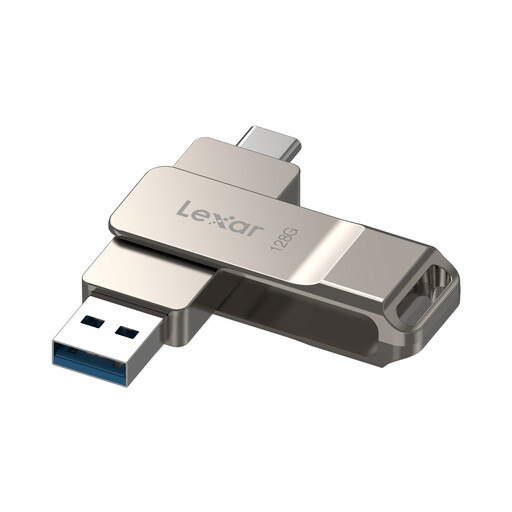
Why It Stands Out: The Lexar D40E focuses on security and reliability. It includes access to an advanced security software solution with 256-bit AES encryption, allowing you to create a password-protected vault for your sensitive files. Its sturdy metal housing and swivel design make it a dependable travel companion.
Pros:
Who is it for?: Users who prioritise data security and need a trustworthy drive for transporting confidential work or personal files.
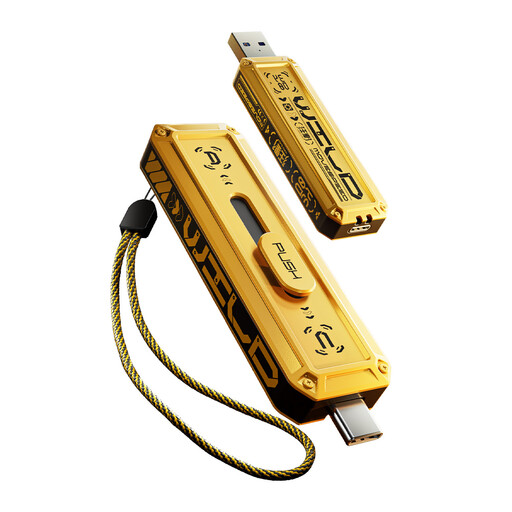
Why It Stands Out: This drive is built for maximum speed. Leveraging a USB 3.2 Gen 2×1 interface and 3D NAND flash, it achieves read speeds of up to 1090MB/s. This level of performance is comparable to some external SSDs, making it ideal for power users. The push-slide mechanism and bold mecha design add a unique, modern touch.
Pros:
Who is it for?: Content creators, video editors and tech enthusiasts who require the fastest possible transfer speeds for handling massive files and demanding workflows.
If these specific models don't quite meet your needs, whether you're looking for a different capacity, form factor or price point, there are many other options available. A versatile USB A and C flash drive is a valuable tool for modern digital life.
To see a wider variety of choices, feel free to Explore our full range of USB 3 flash drives.
A dual USB C flash drive, also known as a 2 in 1 thumb drive, is a portable storage device that features two different connectors: the modern, reversible USB-C and the traditional, rectangular USB-A. This allows it to connect to a wide range of devices, from new laptops and smartphones to older desktop computers, without needing an adapter.
Yes, provided your smartphone or tablet supports USB On-The-Go (OTG). Most modern Android devices support this feature. When you plug an OTG flash drive into your phone's USB-C port, it appears as external storage in your file manager app, allowing you to transfer photos, videos and documents directly to and from the drive.
No, nearly all modern dual flash drives are plug-and-play. This means you do not need to install any special software or drivers for them to work. Simply plug the drive into a compatible port on your computer, tablet or phone, and the operating system will automatically recognise it as a removable storage device.