What matters when choosing a drive?
Plan how you will keep and check separate copies before choosing a connector, access protection and capacity for the portable one.
| Concern |
What to check |
Who this matters to |
| Recoverable copies |
Keep copies in different locations and on different storage technologies; open copied files and check them periodically. |
If family records are hard to replace, I need to know that a failed or lost drive will not take my only copy with it. Around 33% of consumers would put recoverable copies first. |
| Connector compatibility |
Check the actual USB-A or USB-C ports on the devices used to create and restore files. |
When I move records between older and newer devices, I want the drive to connect wherever I need the files. For around 27% of consumers, matching those ports would be the primary concern. |
| Privacy |
For records about living people, check the encryption method and how you would retain access to a key or PIN. |
If I carry details about living relatives, I want to limit access should the drive go missing. Protecting those details would come first for around 20% of consumers. |
| Capacity and transfer time |
Measure the archive, allow for additions and check the host port before relying on a stated maximum speed. |
With a growing collection of scans or video, I need room for the next copy and a manageable transfer process. Around 20% of consumers would prioritise archive size and transfer time. |
Brands to consider
These ranges illustrate different connector and access-protection choices; a brand name alone does not determine whether a particular drive fits your archive.
Kingston
Kingston’s DataTraveler Max range addresses larger USB-C transfers, while its IronKey Keypad 200 range provides keypad-controlled hardware encryption.
- Kingston specifies DataTraveler Max capacities from 256GB to 1TB and claims speeds up to 1,000MB/s read and 900MB/s write.
- DataTraveler Max speed depends on a compatible host connection. The IronKey Keypad 200 requires dependable PIN management because repeated incorrect administrator PIN entries can crypto-erase it.
Samsung
Samsung’s BAR Plus is a USB-A range, while Duo Plus pairs USB-C with an integrated Type-A adapter for moving files between connector types.
- Samsung states that BAR Plus resists water, shock, magnetic fields, temperature fluctuations and X-rays, and offers a five-year limited warranty.
- BAR Plus does not plug directly into a USB-C-only port. Stated resistance and a warranty do not replace independently stored archive copies.
SanDisk
SanDisk positions its Ultra Dual Drive Luxe as a drive for USB-C and USB-A devices.
- SanDisk specifies a USB 3.2 Gen 1 interface and a five-year limited warranty for the range.
- Check access protection separately if you will carry records about living people; dual connectors alone do not establish that a drive is encrypted.
Joybuy product choices
These drives offer portable copies with different capacities, connectors and access controls. Compare each with the devices you use and the records you intend to carry; none replaces separate archive copies.
 No image available
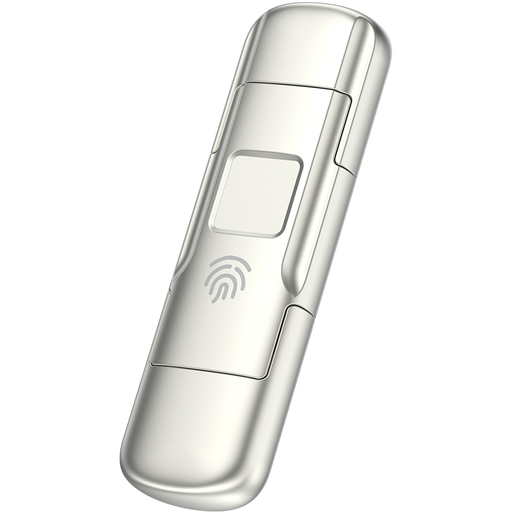
MOVESPEED YSUYC-256GSN 256GB USB-A/USB-C drive, silver
A choice to examine if your archive copy moves between USB-A and USB-C devices. The listing describes fingerprint access and claims AES-256 encryption; confirm how encryption is implemented before relying on it for sensitive records.
The stated read and write speeds of up to 550MB/s and 500MB/s are product claims, not measured results for your computer.
View on Joybuy
 No image available
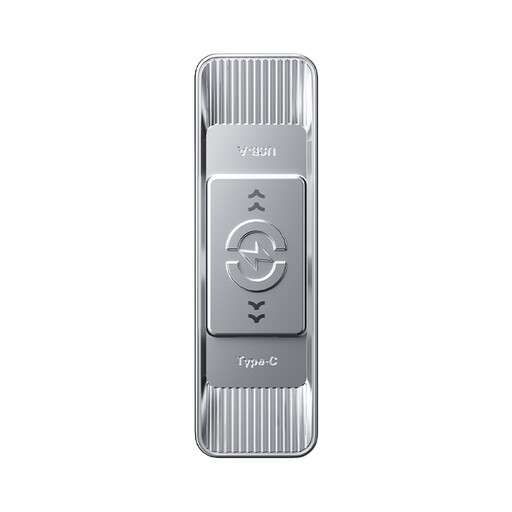
MOVESPEED YSUSP05-256GSR 256GB USB-A/USB-C drive, silver
Its dual connectors suit a copy moved between USB-A and USB-C ports. The listing claims read speeds up to 570MB/s and write speeds up to 520MB/s; check your host connection before making speed the deciding factor.
Check the drive’s available space against your files and planned additions. If you will carry personal records, check the available protection options.
View on Joybuy
 No image available
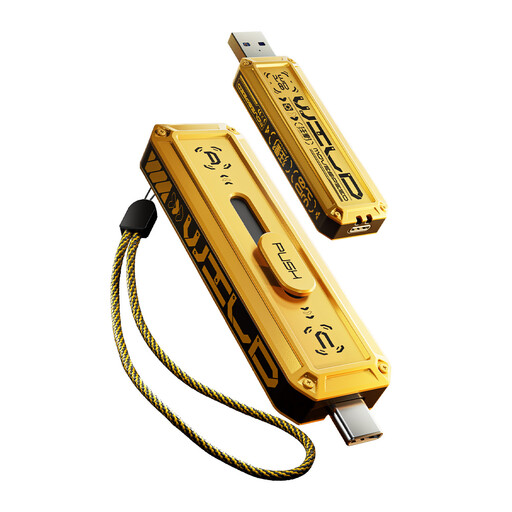
MOVESPEED YSUWD10-1TSY 1TB USB-A/USB-C drive, yellow
The stated 1TB capacity may suit a larger portable copy, subject to the space available after formatting. Its listing describes both USB-A and USB-C access.
The listing pairs high maximum-speed claims with a Type-C 5Gbps interface description. Confirm the interface and host requirements before choosing it for transfer speed, and check protection options if the copy contains sensitive records.
View on Joybuy
 No image available
DigiEra LUS320 128GB USB-A/USB-C swivel drive
The dual connectors fit a mixed-port setup if 128GB provides enough space for your files and planned additions. The listing describes a swivel casing and claims read speeds up to 500MB/s.
Check access-protection options separately before carrying personal information about living relatives.
View on Joybuy
 No image available
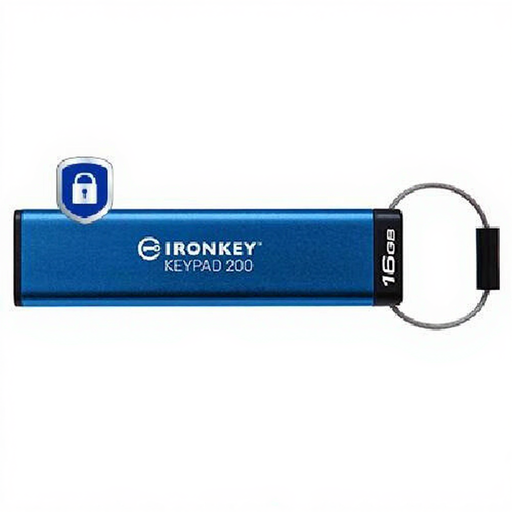
Kingston IronKey Keypad 200 16GB USB-A drive
Consider this keypad-operated hardware-encrypted drive when access protection is the priority and a 16GB portable copy is sufficient. It uses USB-A, so check the ports on the devices needed to restore the records.
Kingston states that 10 consecutive incorrect administrator PIN attempts trigger crypto-erase. Establish a dependable PIN-management process before storing important files on it.
View on Joybuy
Common questions
Can one USB flash drive be my complete genealogy archive?
No: use it as one copy, not the entire preservation system. The National Archives advises keeping several copies in different physical locations and on different storage technologies, then checking copied content and its continuing integrity.
Should I choose USB-A, USB-C or both?
Choose connectors that match the devices used to create and restore your archive. A dual-connector drive helps when those devices have both USB-A and USB-C ports; a single-connector model can suit a setup that consistently uses that port.
When should I consider an encrypted drive?
Consider encryption when a portable copy contains information about living people and could be lost or stolen. The Information Commissioner’s Office says encryption can protect personal information stored on USB media; whichever method you choose, plan how to retain authorised access.
Can Windows encrypt an ordinary USB drive?
BitLocker Drive Encryption is an option on compatible Windows editions: Microsoft lists Pro, Enterprise and Education. Check the edition on the computer you will use and plan secure storage for the recovery information before depending on an encrypted copy.
Does UK GDPR apply to a personal family-history archive?
The Information Commissioner’s Office states that UK GDPR does not apply to processing carried out by an individual purely for personal or household activities. A genealogy society, business or other organisation handling information about living people should assess its own processing rather than assume that the household position applies.


